“Wait, what am I even setting up?”
Onboarding was process-heavy but context-light. Users couldn’t see why each step mattered or how far along they were, so many felt lost before reaching any value.

Client
MProfit Software Pvt. Ltd.
with Ungrammary Creatives Pvt. Ltd.
Duration
2022 - 2025
~ 3 yrs
A clarity-first redesign and rebranding of multi-asset investment-tracking platform, and its marketing website, making a powerful but dense product feel as capable as it actually is.
Context
MProfit is a non-traditional multi-asset investment tracking platform serving
It consolidates investments across multiple brokers and asset classes into one unified view, tracking performance, computing returns (XIRR), and generating capital-gains and tax reports, all powered by heavy backend automation across hundreds of brokers and institutions.
The project: the engine was powerful, but the experience didn’t show it.
Over the years, MProfit became powerful but increasingly complex. New users struggled to get started, key features were often overlooked, and the marketing website no longer clearly communicated the product’s value to different audiences.
So the engagement ran on two fronts: fix the product experience, then rebuild the website to match.
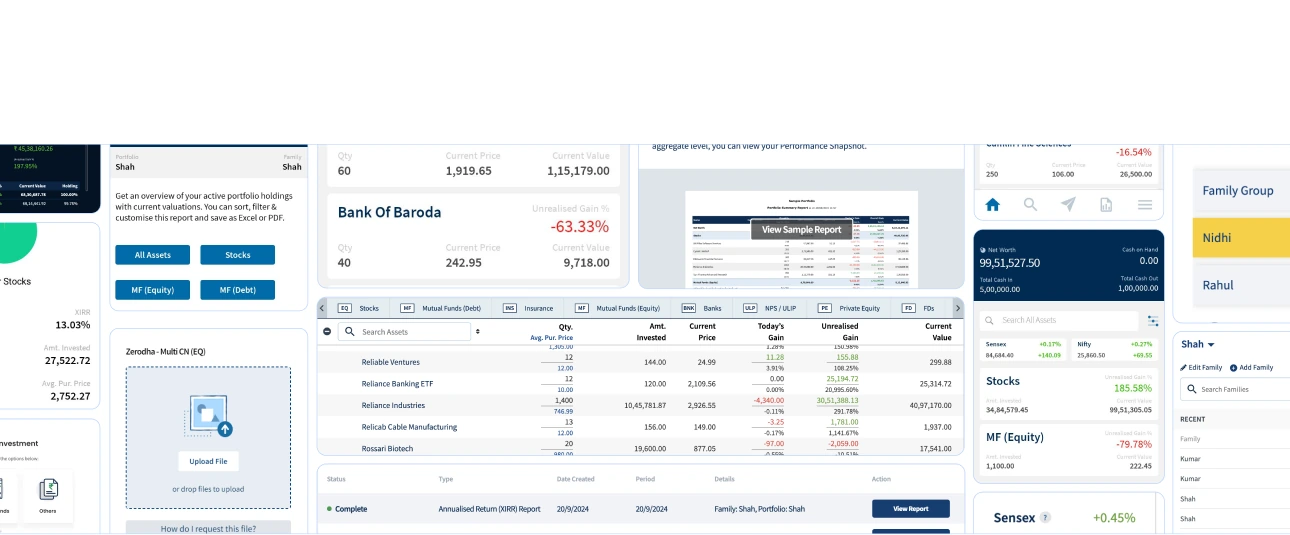
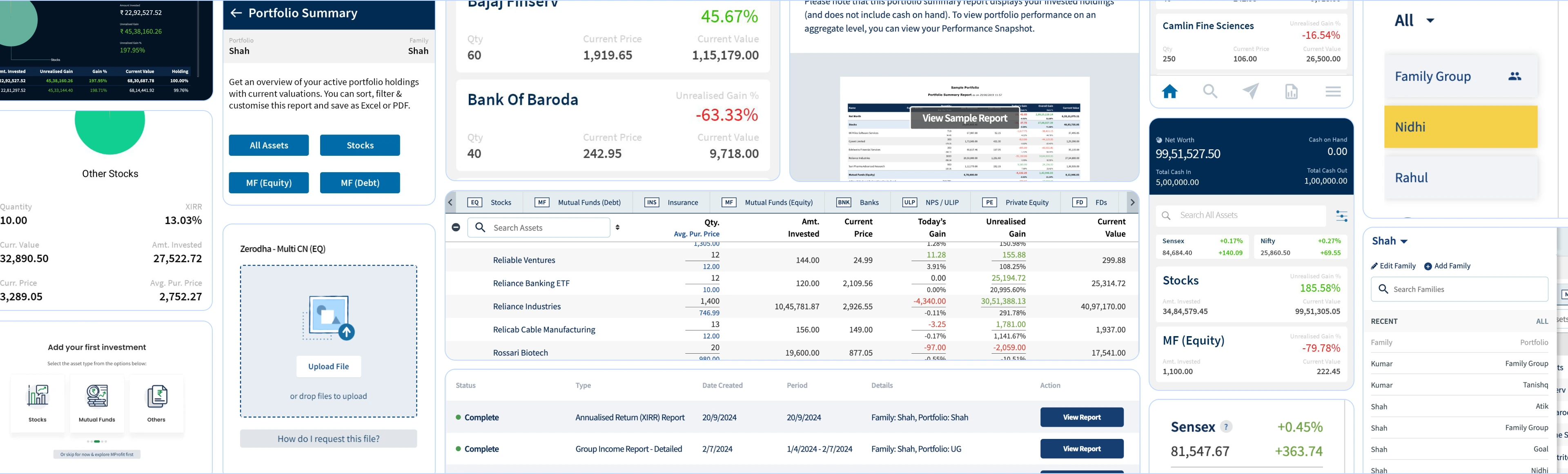
Problem
Onboarding was process-heavy but context-light. Users couldn’t see why each step mattered or how far along they were, so many felt lost before reaching any value.
First-timers got lots of options and little direction: no clear hierarchy, cues, or moments of delight, which led to drop-off and underused features.

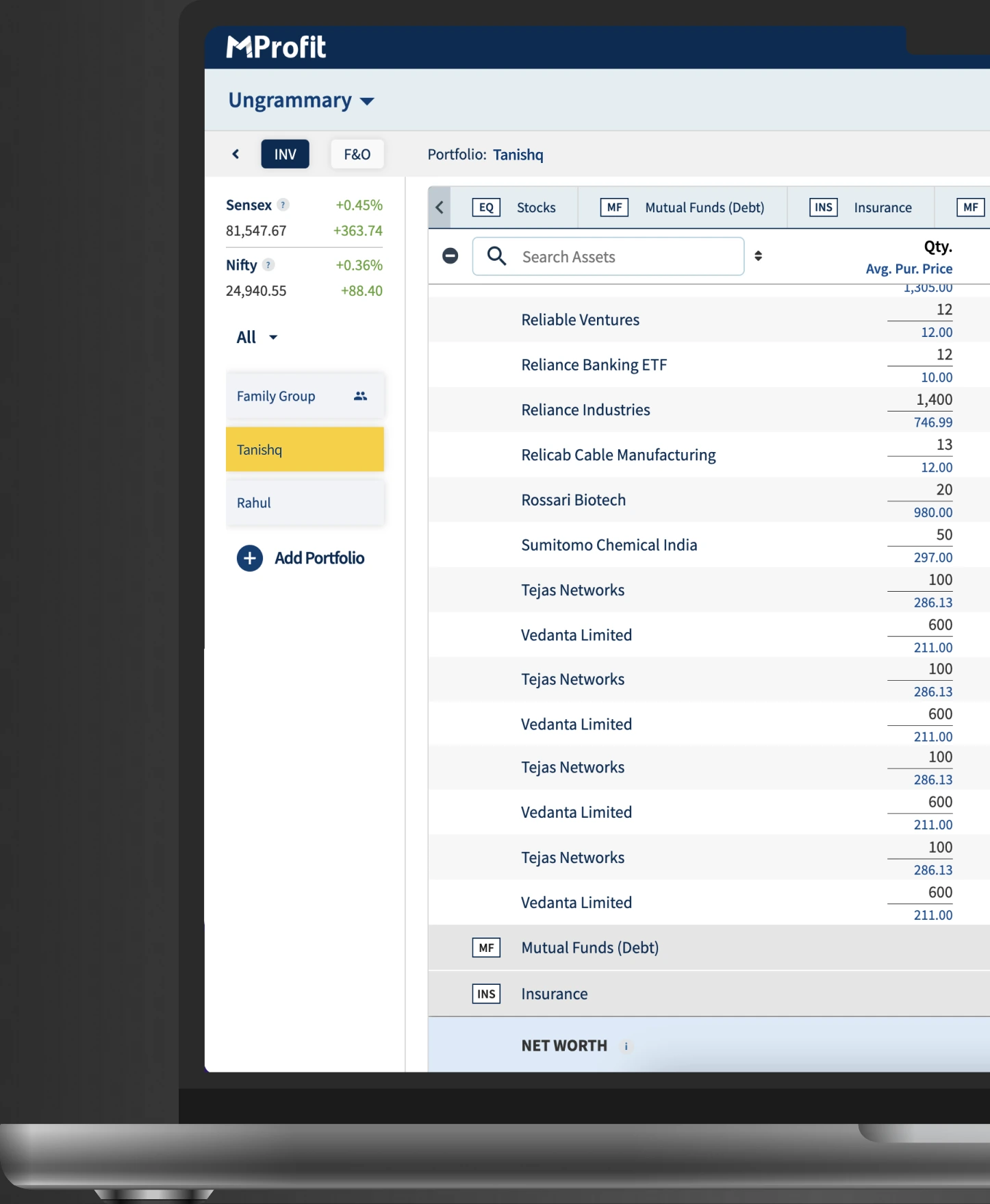
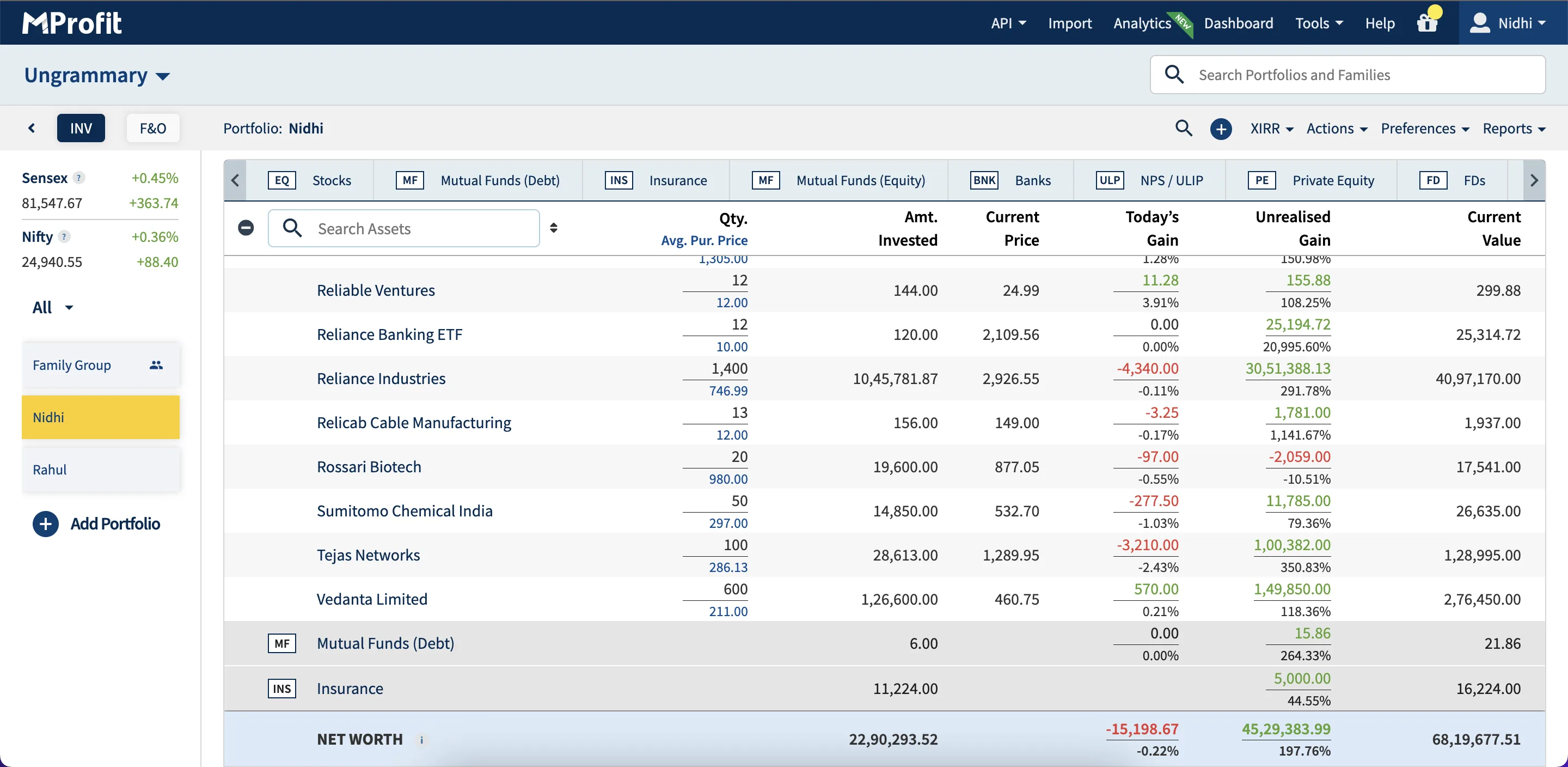
The dashboard leaned on tables and near-identical graphs; functions and views shared the same navigation space, so nothing guided the eye or separated doing from viewing.

Supporting heuristic findings:
A flat hierarchy (actions, analysis and modules all on one level), asset classes shown even to users who didn’t hold them, expanding one class pushing others out of reach, a buried XIRR (a flagship feature), and weak responsiveness on mobile and tablet.
Goals:
Modernize with a clean, scalable design system; simplify navigation and data presentation; make onboarding confidence-building; ensure responsiveness across devices.
Front no.1:
Started with a heuristic evaluation of the live platform plus UX research, pinpointing the exact failure points and defining the core personas:
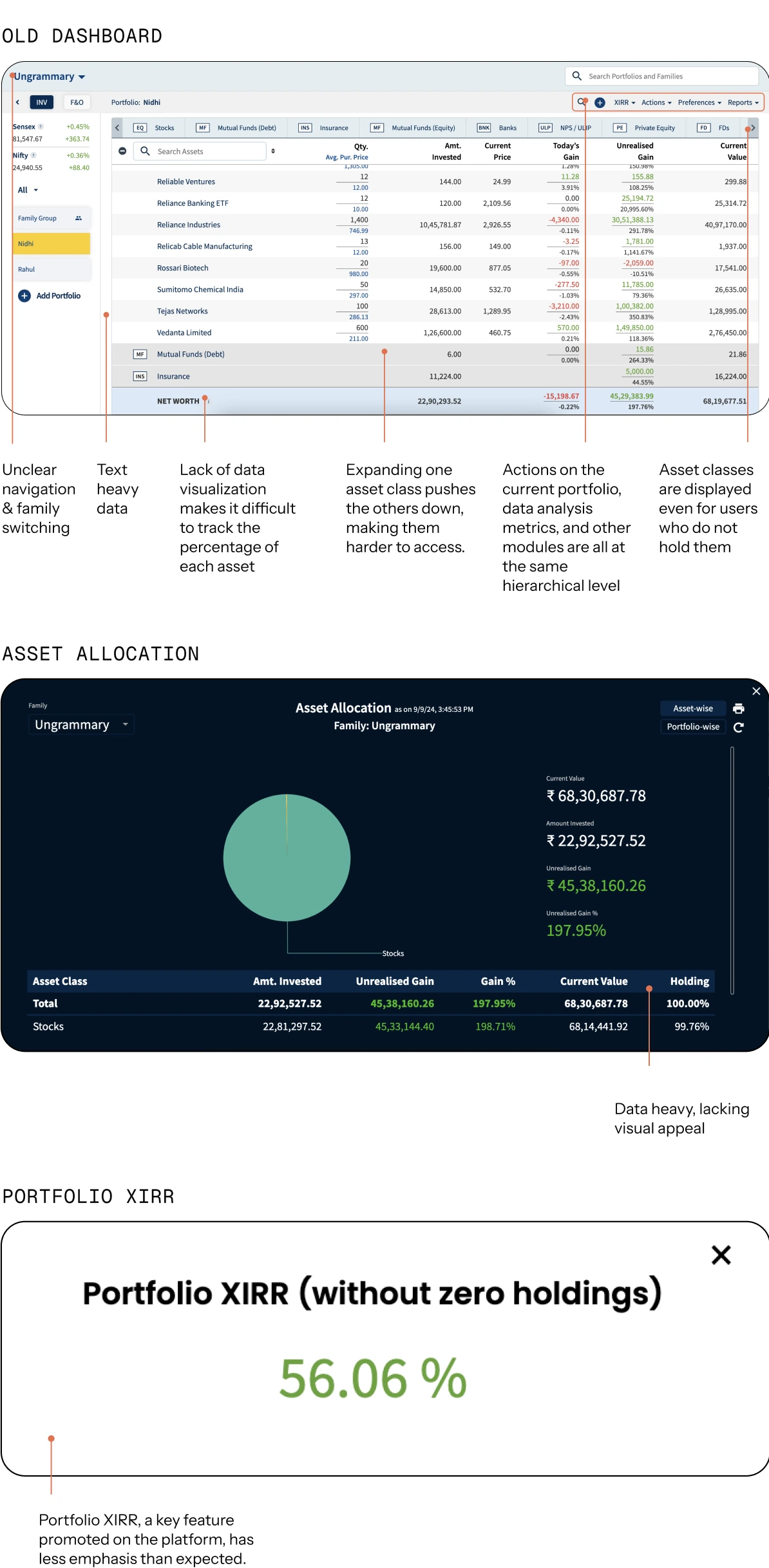
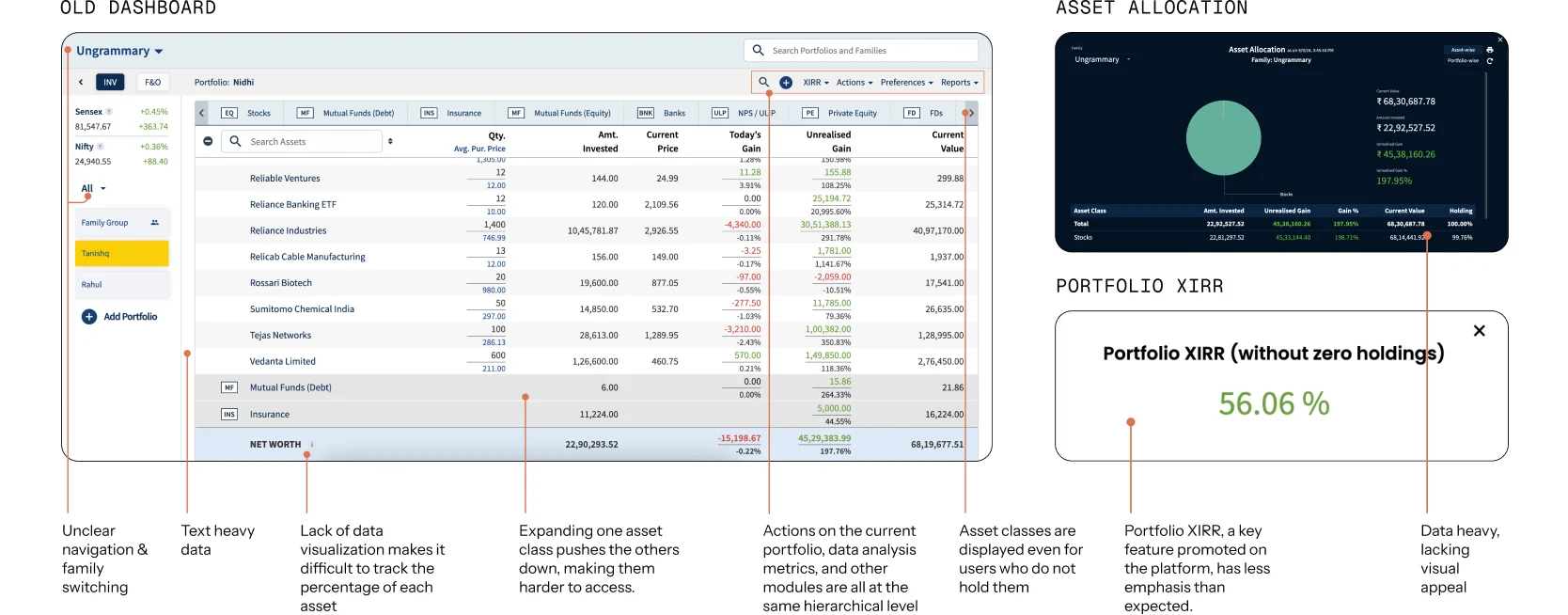
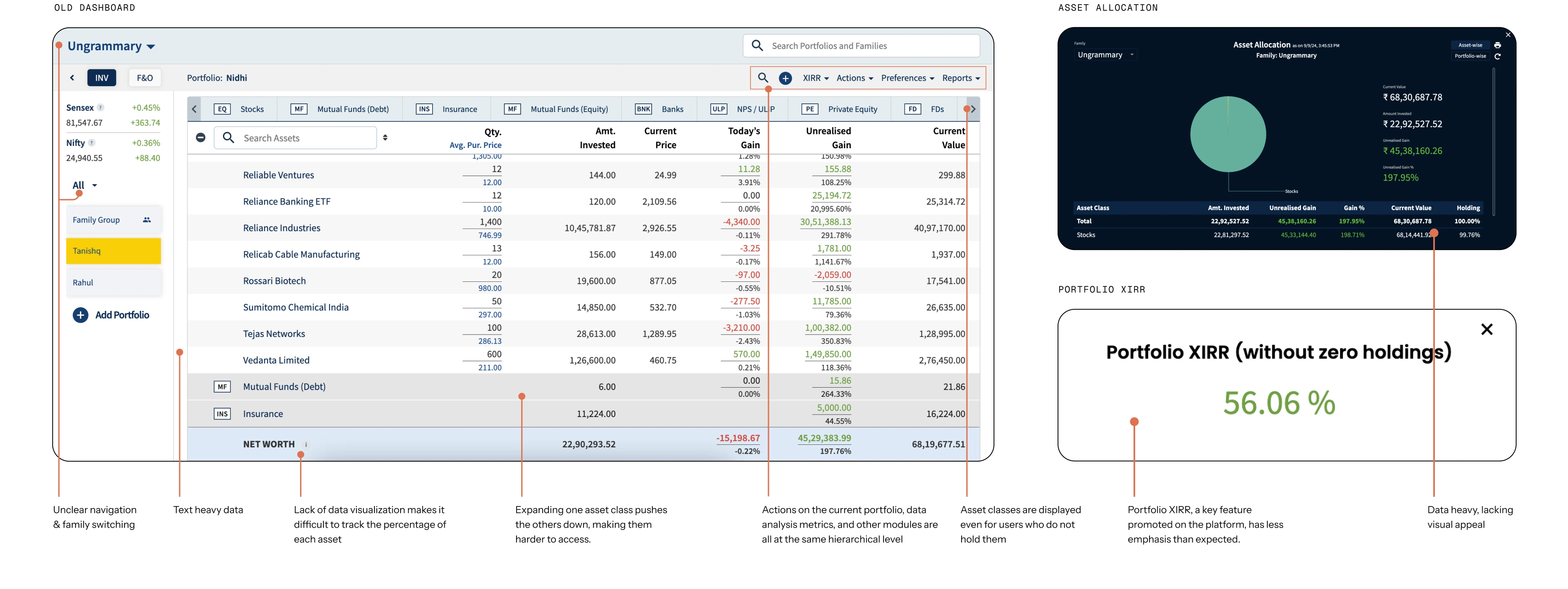
A key insight:years of use had built strong habits we couldn’t break overnight. So we chose a phased approach i.e. design for new users and their pain points first, then extend to existing users so adaptation felt natural and trust held.
In parallel we restructured the information model:
01
Overview
Aggregated view of portfolio
02
Asset class
Stocks, MF, FD, etc
03
Classification of asset class
Eg: For Stocks — by sector, market cap, risk profiling
04
Individual assets
Reliance, HDFC, Tata, etc
Solution 01
Turned the procedure into a guided experience: progressive data fill, so users complete setup and learn how to read their data once inside; visual cues showing what they’re creating at each stage; and info pills at the moments that usually cause hesitation. The point was to remove guessing and let users feel rewarded early
Solution 02
Rebuilt around two axes: navigation and data visualization.
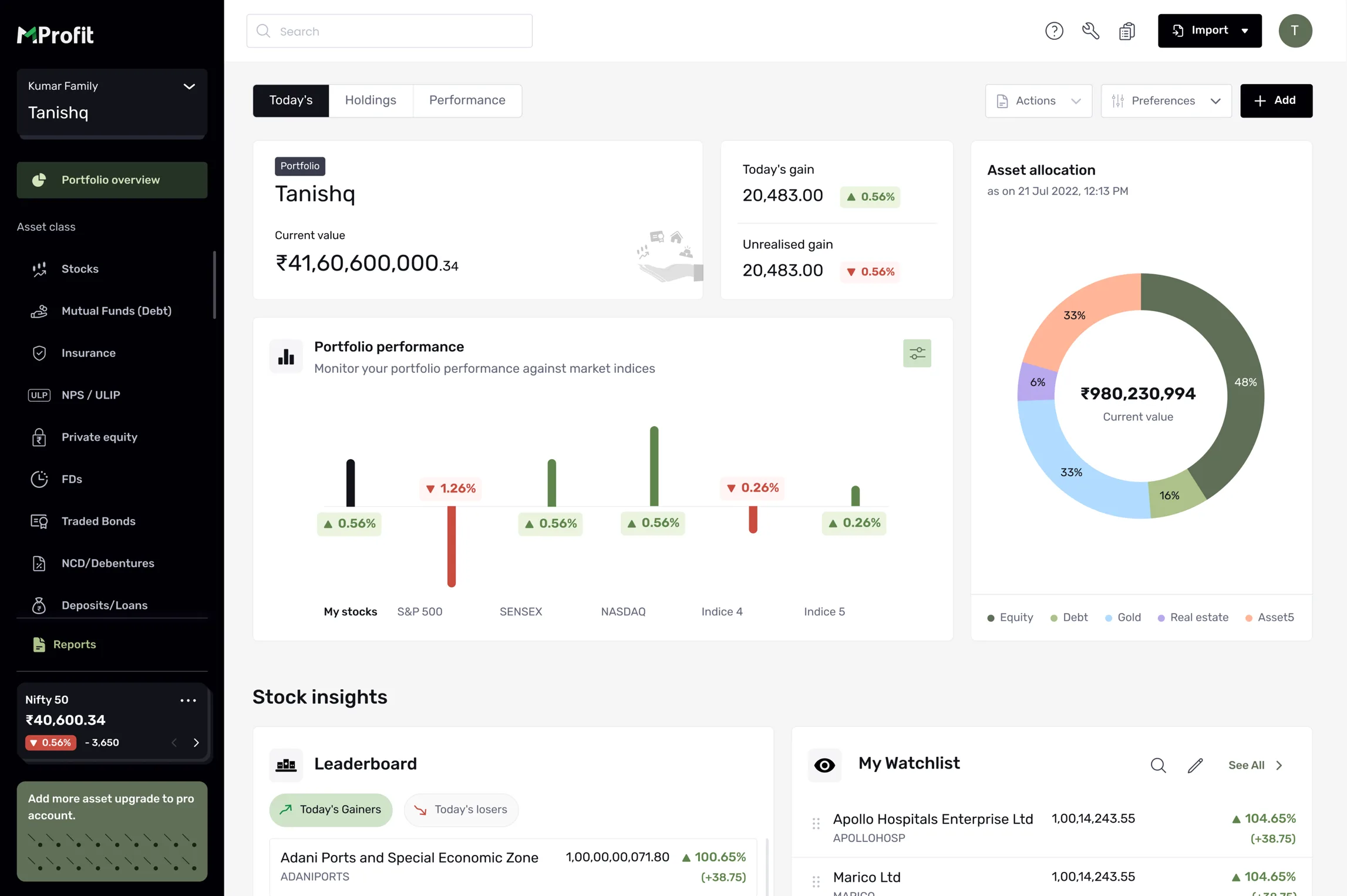
New users get a guided / demo experience; the dashboard uses progressive disclosure, surfacing insight in layers and letting people drill deeper only when they want to; and charts replace numbers.
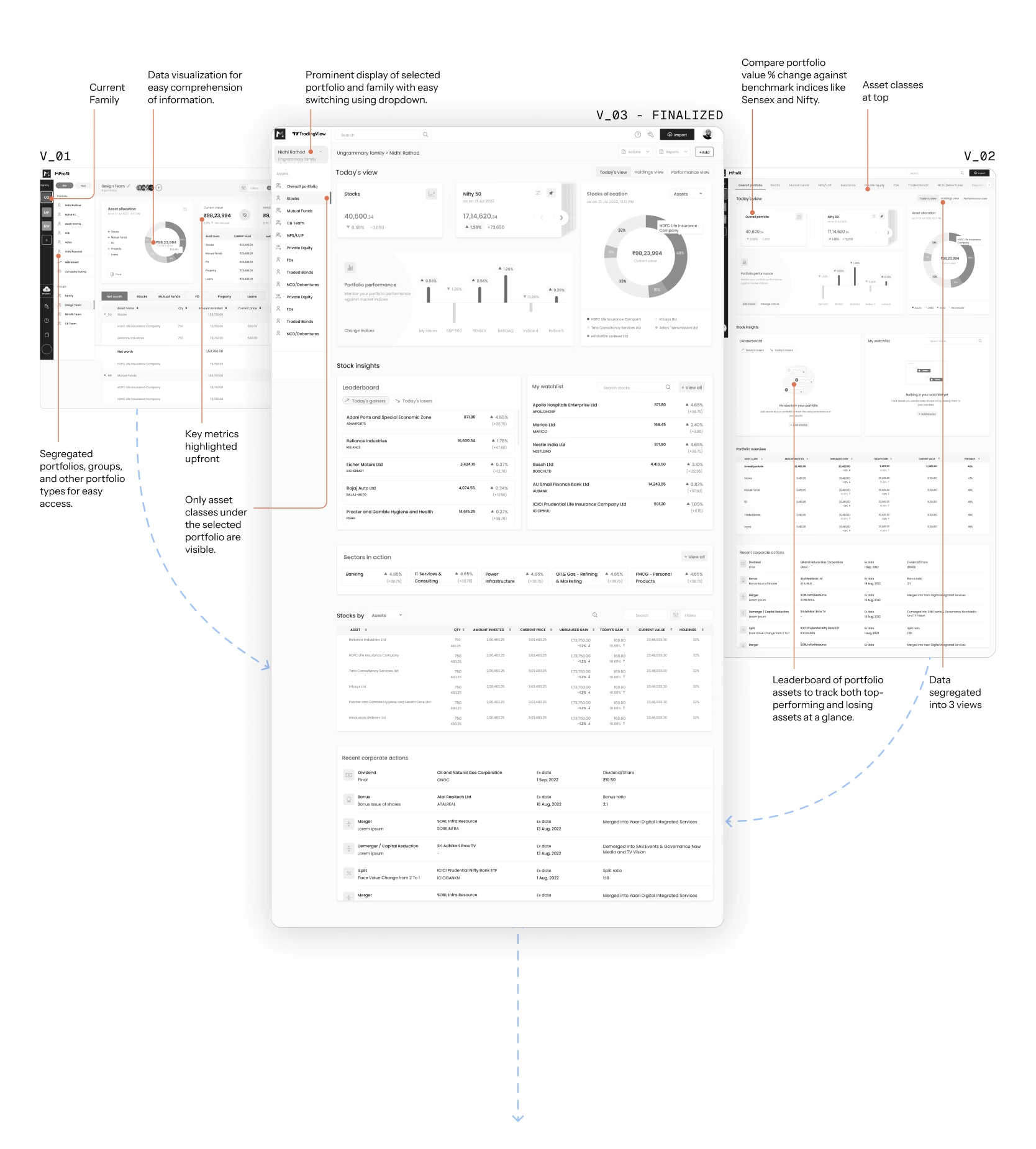
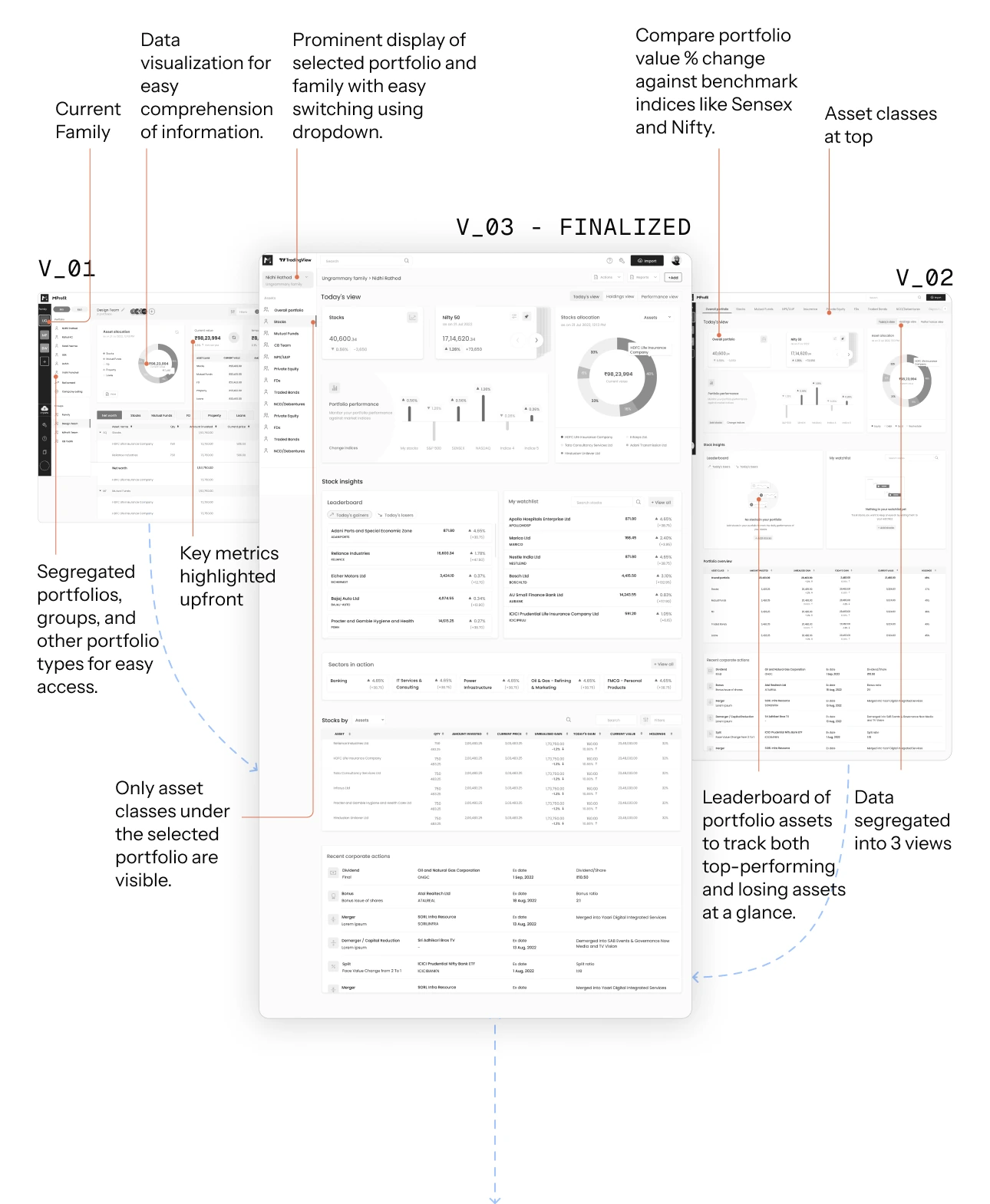
After exploring various layouts, and gathering feedback from stakeholders, the finalized the layout was the one which improved the navigation and enhanced data clarity. The selected approach effectively addressed the identified pain points, ensuring an optimized user experience and improved platform performance.
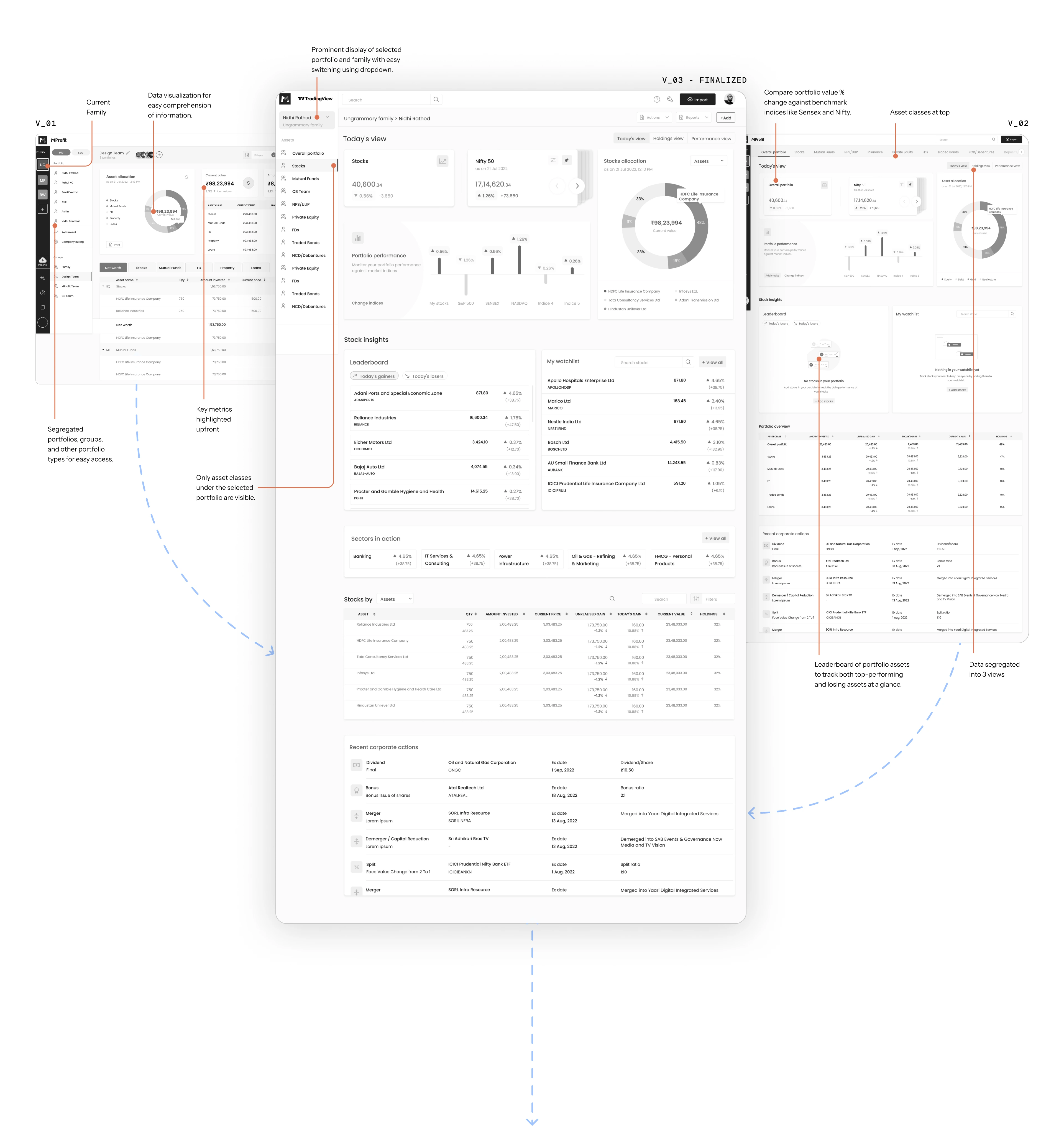
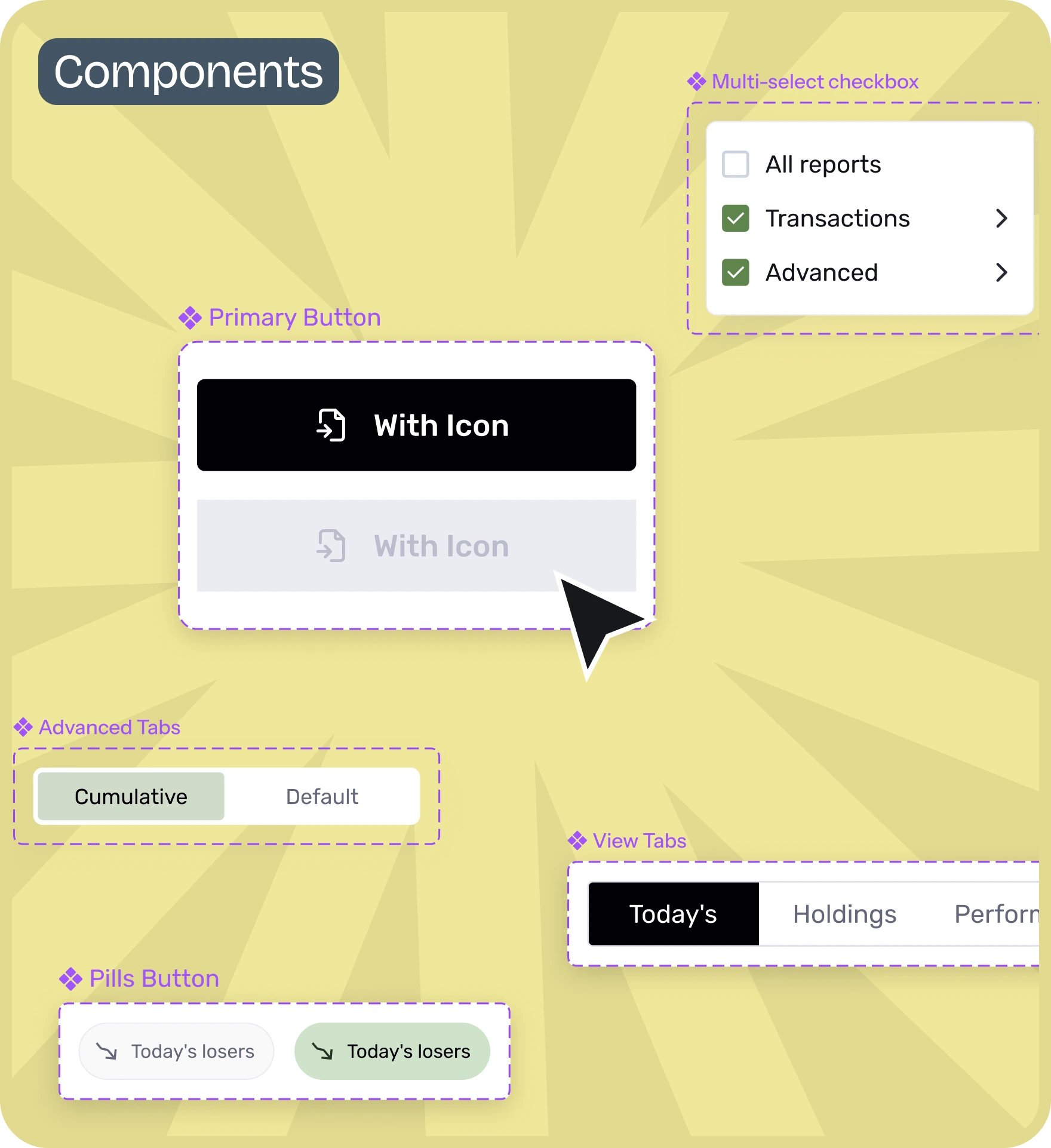
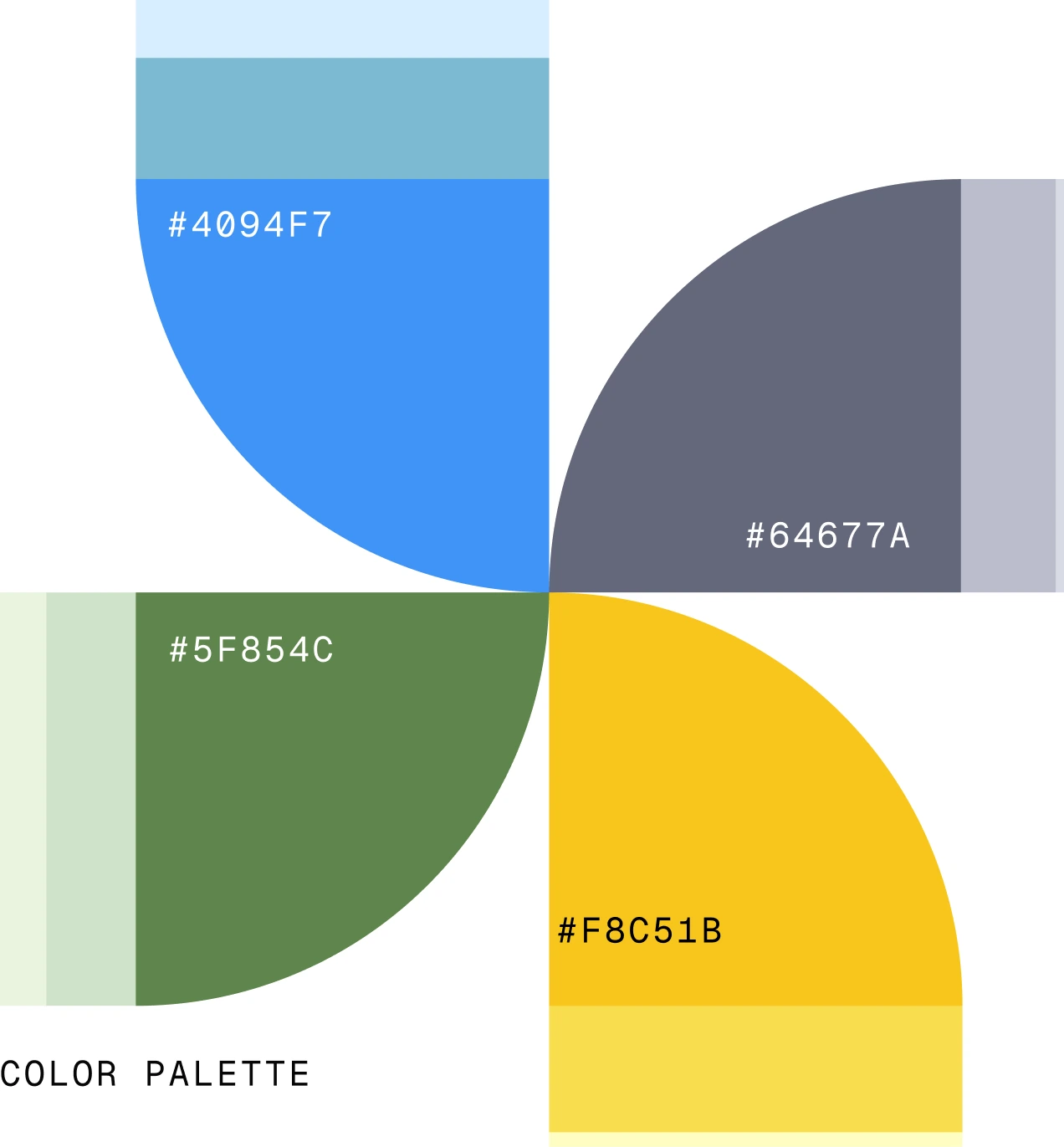
Using the finalized layout as a base, created a design system that could fit well with the new brand guidelines. Using this we designed the UI for the Dashboard, which also involved defining the color palette. Additional tweaks and adjustments were implemented in the UI to better accommodate the forthcoming changes.

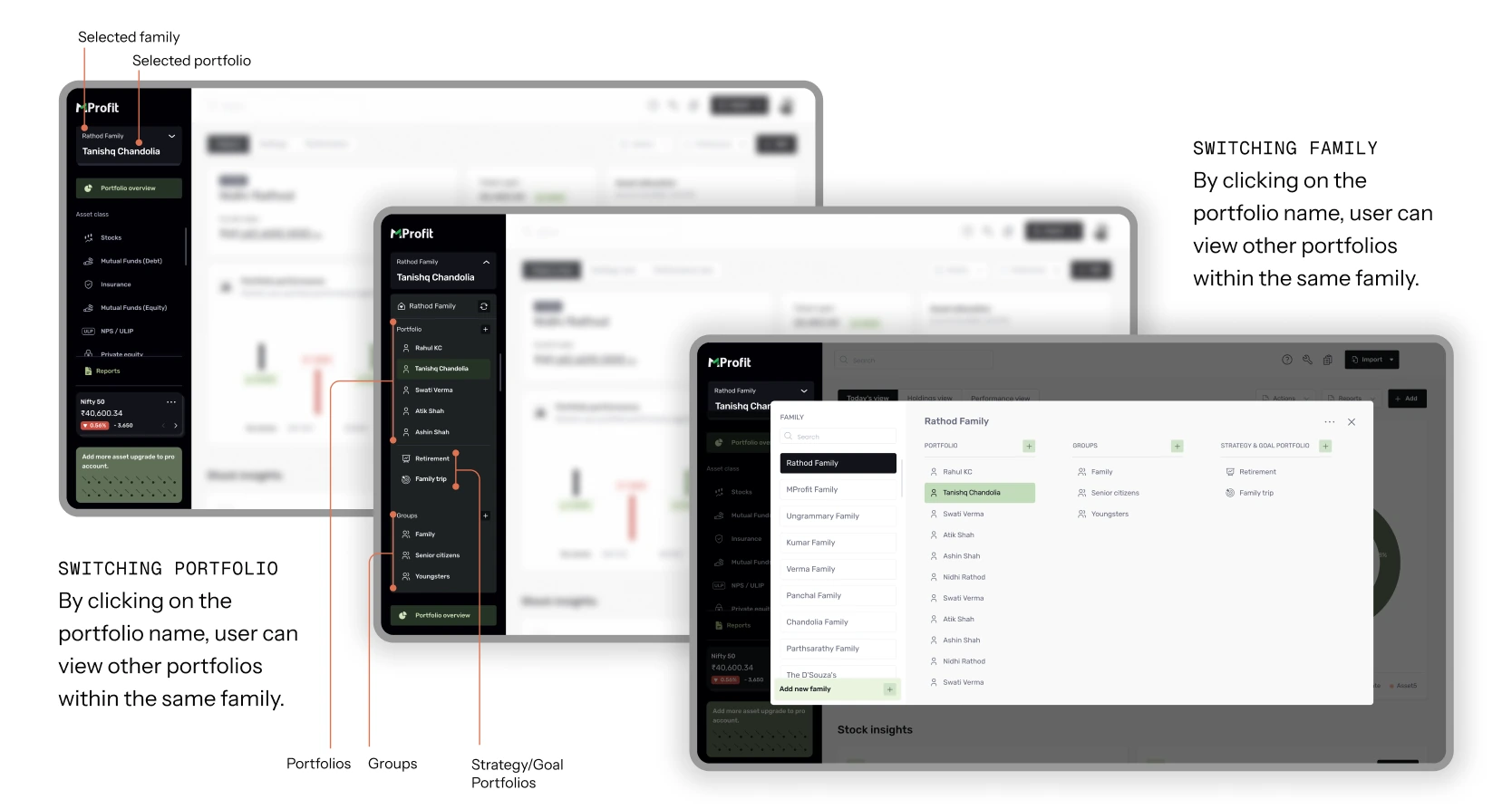
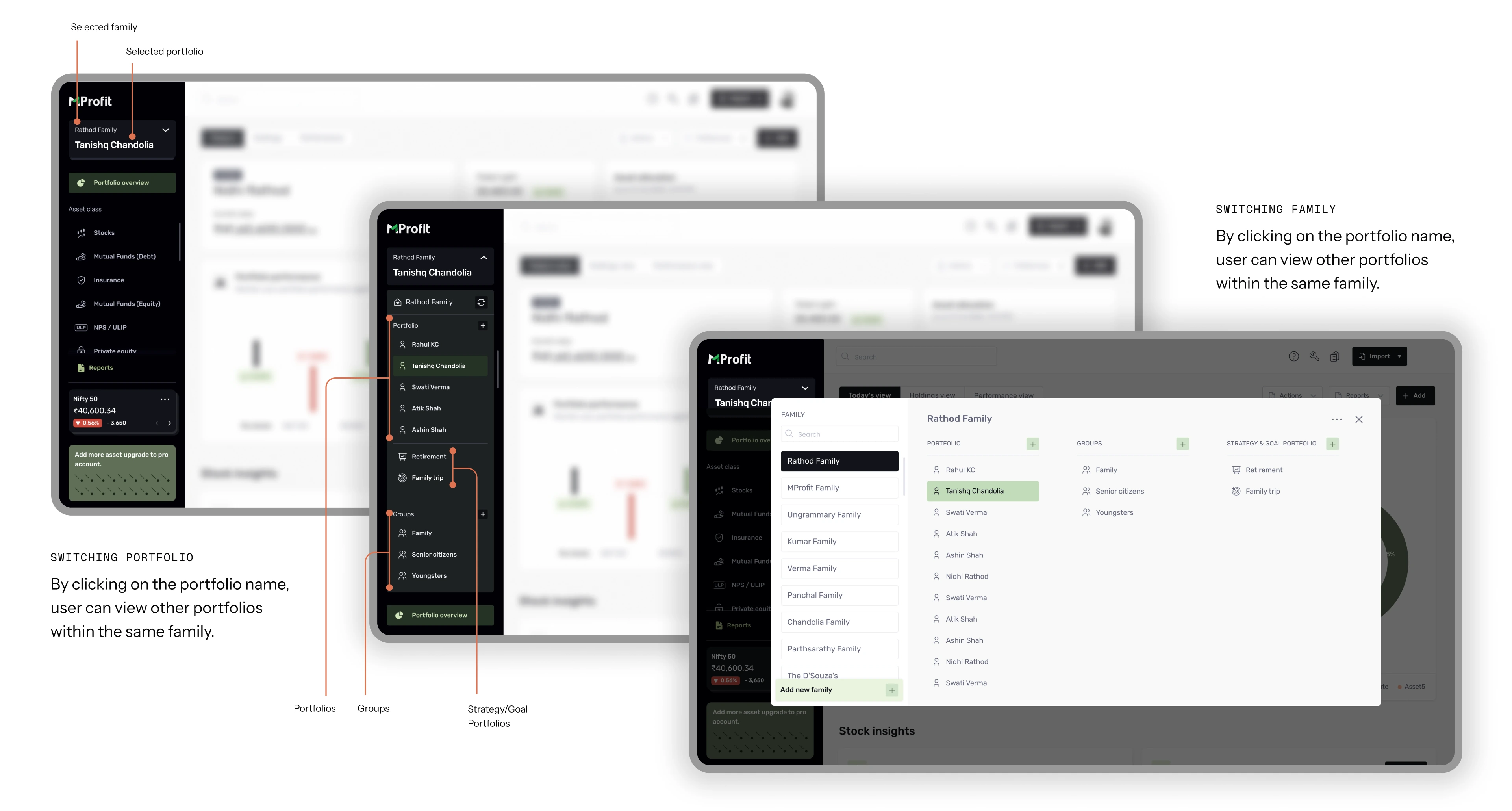
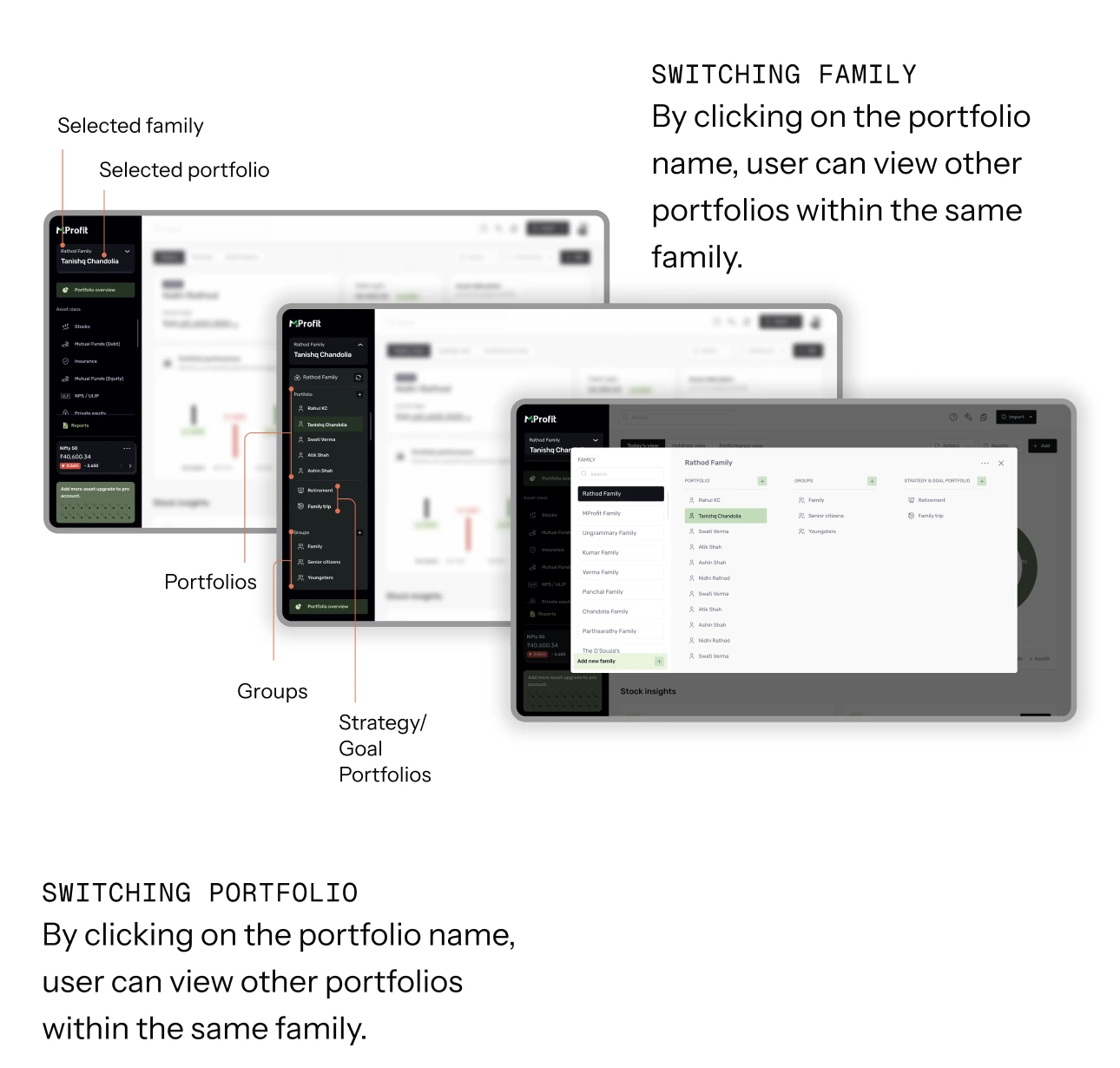
The proposed layout introduces clearer segmentation and hierarchy by keeping portfolios and groups just one click away. It also visually differentiates them with distinct categories and enhances navigation pathways, significantly improving usability.
Designed as a companion to the web experience, focusing on what matters most on the go. While it doesn’t replicate full web functionality, it enables users to track progress, receive updates, and access key portfolio information quickly. By prioritizing core actions, mobile allows users to stay informed and connected wherever they are.
Solution 03
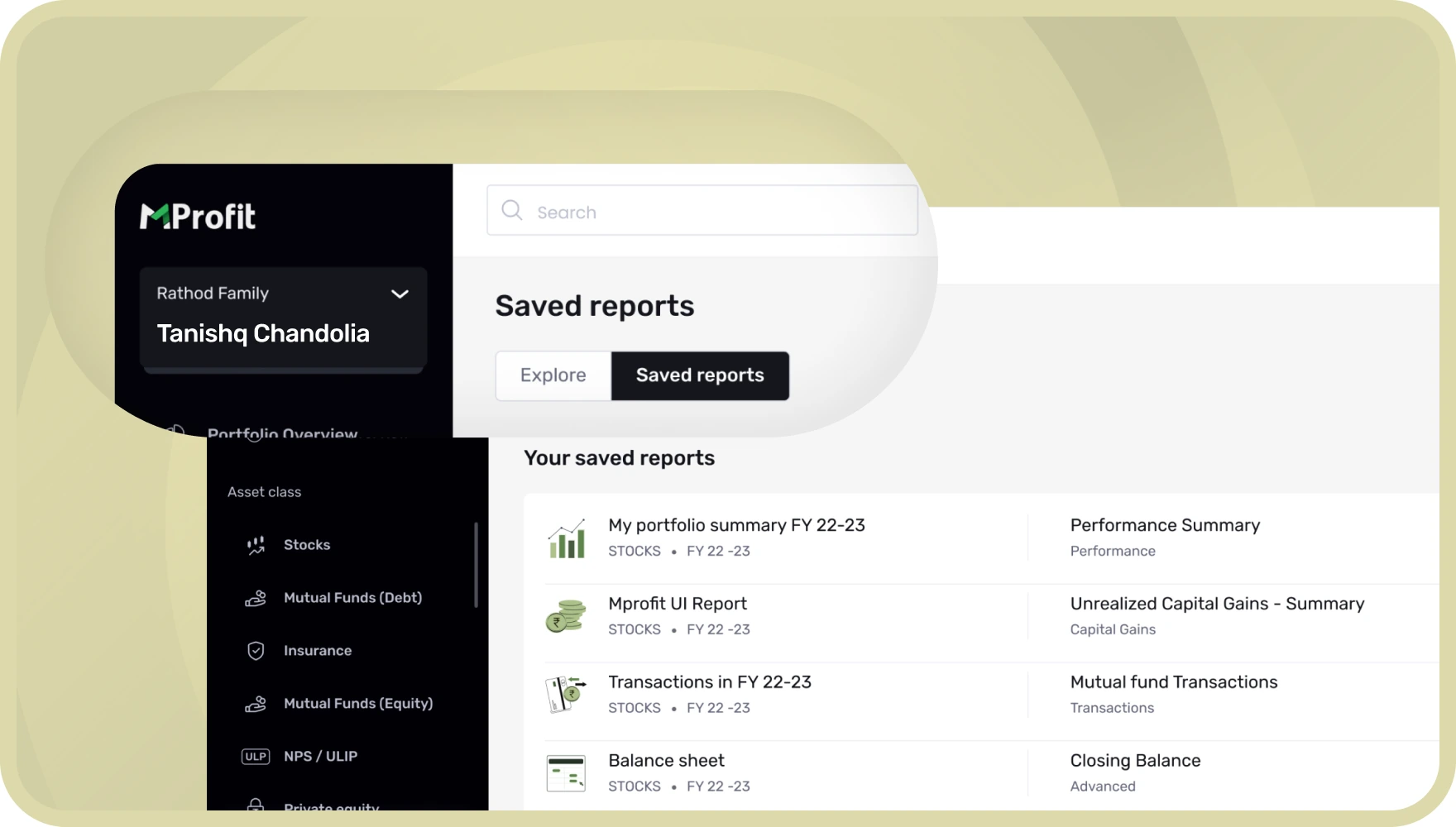
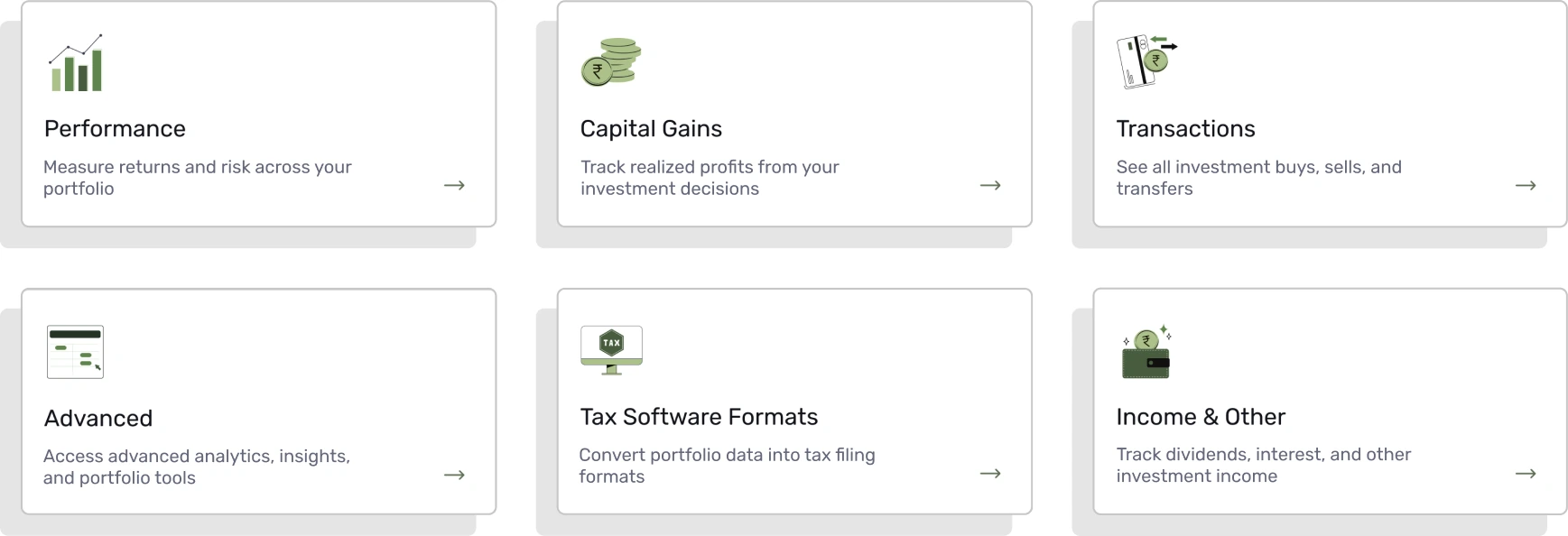
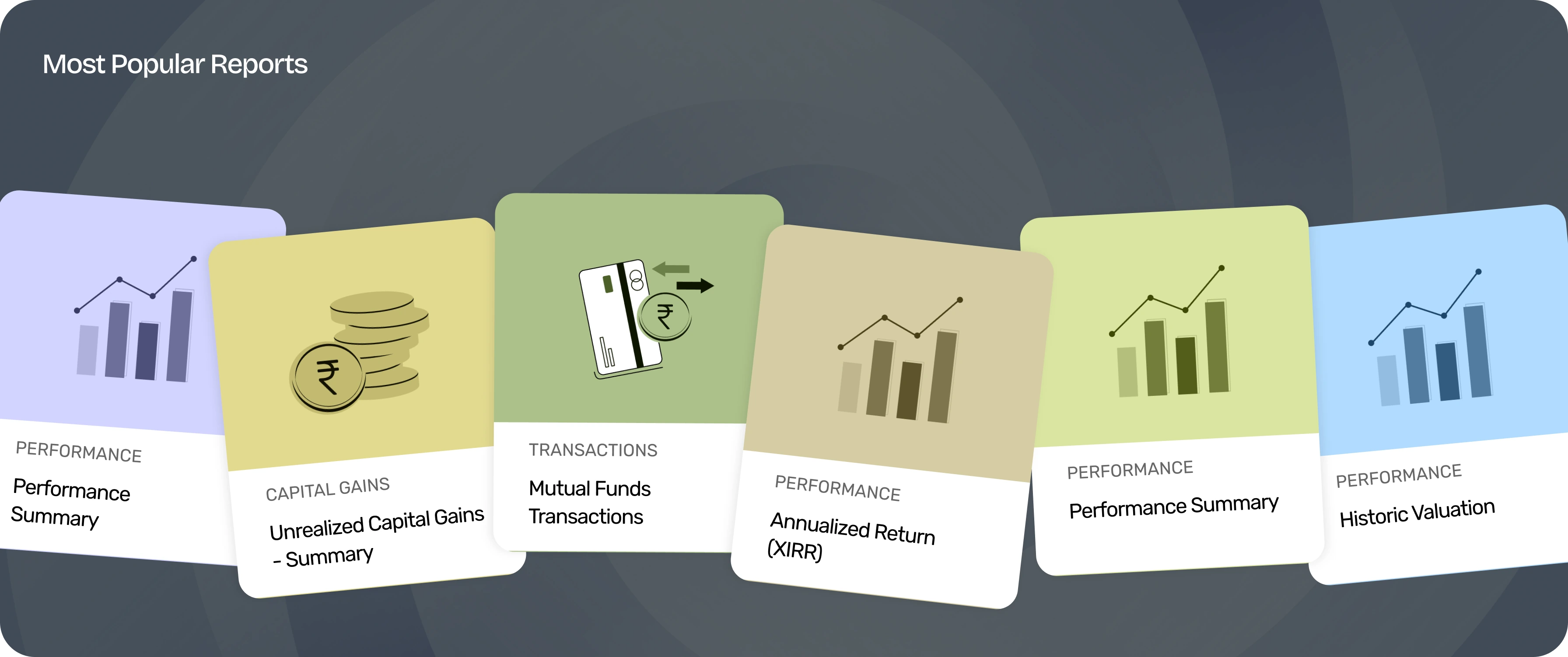
Split reports into Saved · Category · Suggestion, organized into clear folders with search and smart filters, plus behavior-aware sections (recently viewed, saved, recommended). Reports became a focused workspace that supports both quick checks and deep analysis.
Front no.2:
With the product clearer, the marketing site was the next gap: mprofit.in lagged behind the product’s real capability and the brand’s maturity, and it didn’t give each audience an obvious path in.
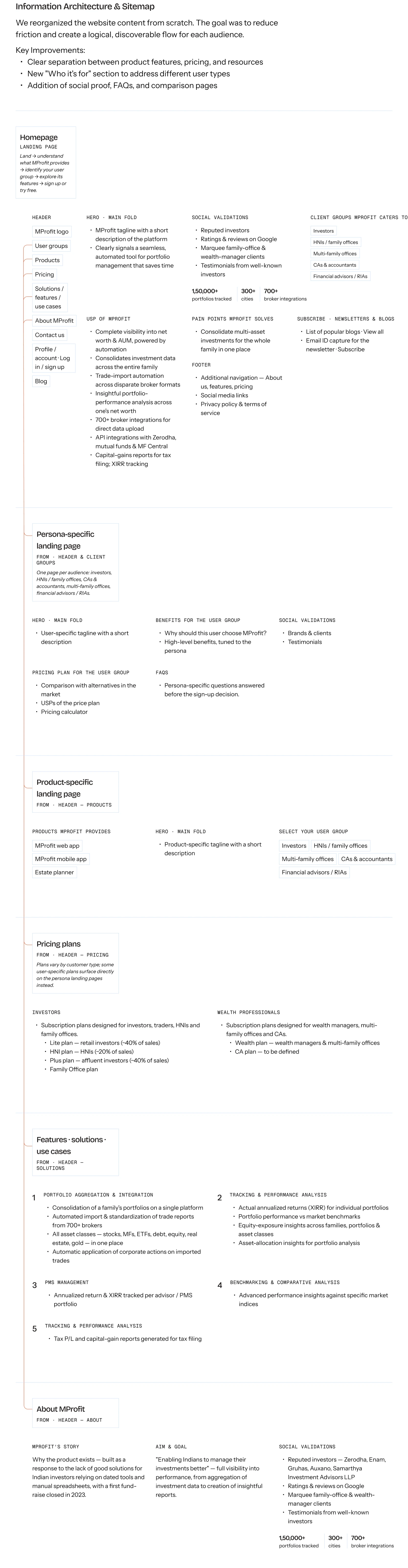
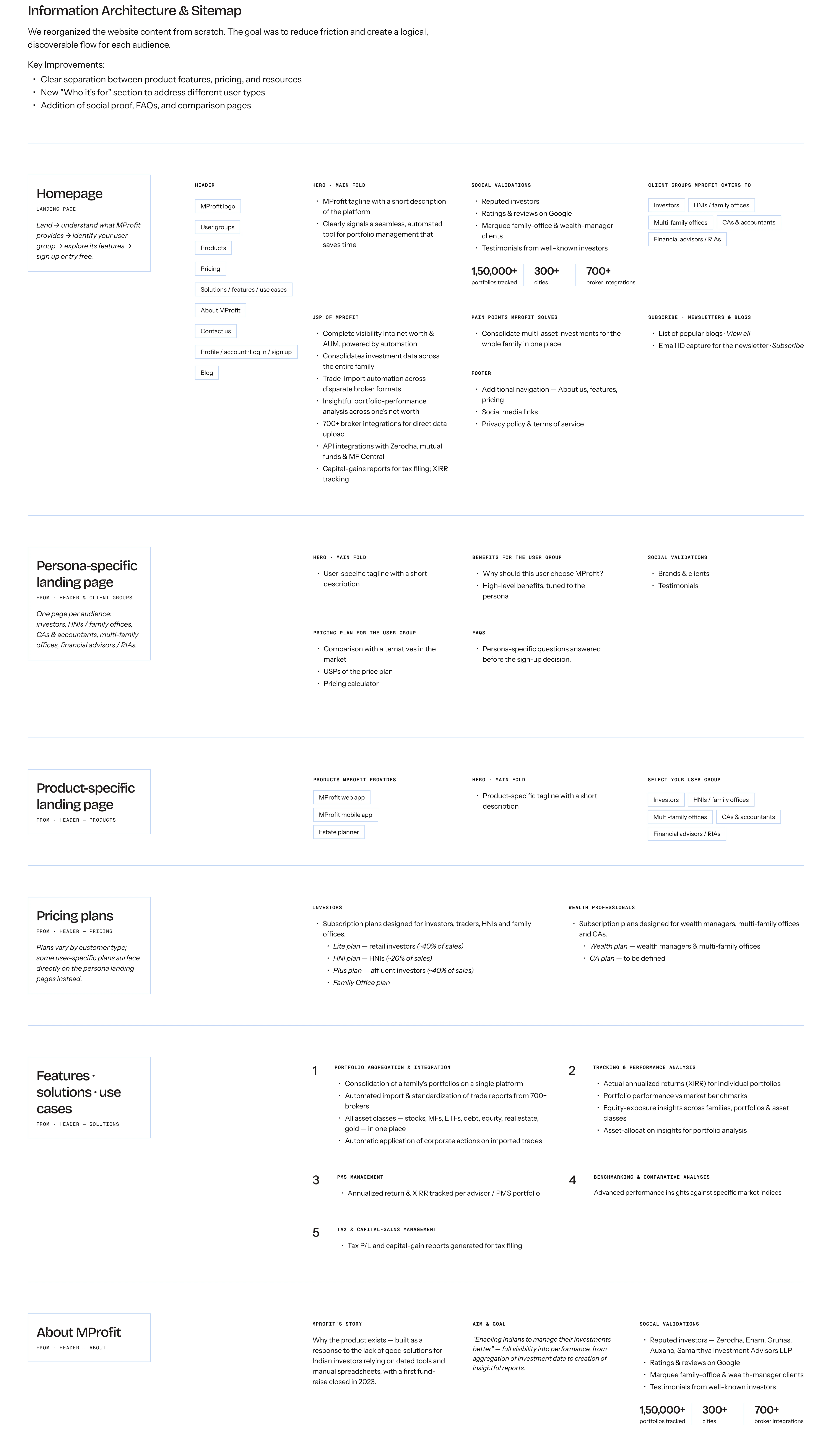
Process:discovery questionnaire → rebuilt IA & sitemap → homepage wireframe directions → website design system → high-fidelity UI → responsive mobile designs. The IA was rebuilt from scratch to reduce friction and add an audience-first “who it’s for” structure, social proof, FAQs and comparison pages.
We reorganized the website content from scratch. The goal was to reduce friction and create a logical, discoverable flow for each audience.
Key Improvements:
Header
Hero · main fold
Social validations
1,50,000+
portfolios tracked
300+
cities
700+
broker integrations
Client groups MProfit caters to
USP of MProfit
Pain points MProfit solves
Subscribe · newsletters & blogs
Footer
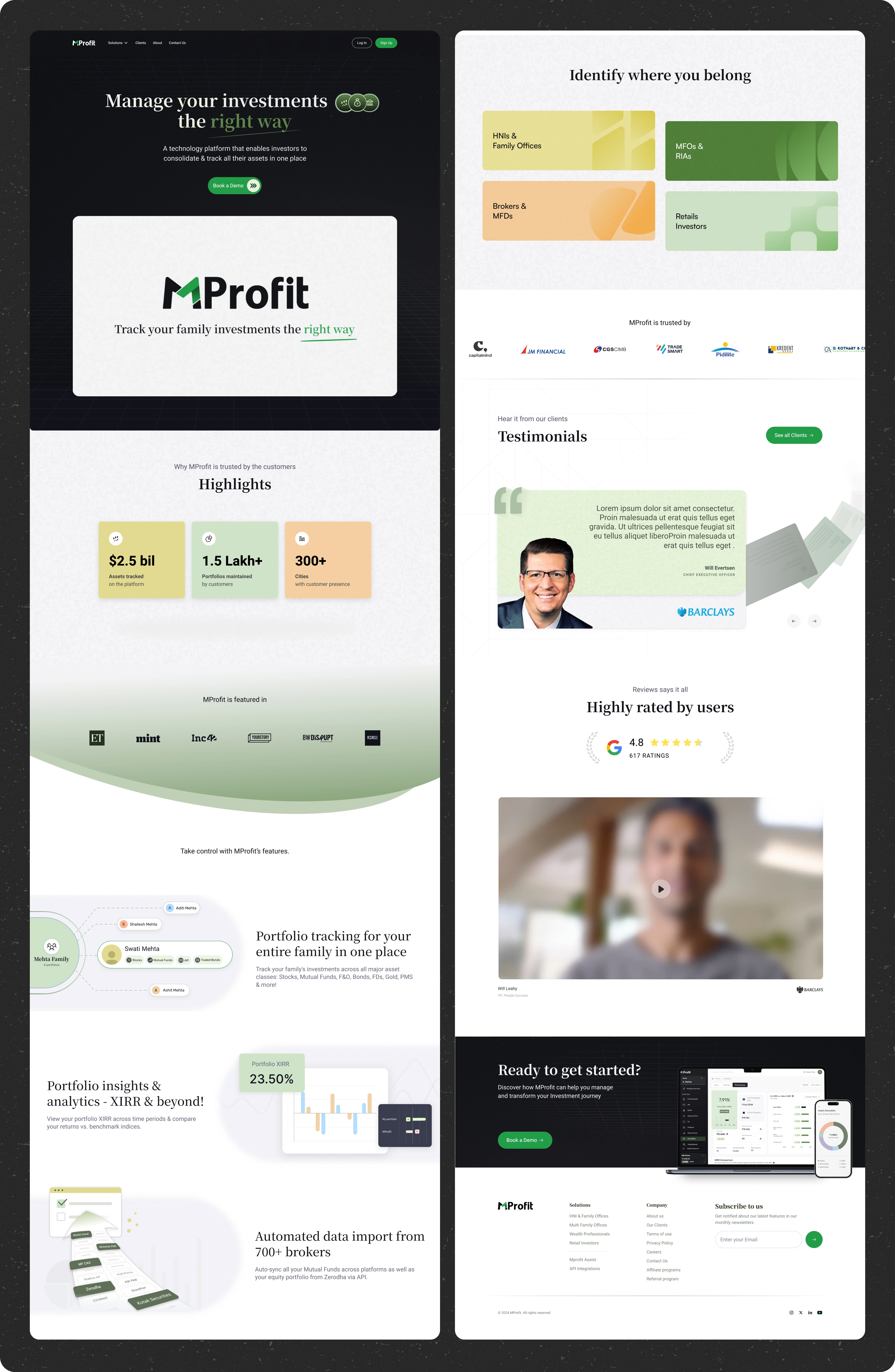
Designed the full site: homepage, per-user-group “Solutions” pages, value-adds + testimonials, About, Clients, Pricing / Referral / Sign-up / Contact / Privacy — all responsive, with custom illustrations throughout.
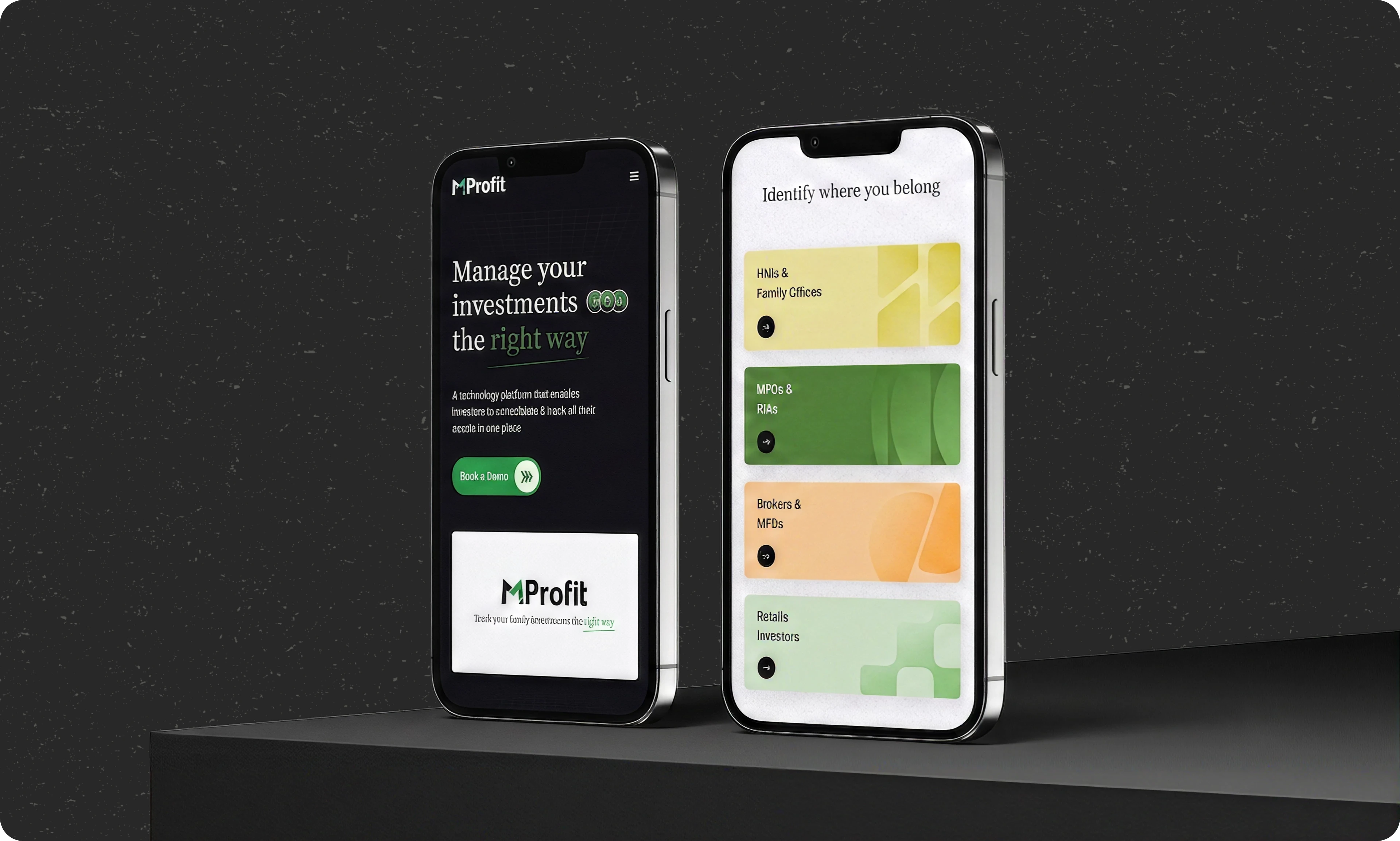
Along with the web UI, focus was on making them responsive for the mobile screens. This helped in ensuring a seamless experience by optimizing layouts, interactions, and content.
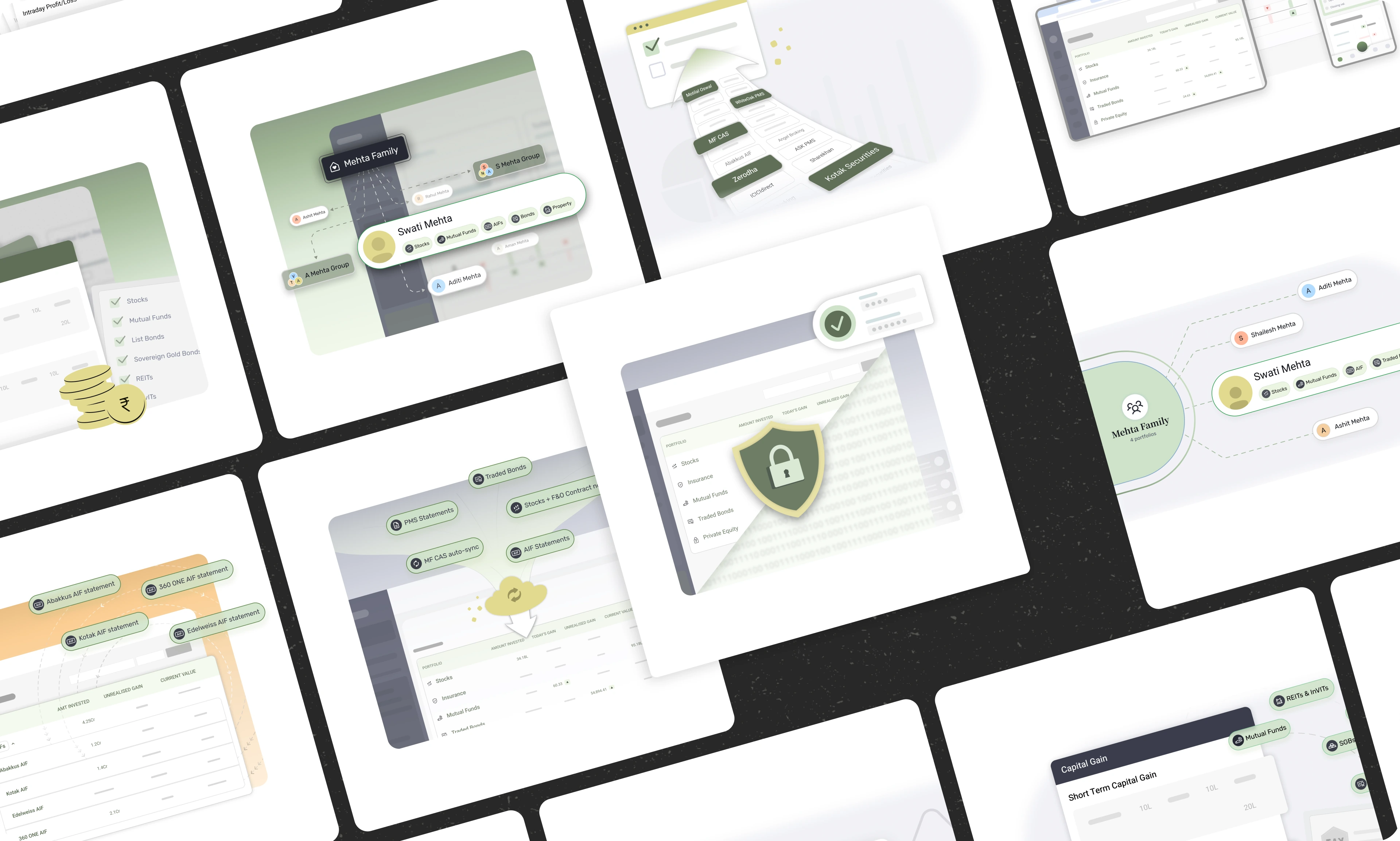
Throughout the website custom designed illustration and visuals were used to better explain the features or any messages that was tried to convey. After multiple rounds of iterations, the ones that are shown below were finalized.
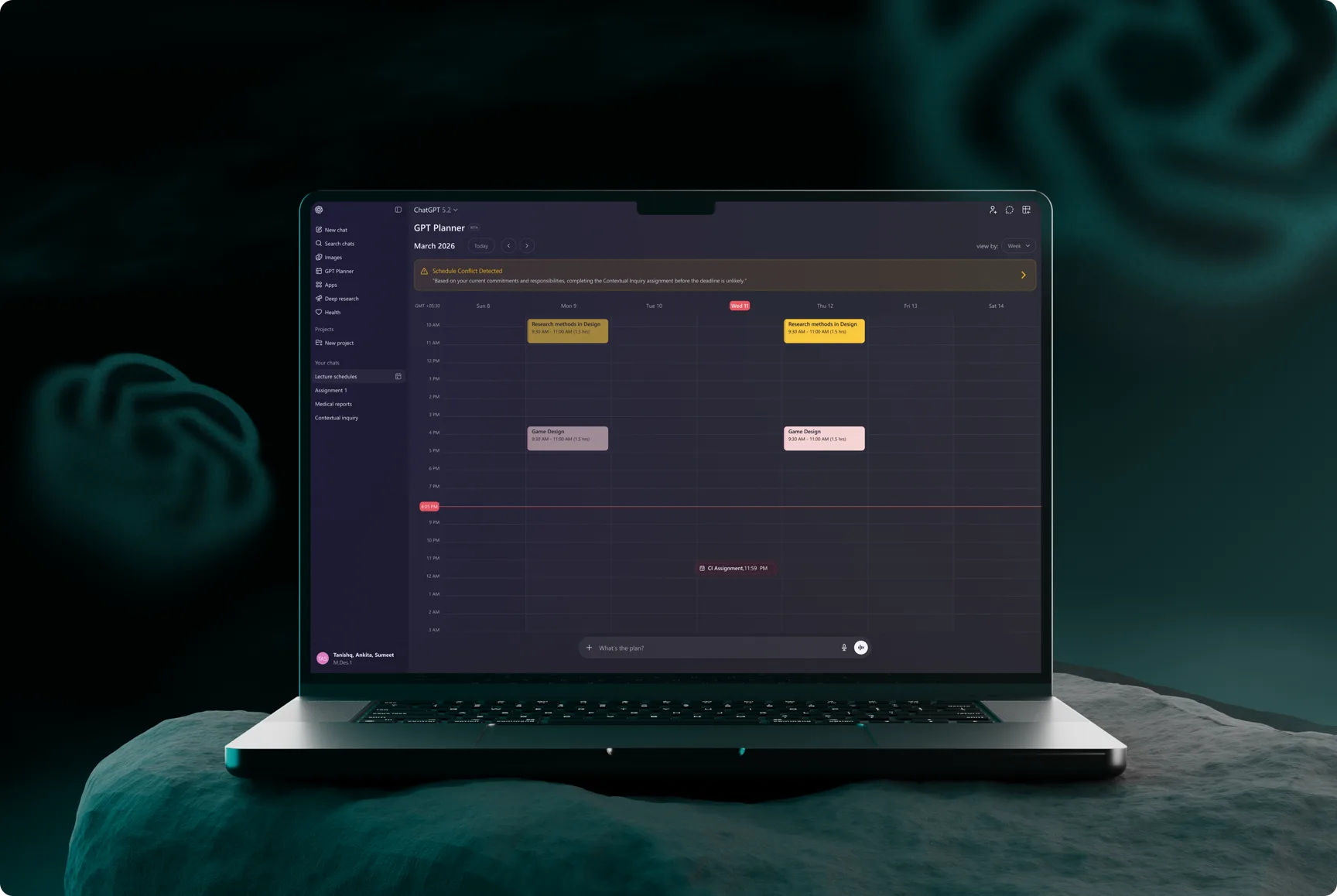
A contextual inquiry based research to study how people use ChatGPT beyond simple Q&A and proposed design interventions based on the insights gathered from research.
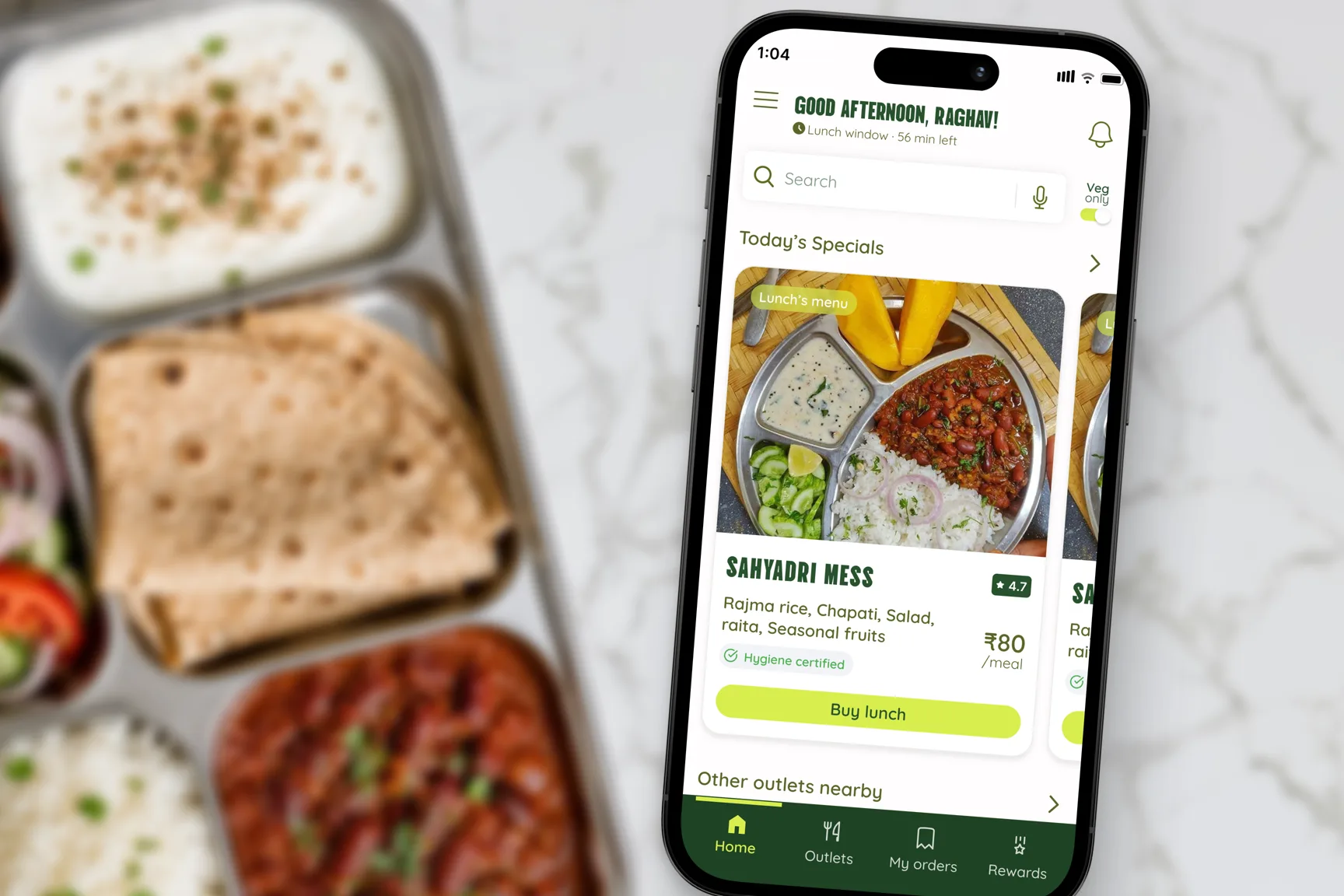
Using strategic UX design methods and persuasion techniques for designing products that need user's as well as business needs