

Feature addition in ChatGPT using Contextual Inquiry

Design ResearchArtificial IntelligenceContextual Inquiry

Project Instructor

Prof Aakash Johry

DDL7007 | Research
Methods for Design | IITD

Participants

Ankita Badade |
Sumeet Bagwe |
Tanishq Chandolia

A contextual inquiry based research to study how people use ChatGPT beyond simple Q&A and proposed design interventions based on the insights gathered from research.

Research Initiation

Research Questions

  • How do people use ChatGPT in their daily study, work, and personal tasks?
  • What challenges do users face while navigating conversations and retrieving information from chats?
  • How can ChatGPT better support users in organizing tasks and getting more specific responses?

Research Methodology

  • Observing users interacting with ChatGPT in their Natural Environment.

    01
  • Understanding their setup including device, workspace, and internet access.

    02
  • Noting interaction patterns such as opening the tool, writing prompts, editing queries, and verifying responses.

    03
  • Collecting Artefacts like prompts, links, images, screenshots and files used during the interaction.

    04

Study Participants

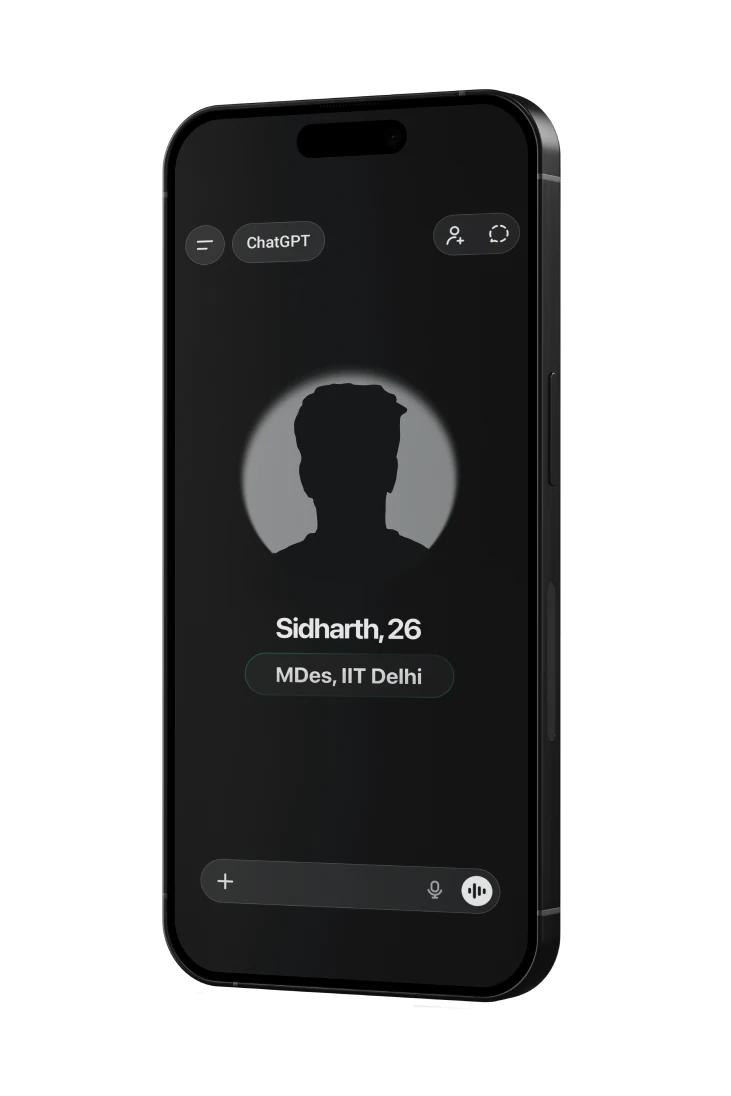
User Group

Observing users interacting with ChatGPT in their Natural Environment. Understanding their setup including device, workspace, and internet access.

Phone showing ChatGPT's profile screen for Sidharth, 26

Usage:

  • Research & ideation
  • Mental health reflection
  • Workout planning

Need:

Better ways to manage long conversations and different contexts of use.

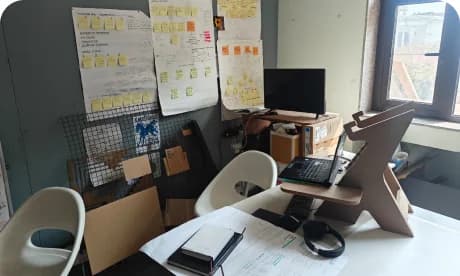
Sidharth's desk with a monitor, chair and pinboard of notes

Workspace

Sometimes I use ChatGPT like a workout partner or for mental health check-ins. Other times it's just a thinking partner for my research.

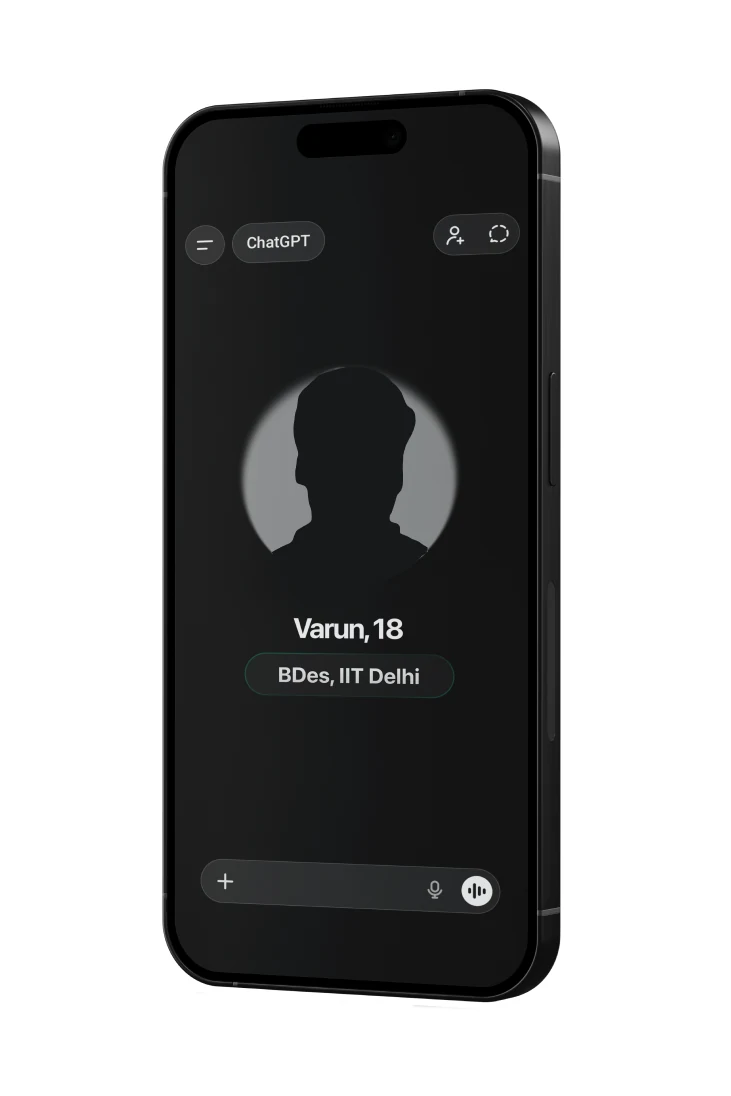
Phone showing ChatGPT's profile screen for Varun, 18

Usage:

  • Learning new topics
  • Explaining concepts
  • Getting tasks done quickly

Need:

More efficient ways to organize information and tasks.

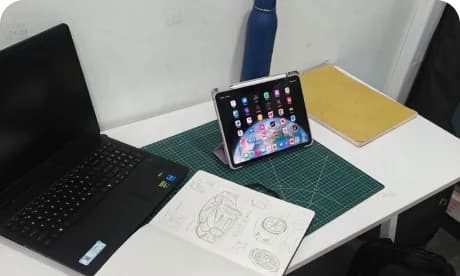
Varun's desk with a laptop and a tablet open to a sketch

Workspace

If something can be done faster with AI, I'd rather use it and focus on learning the bigger picture.

Phone showing ChatGPT's profile screen for Vinayak, 20

Usage:

  • Coding assistance
  • Content generation
  • Learning law concepts

Need:

A structured workspace with better privacy control.

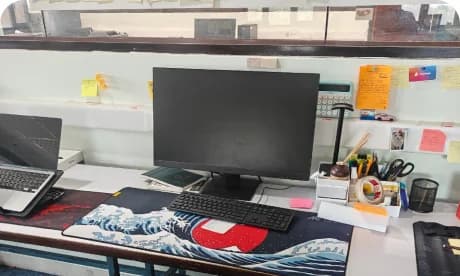
Vinayak's desk with dual monitors and sticky notes

Workspace

AI tools are great for productivity, but I still want control over my data and workspace.

Phone showing ChatGPT's profile screen for Saaraj, 18

Usage:

  • Study assistance
  • Testing different AI platforms
  • Automating small tasks

Need:

More structured responses and easier prompt guidance.

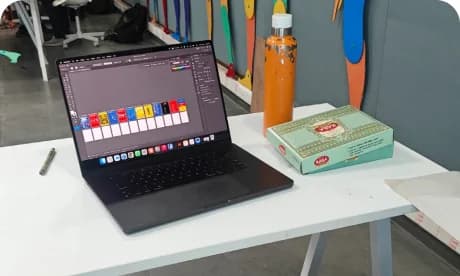
Saaraj's desk with a laptop, a colour swatch card and a drink

Workspace

I like trying different AI tools and combining them to automate as much of my workflow as possible.

Research Setup

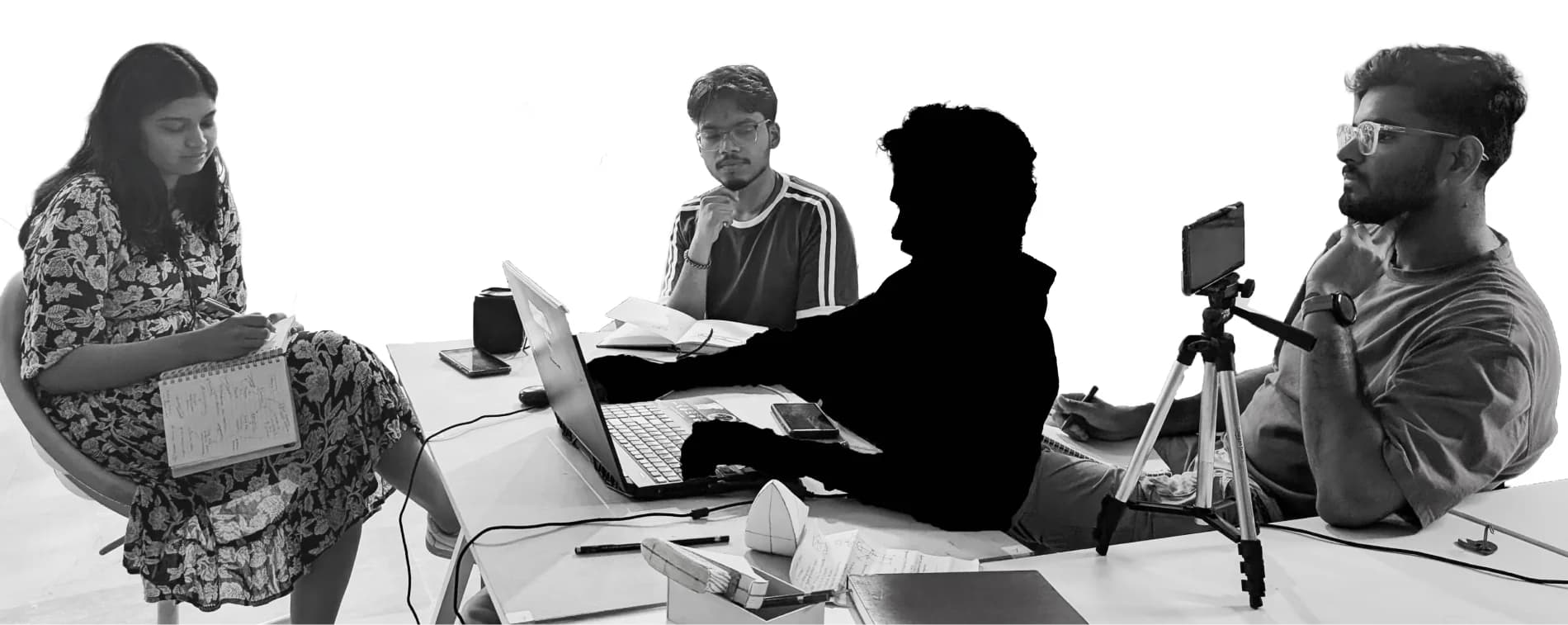
Each researcher was assigned a role while conducting contextual inquiry to make sure all relevant pointers were covered during each session.

Ankita Badade

The Scribe

Documented key observations, important keywords from responses.

Sumeet Bagwe

The Explorer

Led the conversation, probing questions based on user responses, and encouraged participants to think aloud.

Tanishq Chandolia

The Shadow

Quietly observed behavioral patterns, prompts typed, responses received, artifacts used etc

The three researchers seated around a table with laptops, notebooks and a camera on a tripod
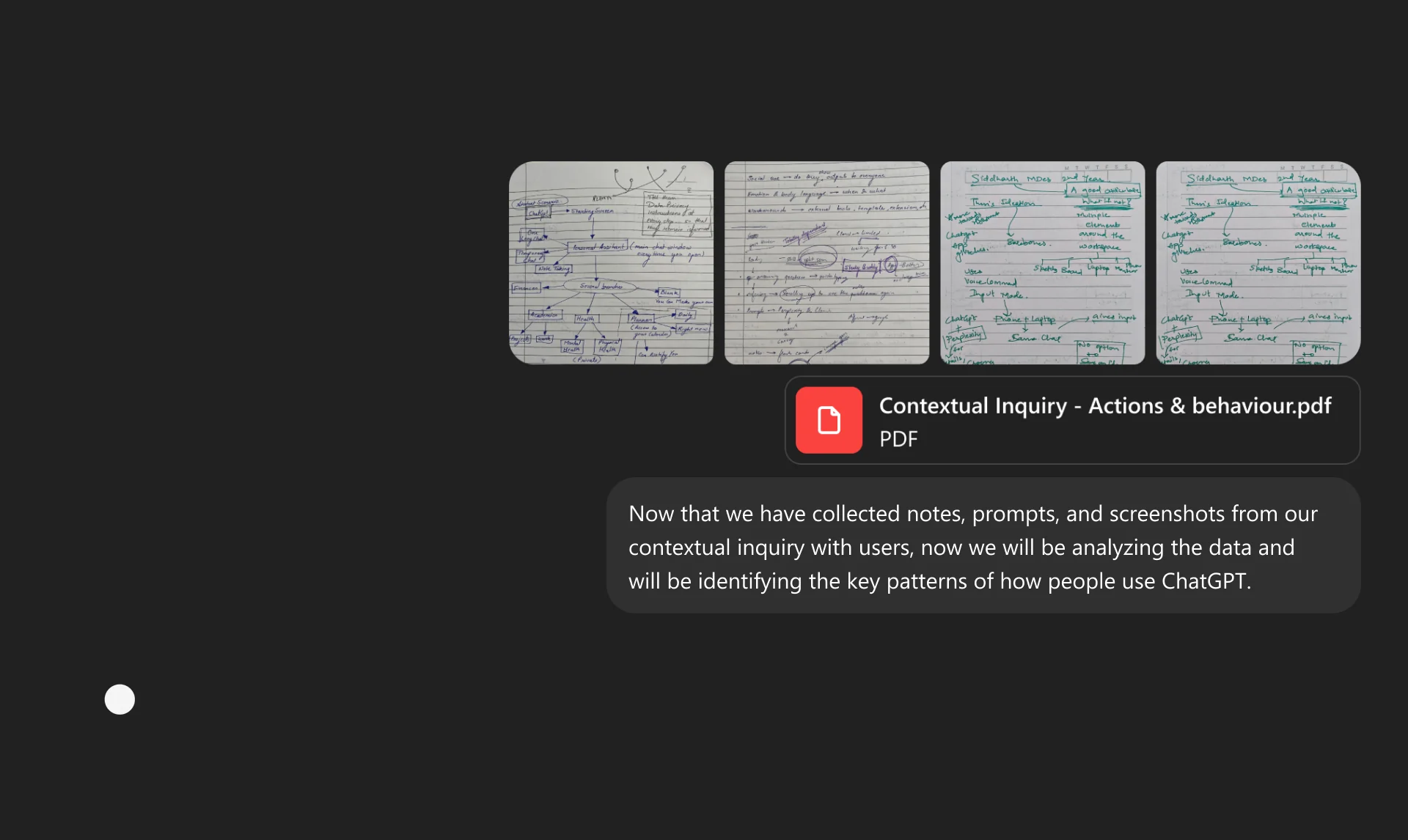
Four handwritten note pages from the contextual-inquiry sessions

Now that we have collected notes, prompts, and screenshots from our contextual inquiry with users, now we will be analyzing the data and will be identifying the key patterns of how people use ChatGPT.

Analysis

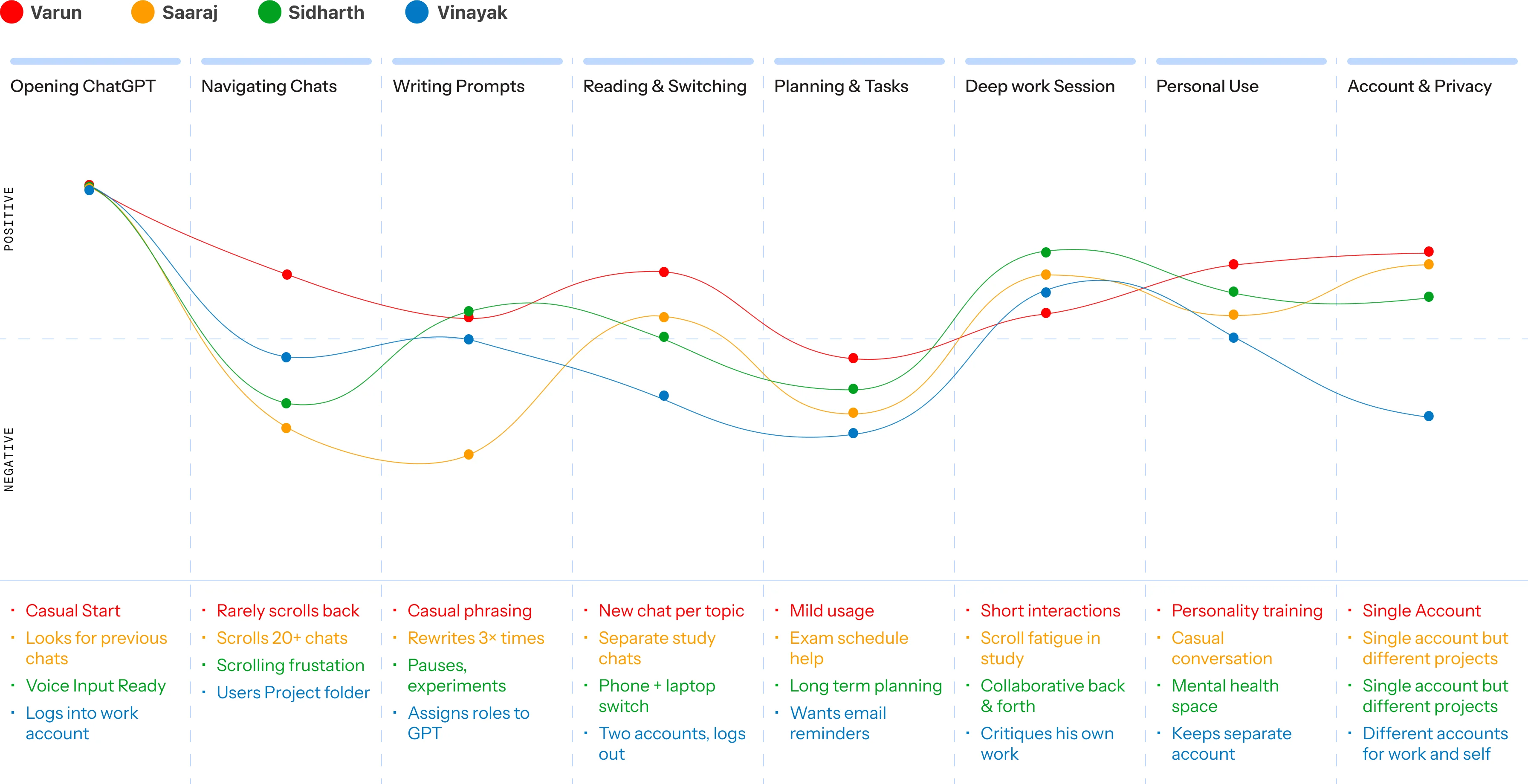
User Journey Map

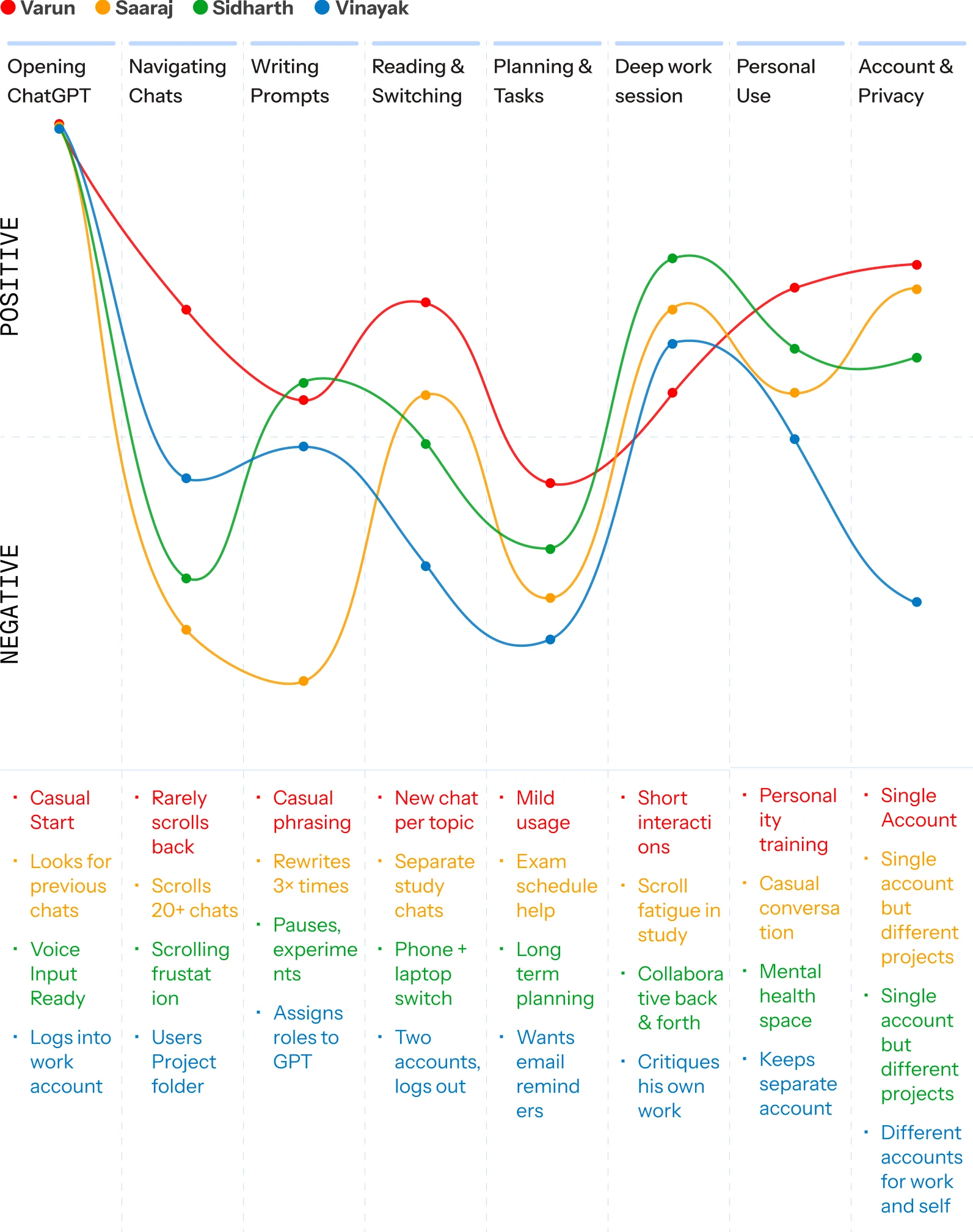
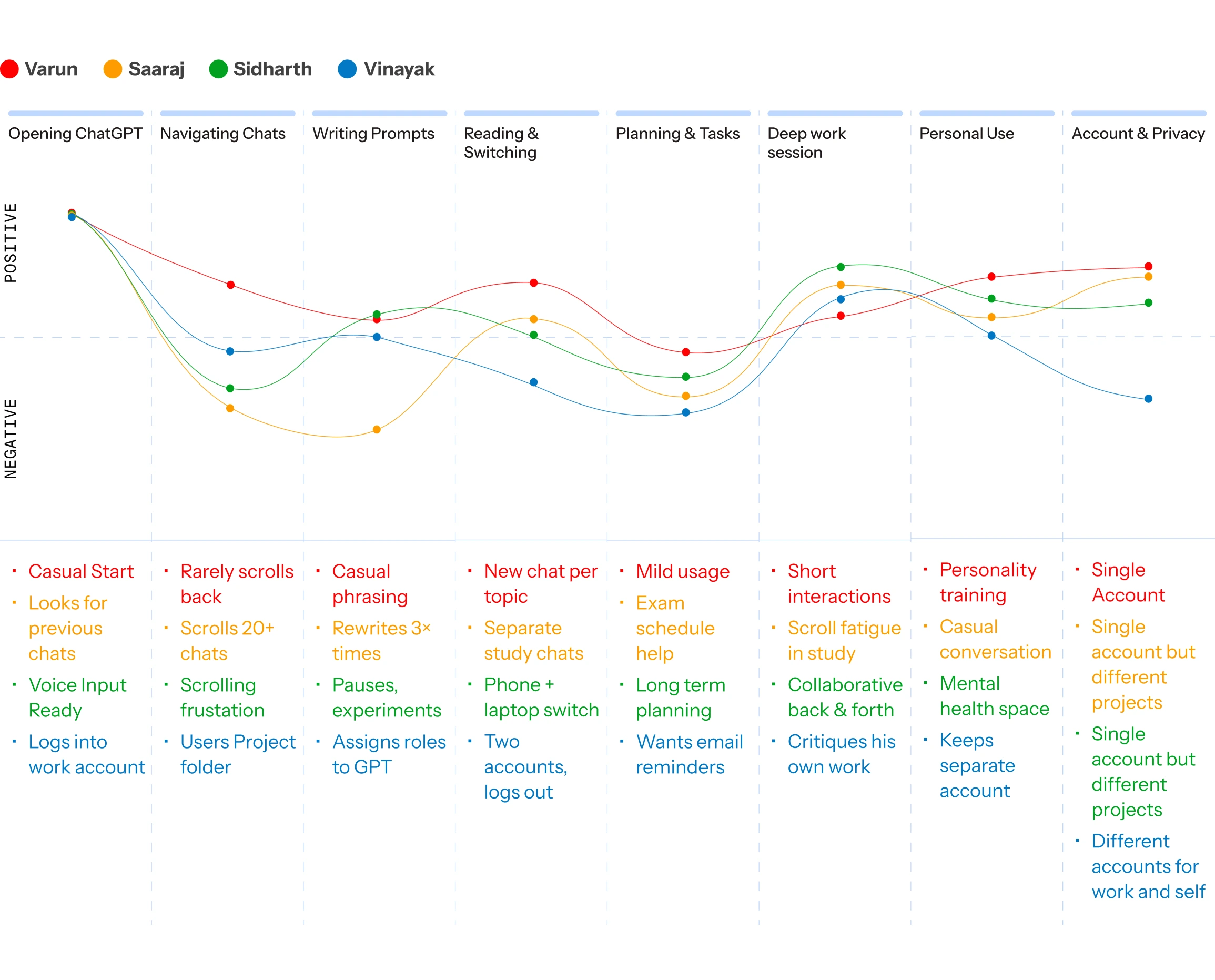
As participants worked through their everyday tasks in ChatGPT, we followed each interaction to understand how their experience evolved over time. Rather than focusing on isolated usability issues, the journey reveals moments of confidence, confusion, and recovery, highlighting where expectations aligned with the product and where friction interrupted their workflow.

User journey map: four participants' emotional sentiment (positive to negative) charted across eight task stages — Opening ChatGPT, Navigating Chats, Writing Prompts, Reading & Switching, Planning & Tasks, Deep work Session, Personal Use, and Account & Privacy — each with observation notes such as casual starts, scrolling frustration, rewriting prompts, and separate work/personal accounts.

Mapping the Insights

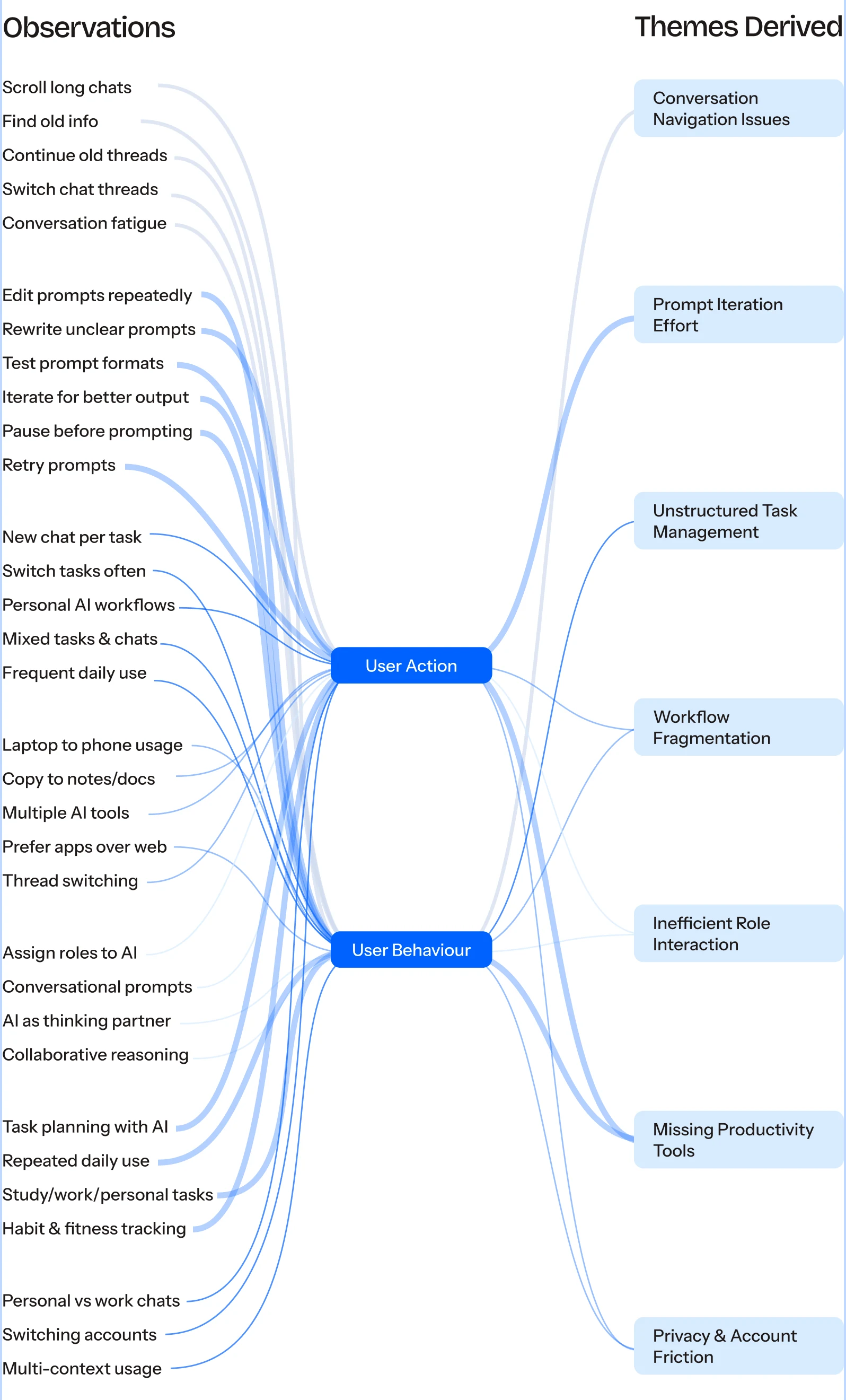
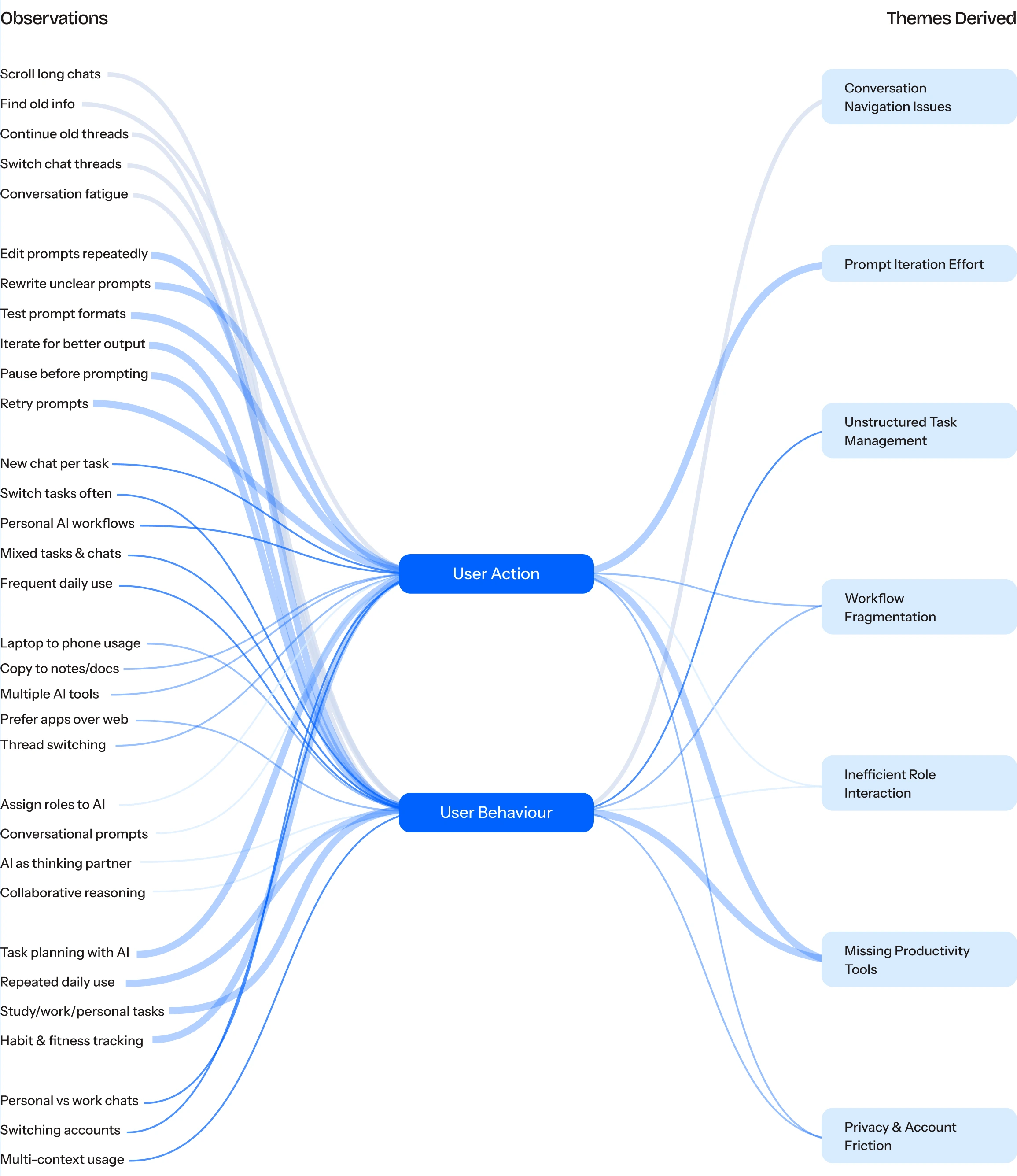
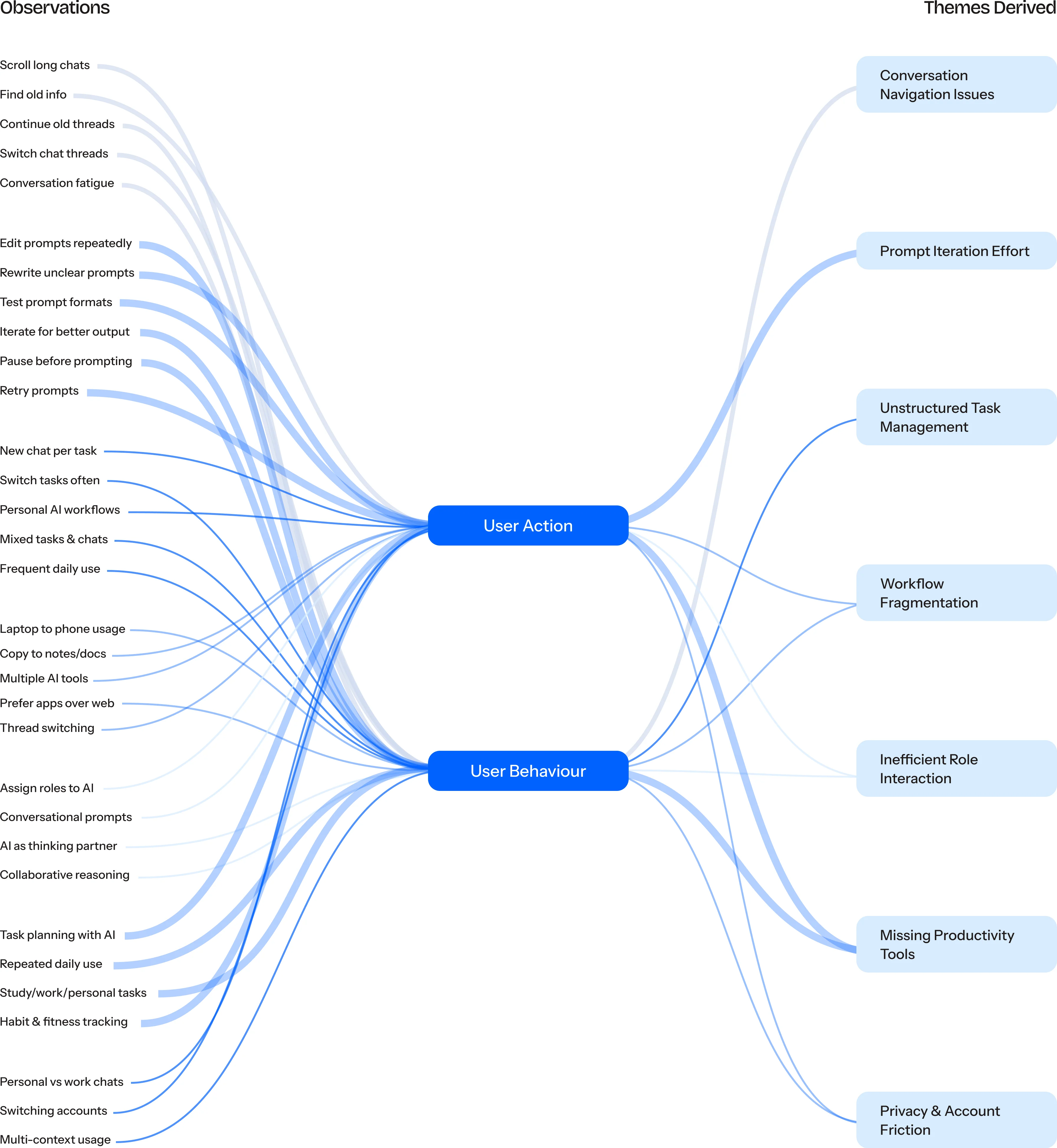
Those individual stories revealed a pattern. We then mapped every observed behaviour and concentrated into themes.

Diagram tracing observed user actions and behaviours (scrolling long chats, editing prompts repeatedly, switching tasks, assigning roles to AI, and more) through two hubs, User Action and User Behaviour, into seven derived themes: Conversation Navigation Issues, Prompt Iteration Effort, Unstructured Task Management, Workflow Fragmentation, Inefficient Role Interaction, Missing Productivity Tools, and Privacy & Account Friction.

Ideation

Insights from our research were translated into opportunity areas that addressed the most recurring user frustrations. Each observation was reframed into a How Might We question, allowing us to move beyond identifying problems and explore solution concepts that could improve the overall ChatGPT experience.

Research Insight

Missing Productivity Tools

Users plan tasks, fitness, and work through ChatGPT but have no way to set reminders or track goals inside the tool.

How might we

How might we let users set reminders inside ChatGPT so plans don't disappear when the chat ends?

Ideation

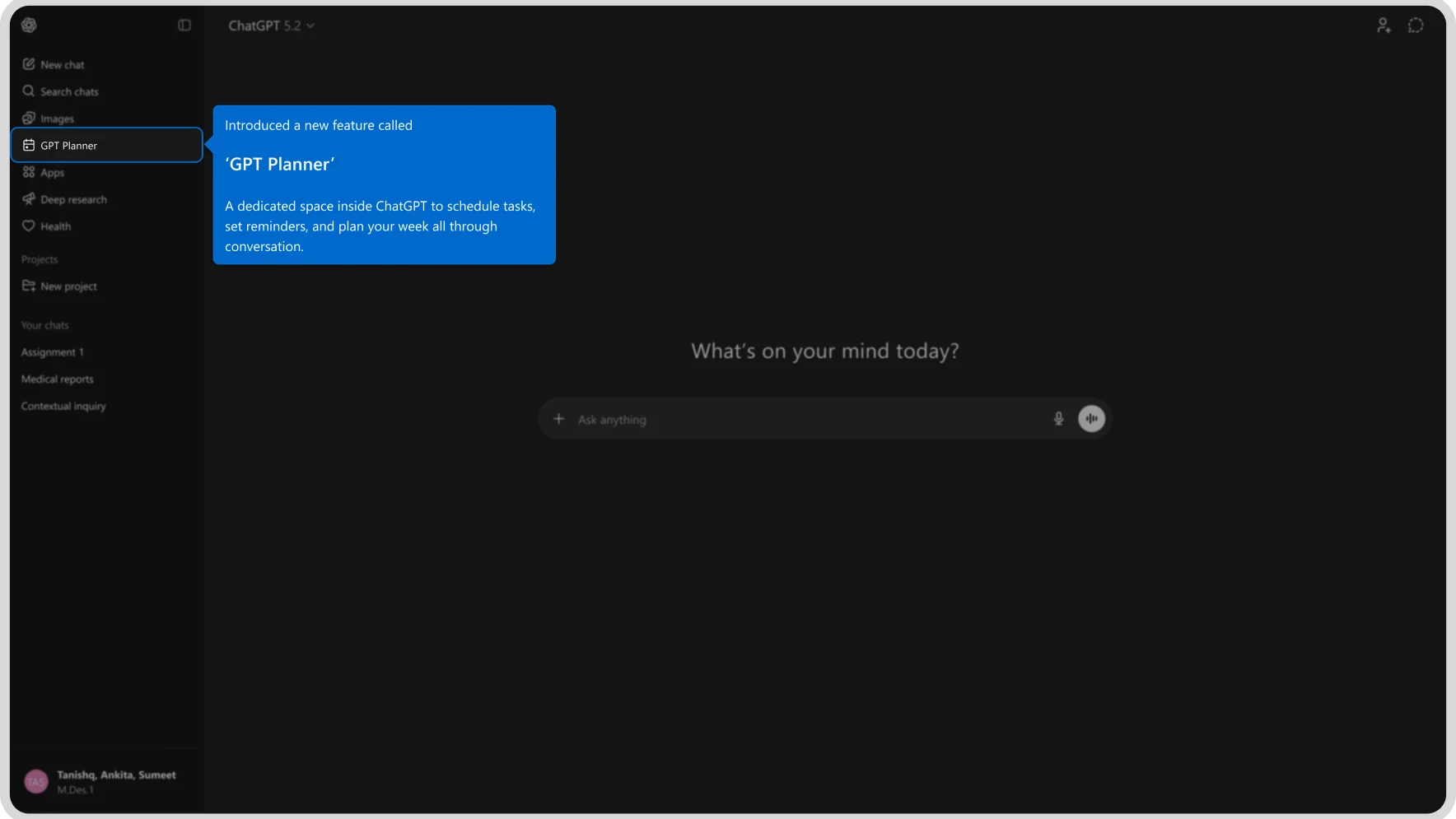
Planner

Integrated calendar and reminder system. Notifies in app and by email

Daily Briefing

A recap card at session start showing tasks from previous chats

Task Pins

Pin any response as a reminder that resurfaces later

Research Insight

Conversation Navigation Issues

Long chats become impossible to navigate. Users lose earlier ideas and scroll endlessly to find what they need.

How might we

How might we help users jump to key moments in a long conversation without scrolling through everything?

Ideation

Chat Navigation Tabs

Auto generated topic tabs to jump between sections instantly.

Conversation Search

In chat keyword search to locate any response immediately.

Milestone Markers

User placed bookmarks at important moments in long chats.

Research Insight

Privacy & Account Friction

Users manage personal and work identities separately but there is no account switch feature they log out and back in manually every time.

How might we

How might we let users keep personal and work chats separate without breaking their flow to switch accounts?

Ideation

TnC Privacy Prompt

A short privacy notice before sensitive chats so users feel safe in one account

Profile Toggle

One tap switch between work and personal profiles without logging out

Incognito Mode

A private session that runs off the record and leaves no chat history

Research Insight

Prompt Iteration Effort

Users rewrite prompts 3 or more times per task pausing, experimenting, and refining just to get a usable response.

How might we

How might we help users write better prompts the first time so they spend less effort on phrasing?

Ideation

Prompt Helper

Guided builder with role, context, and format fields for stronger first attempts

Prompt Templates

Pre built skeletons for common tasks like research, writing, or planning

Refine Suggestions

After a weak reply, GPT suggests how the prompt could be improved

Research Insight

Inefficient Role Interaction

Users assign ChatGPT roles like professor or coach to get better responses but every new session resets to default

How might we

How might we preserve a user's preferred roles and tone so ChatGPT feels consistent across sessions?

Ideation

Saved Personas

Named role presets (Professor, Coach, Researcher) that activate at chat start

Role Menu

A role selection panel shown at the beginning of every new conversation.

Memory Toggle

Users choose what ChatGPT remembers about their preferred interaction style.

Priority Matrix

To determine which concepts were worth pursuing, we evaluated each idea against its expected user impact and implementation effort. This helped us prioritize solutions that delivered the greatest value while remaining feasible within realistic design and development constraints.

Low effort · High impactHigh effort · High impactLow effort · Low impactHigh effort · Low impact
ImpactEffort
Prompt Guide
Chat Navigation
Saved personas
TnC Privacy Prompt
Task Pins
Incognito Mode
Role Menu
Milestone Markers
Memory Toggle
Profile Toggle
Conversation search
Prompt Templates
Planner
Daily Briefing
Handwritten research note pages from the contextual inquiry

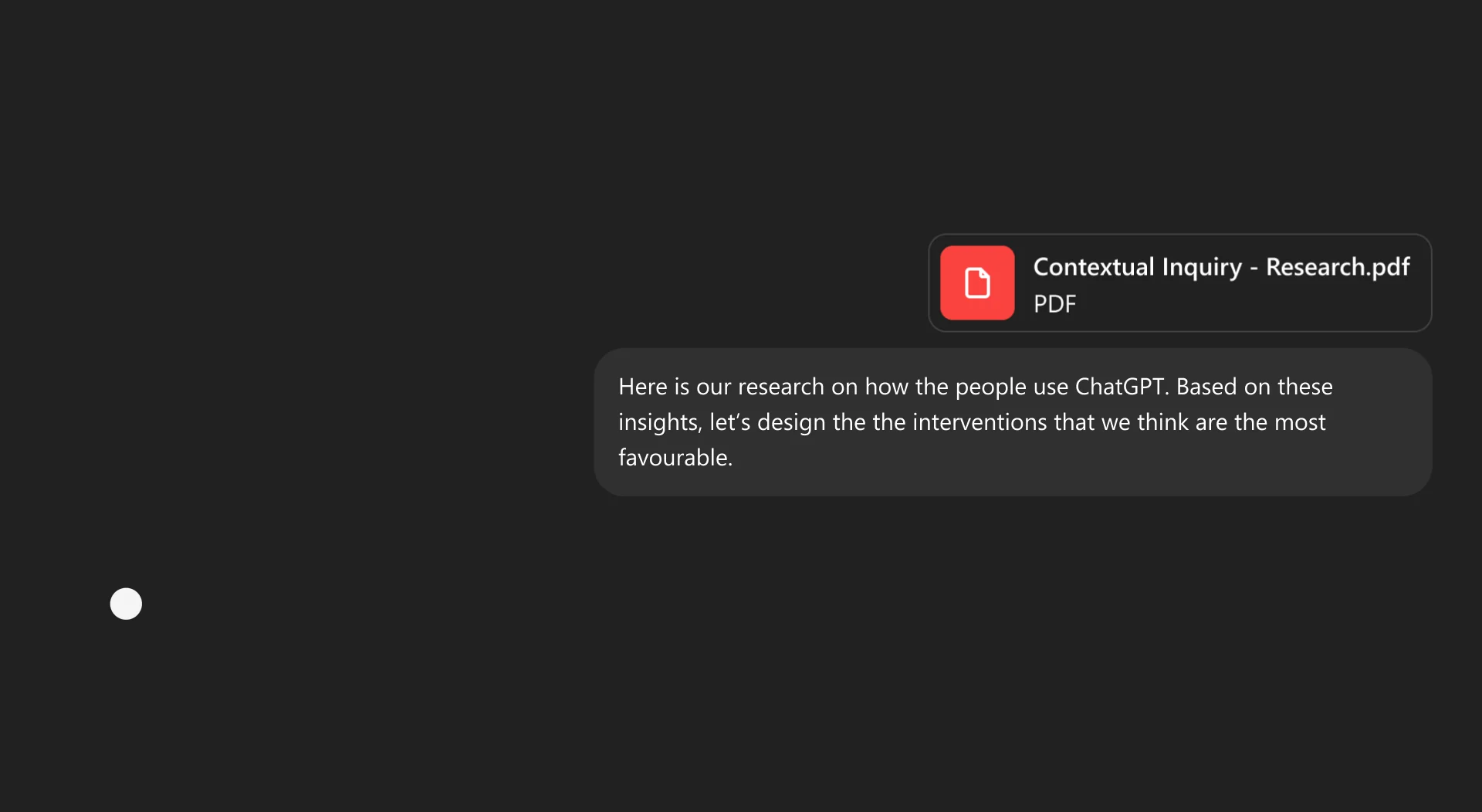
Here is our research on how the people use ChatGPT. Based on these insights, let's design the interventions that we think are the most favourable.

ChatGPT's Adaptations

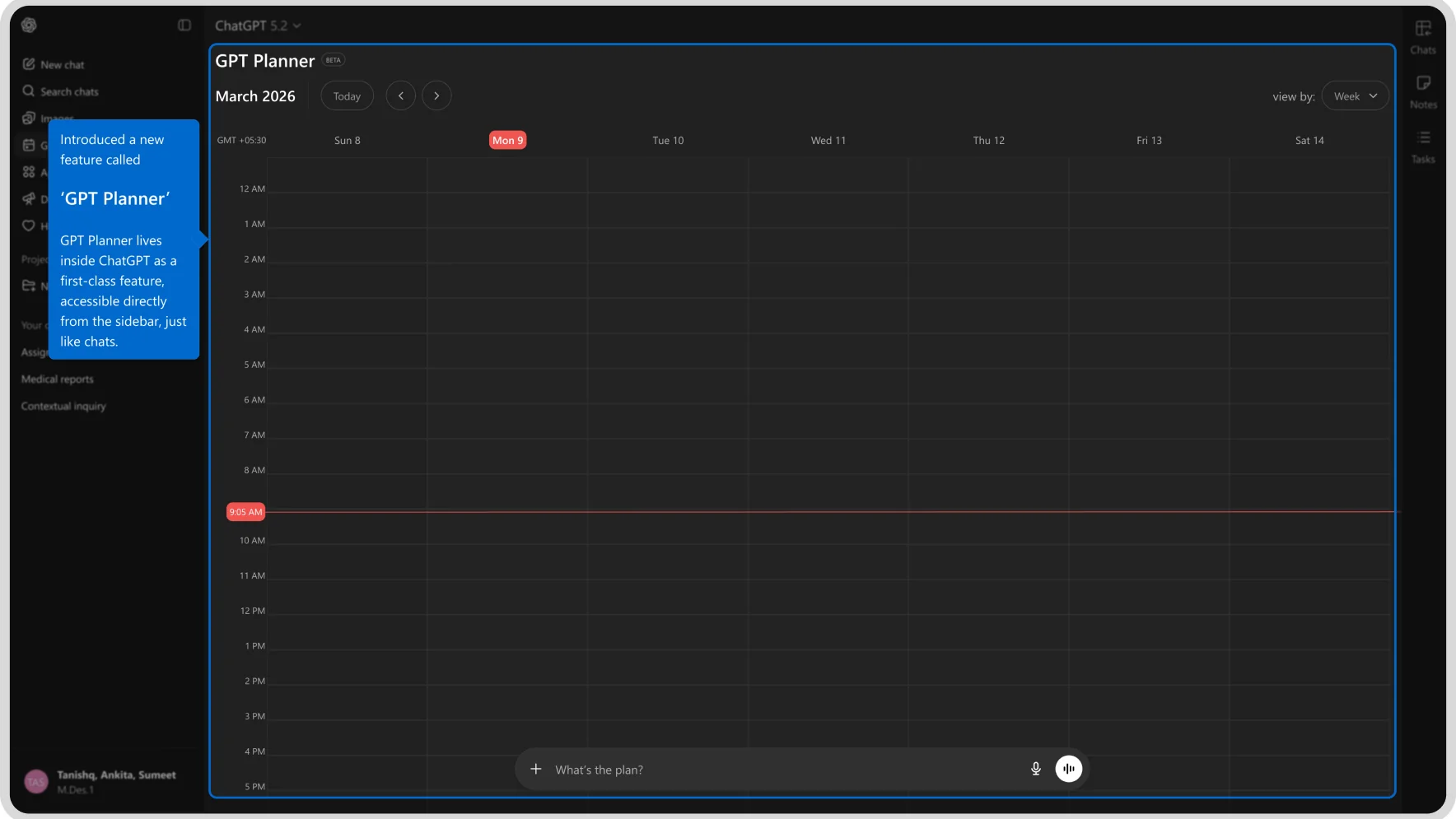
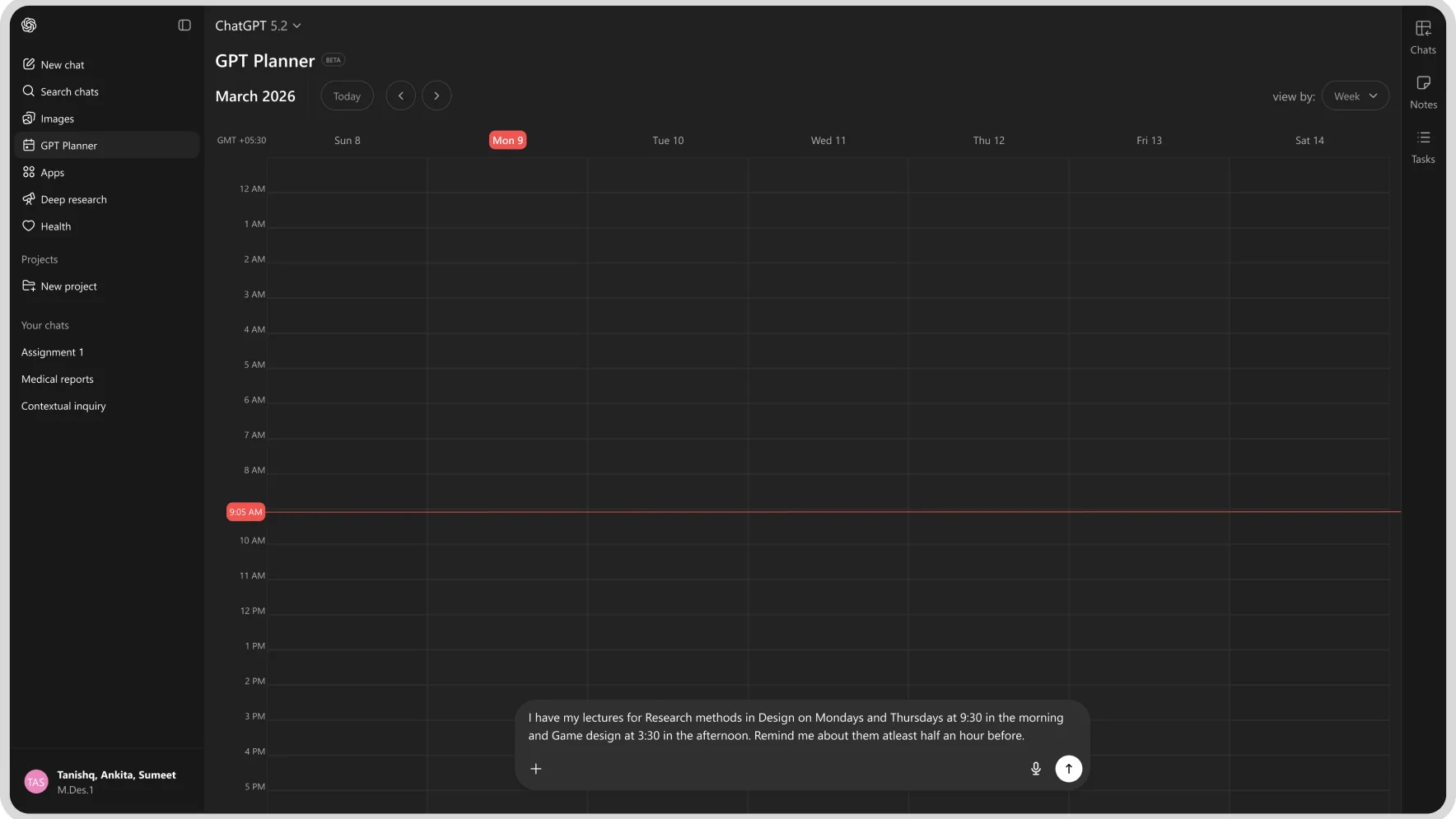
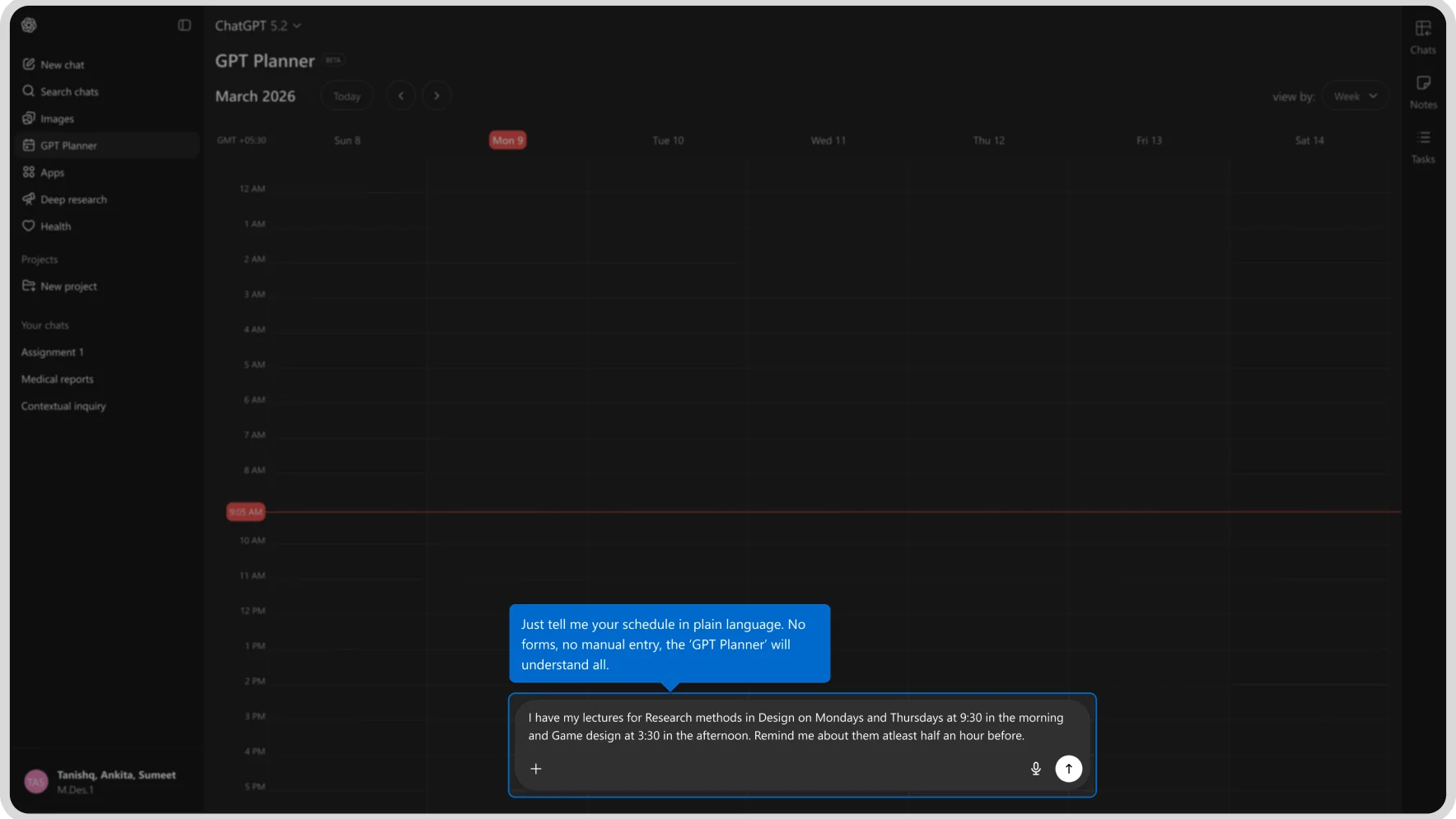
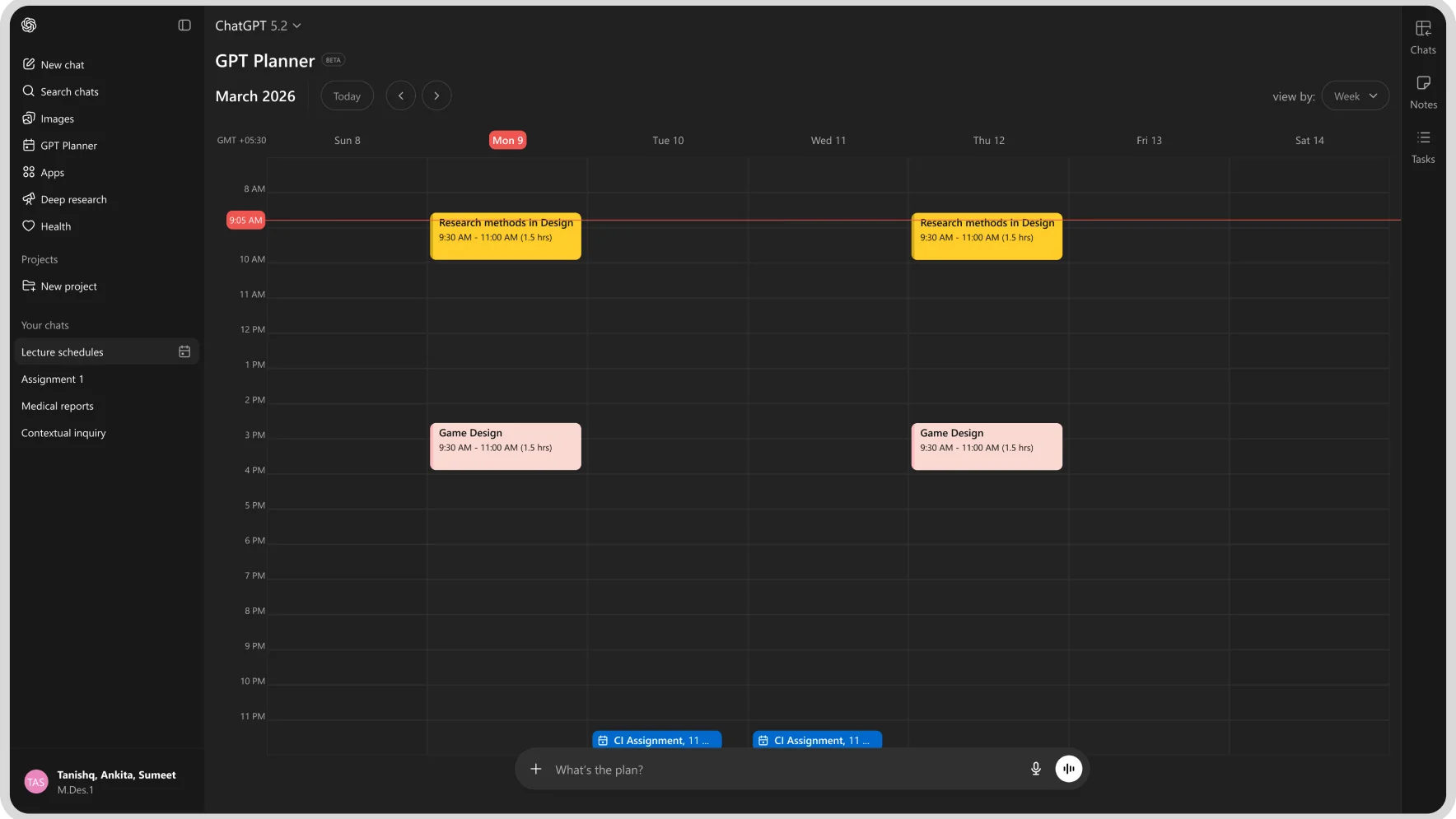
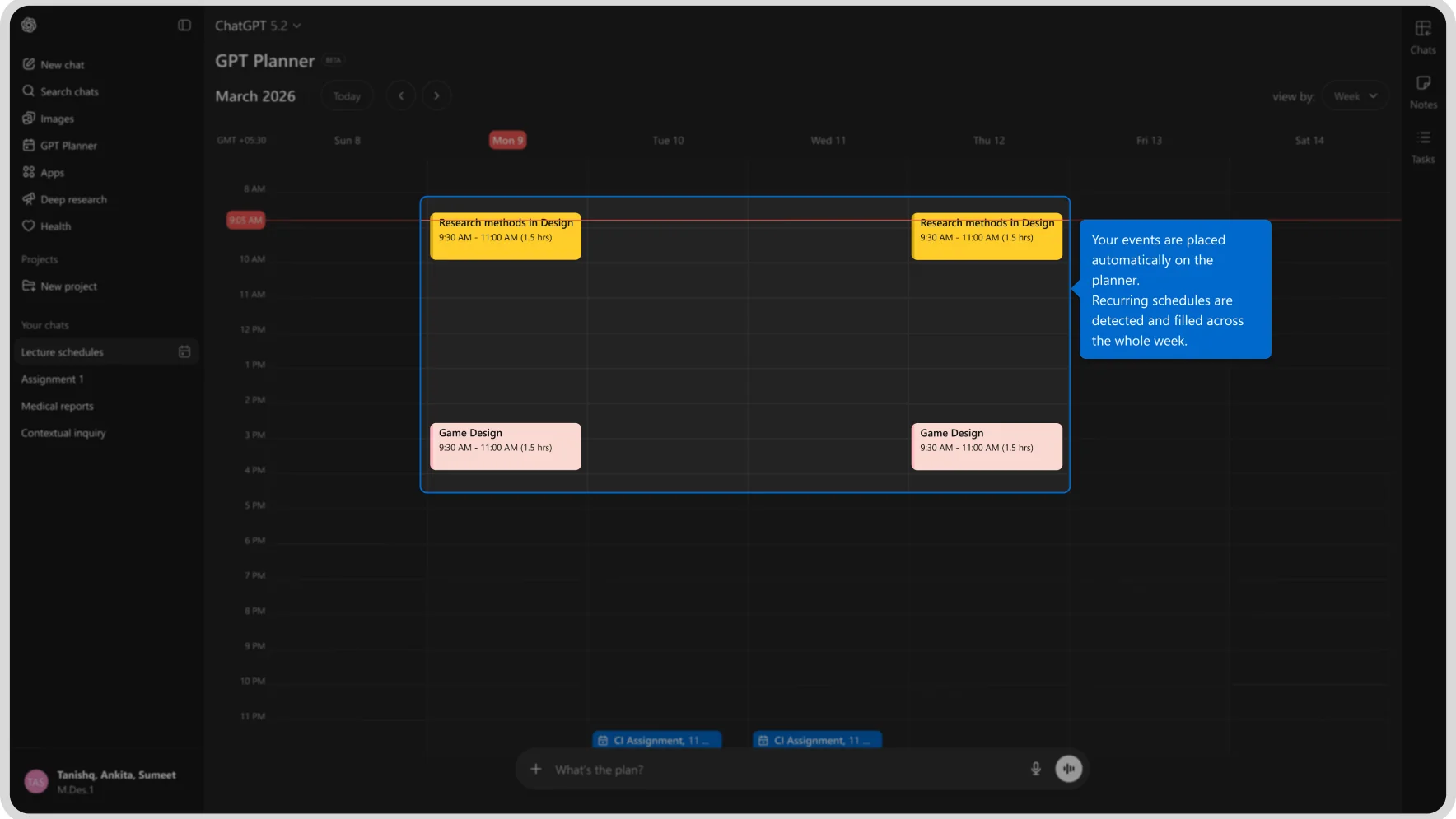
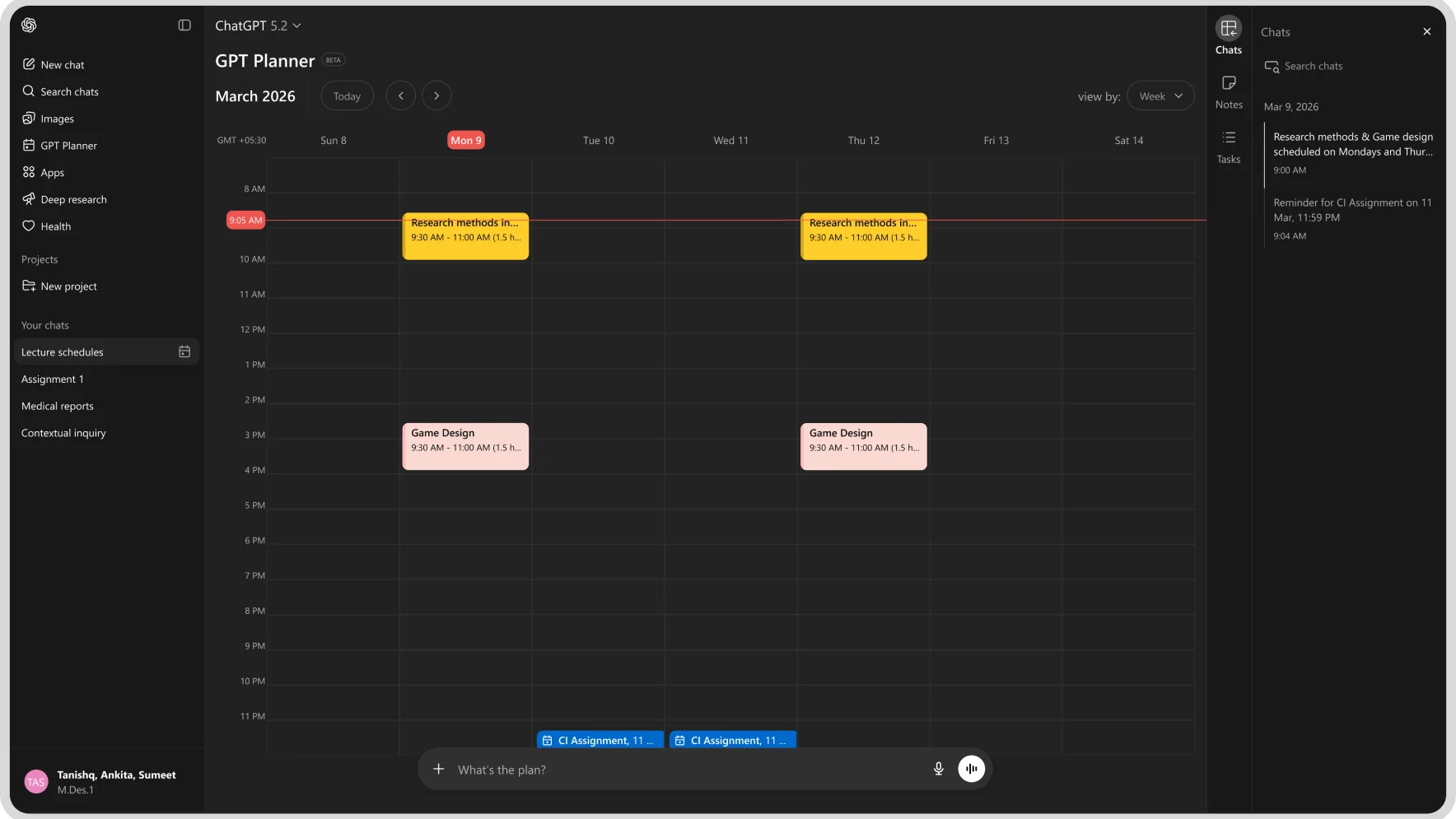
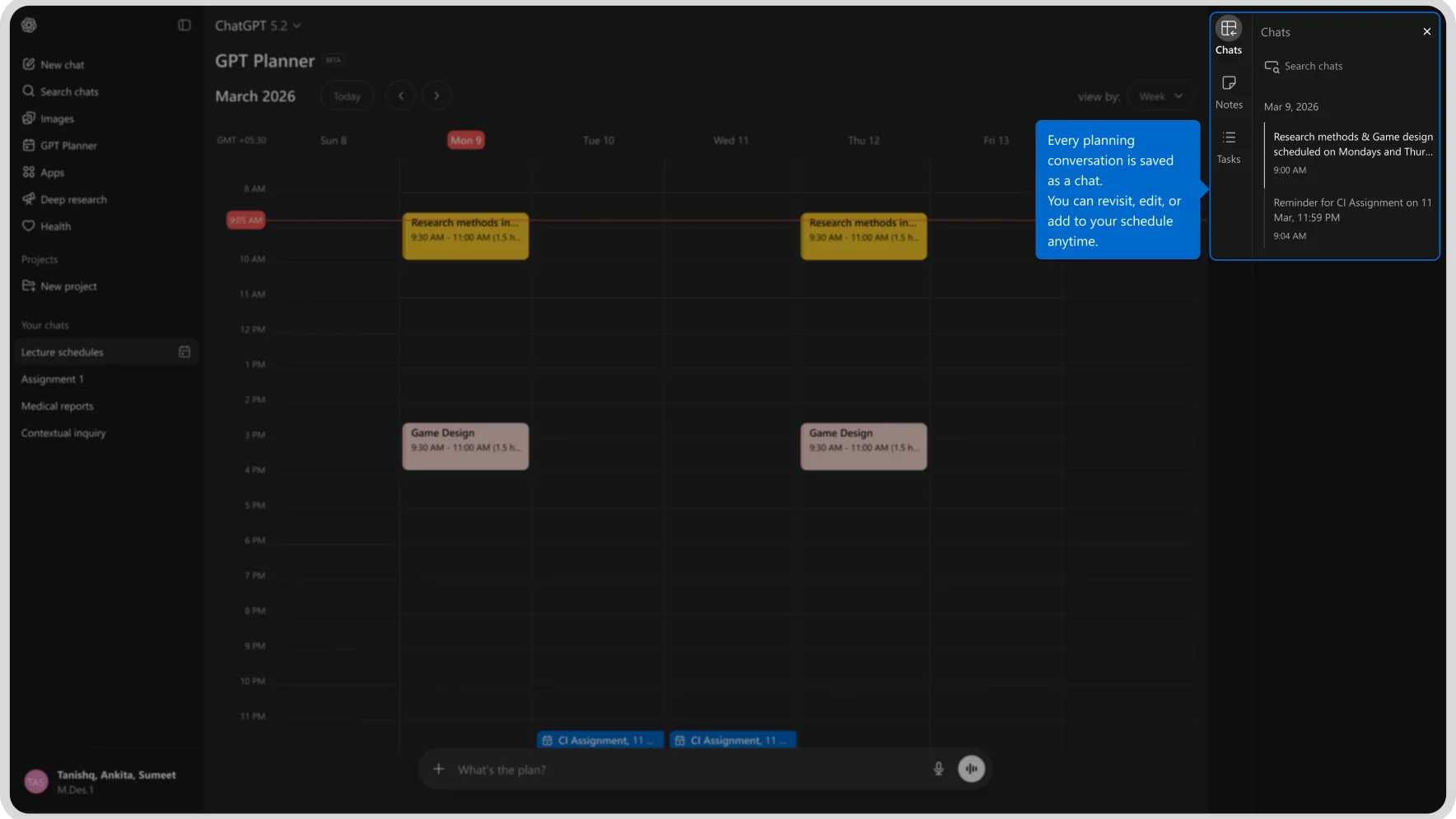
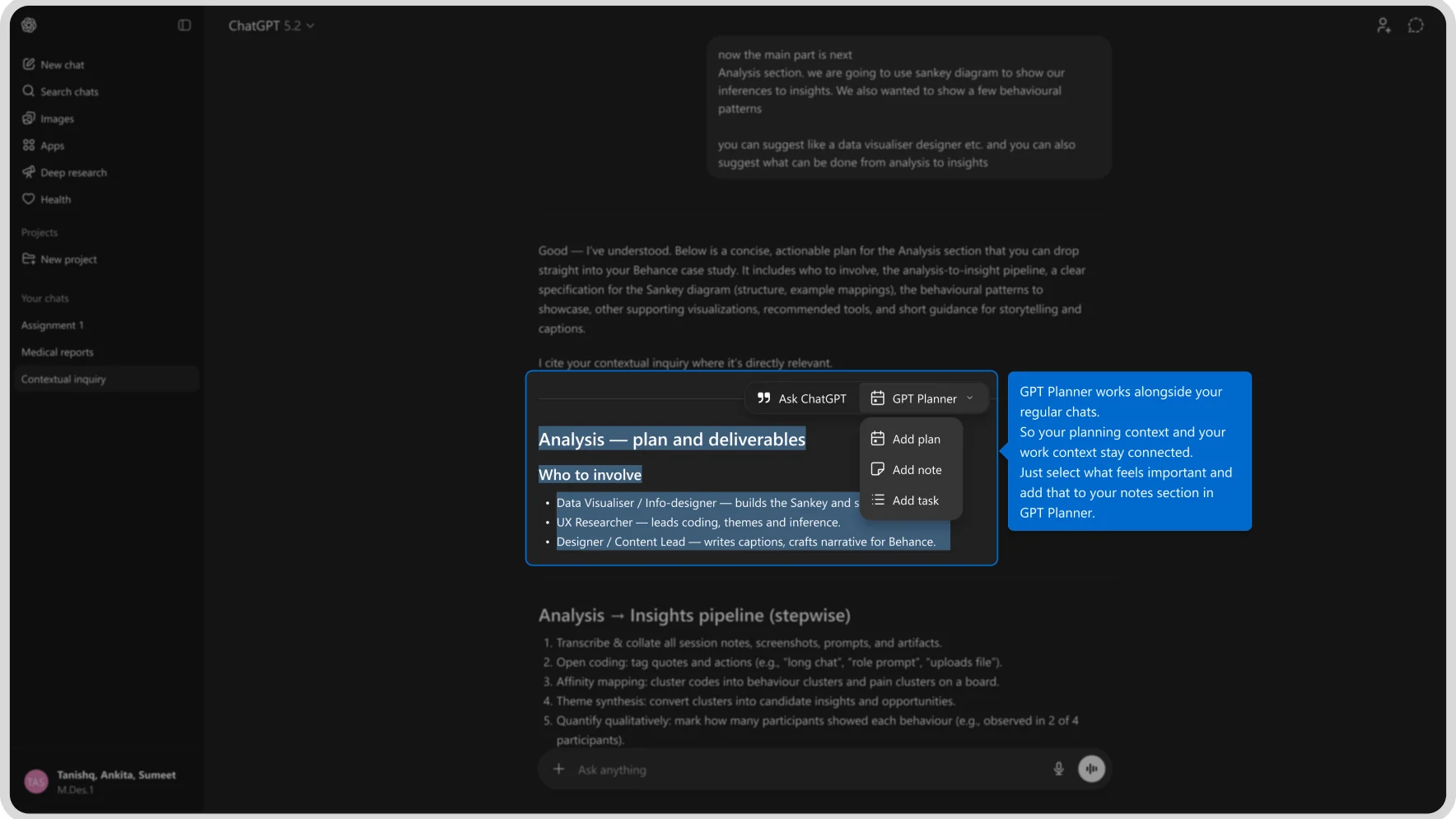
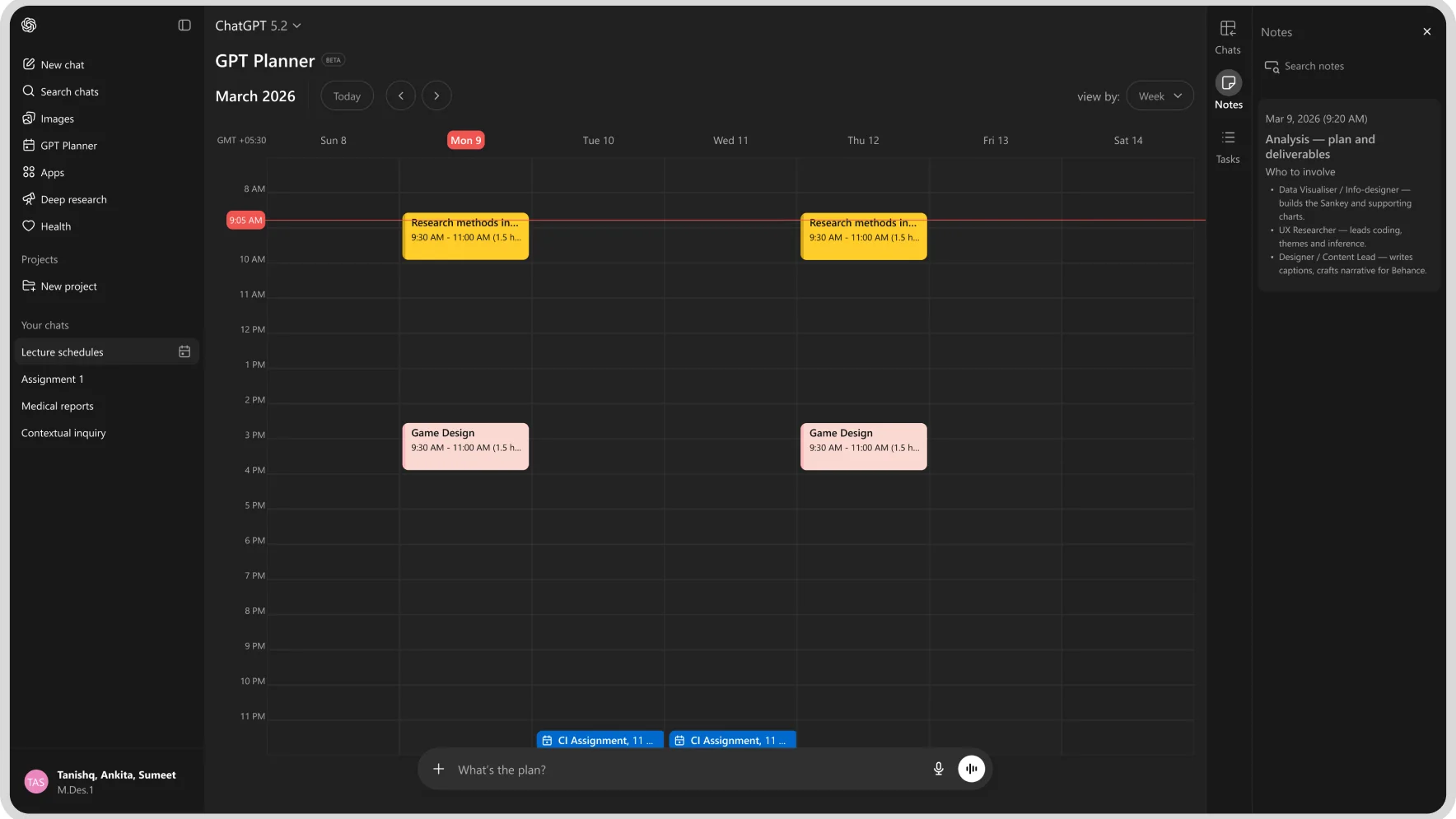
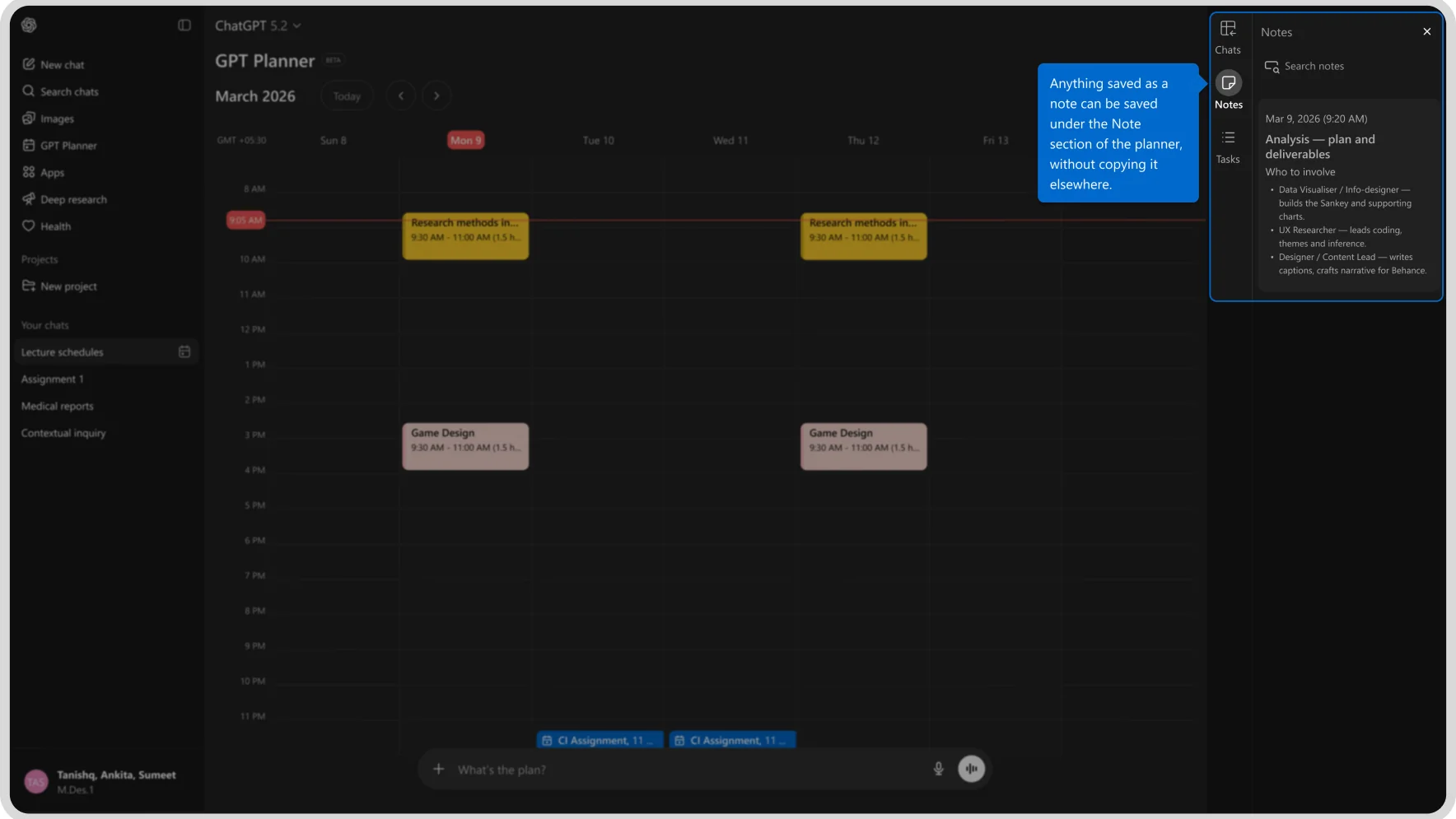
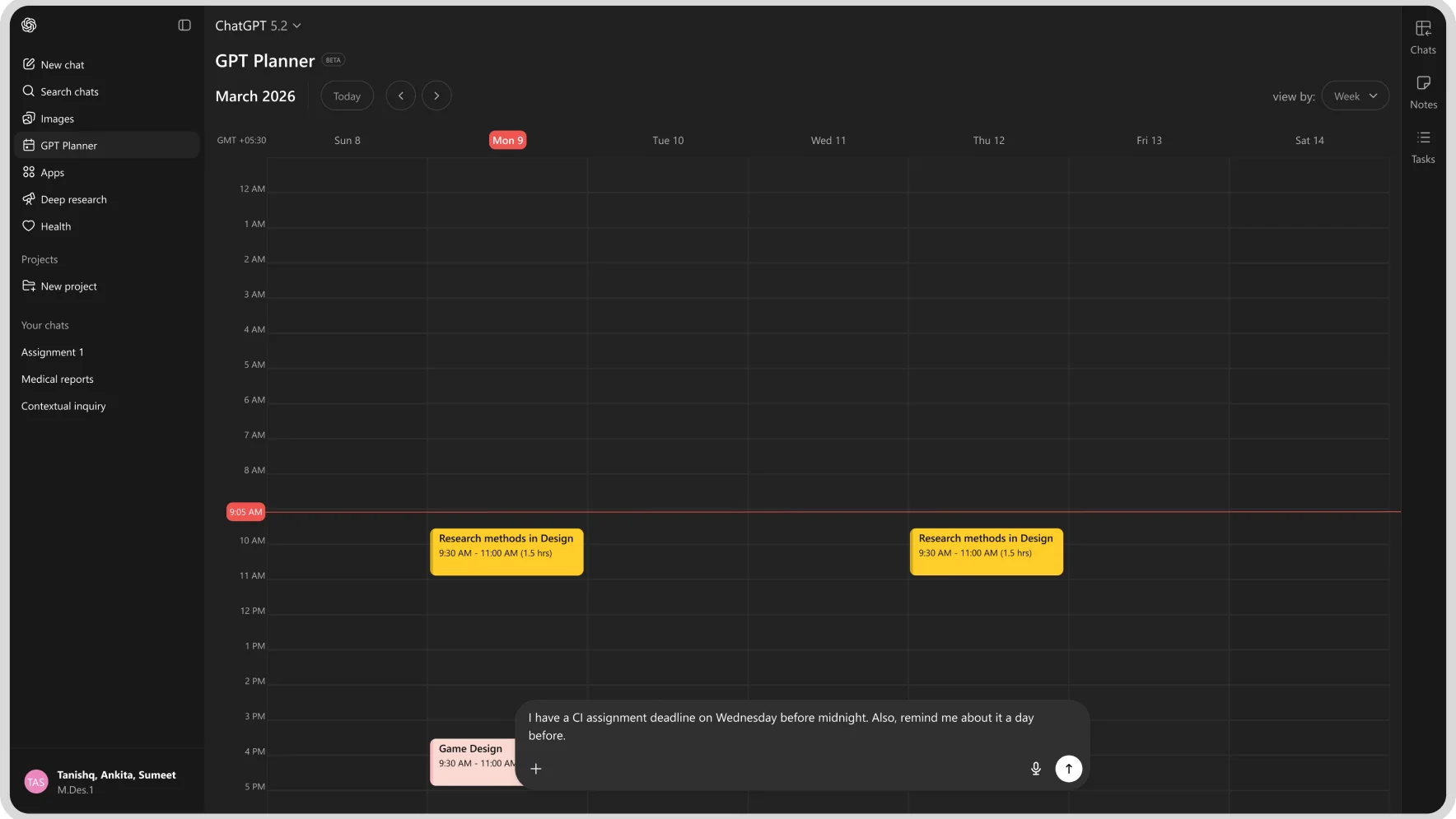
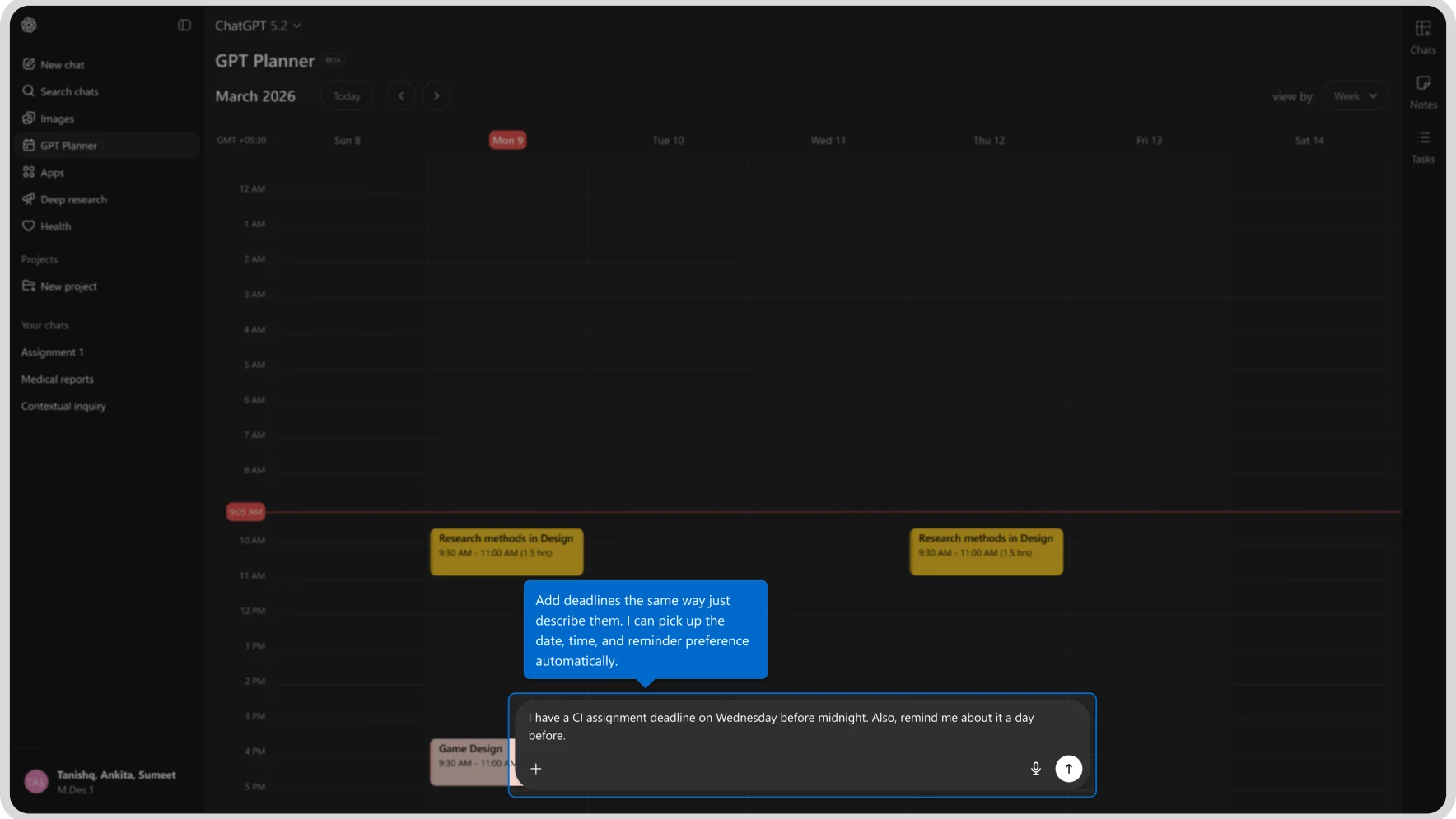
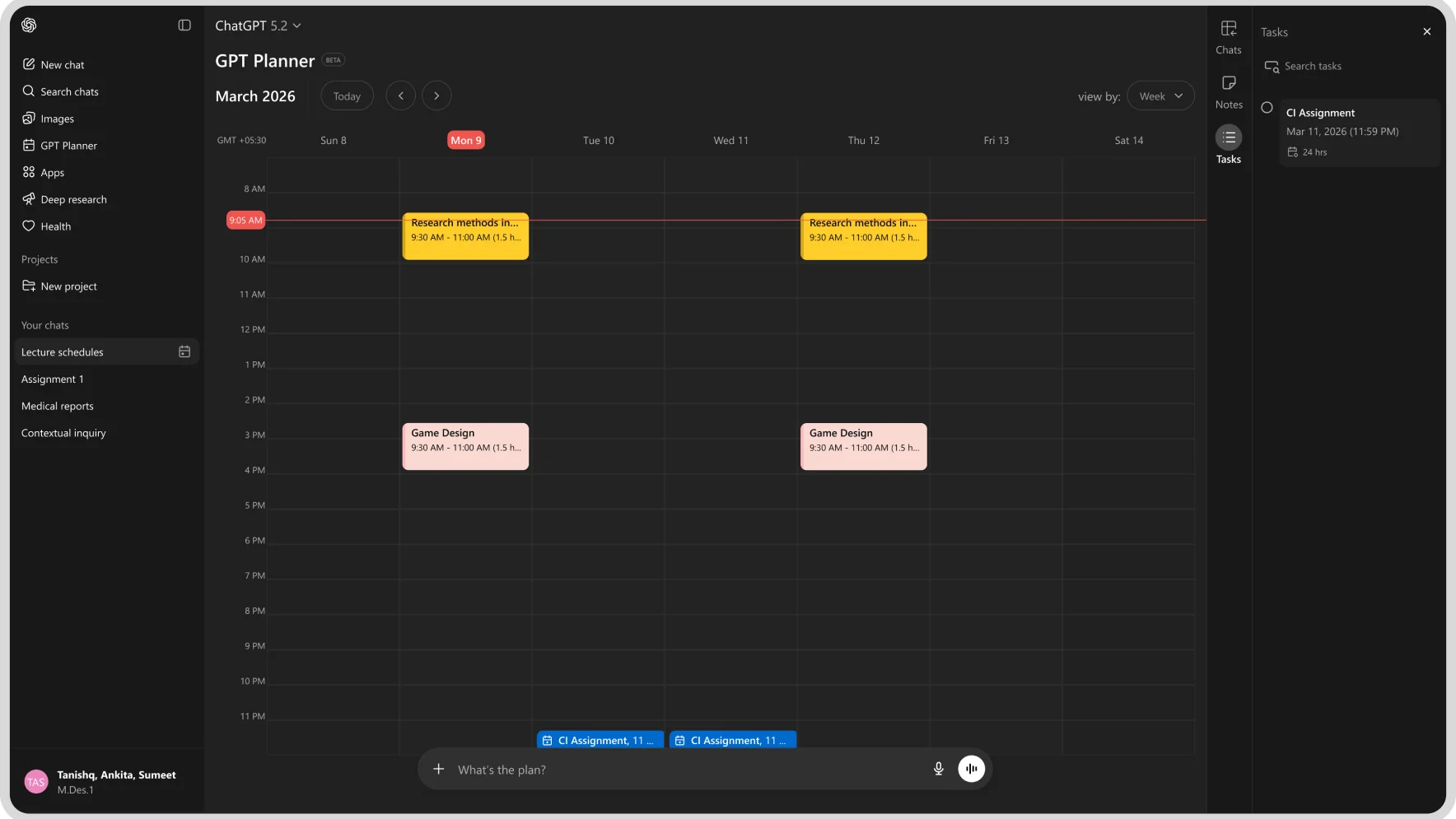
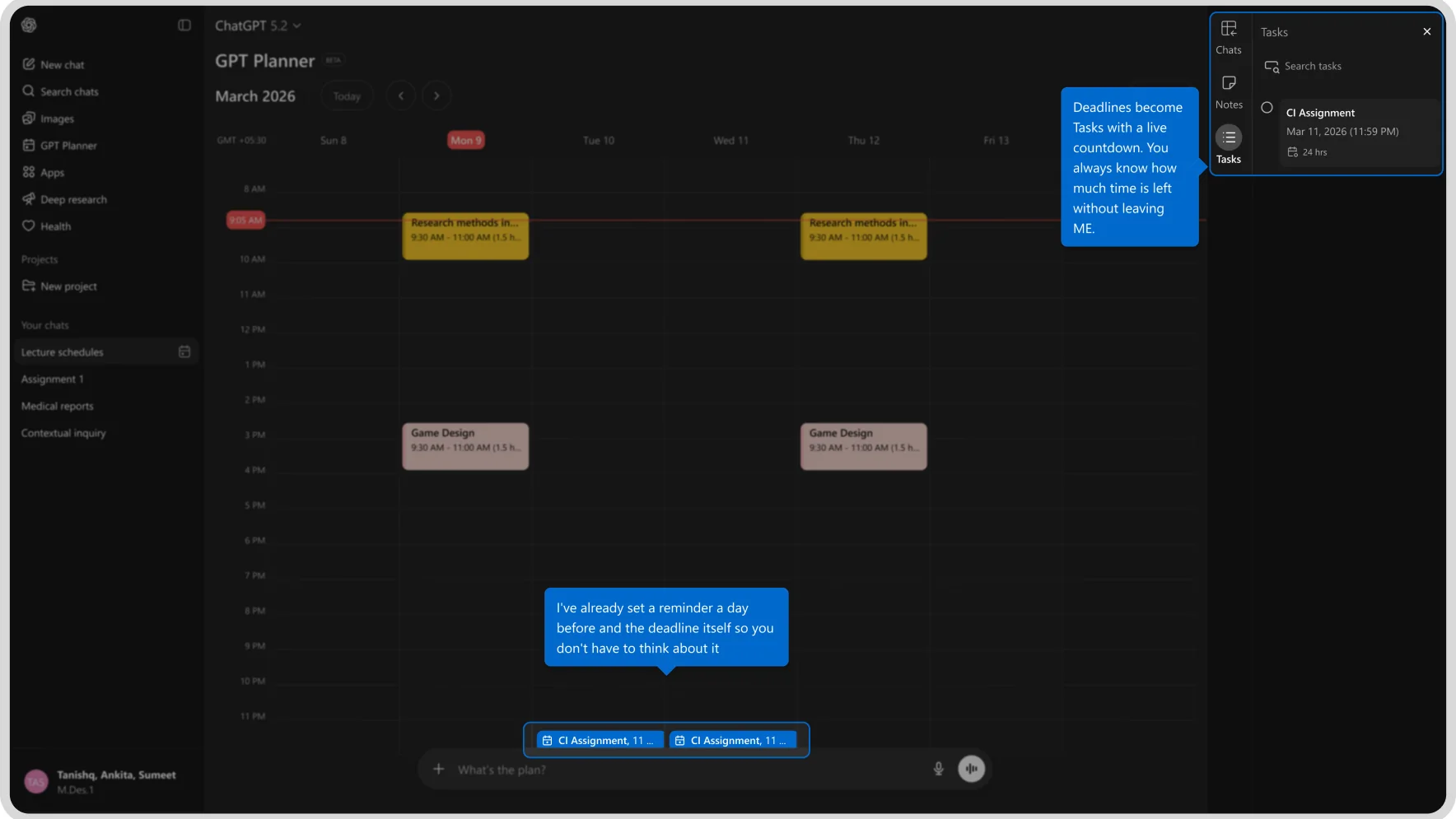
Gpt Planner

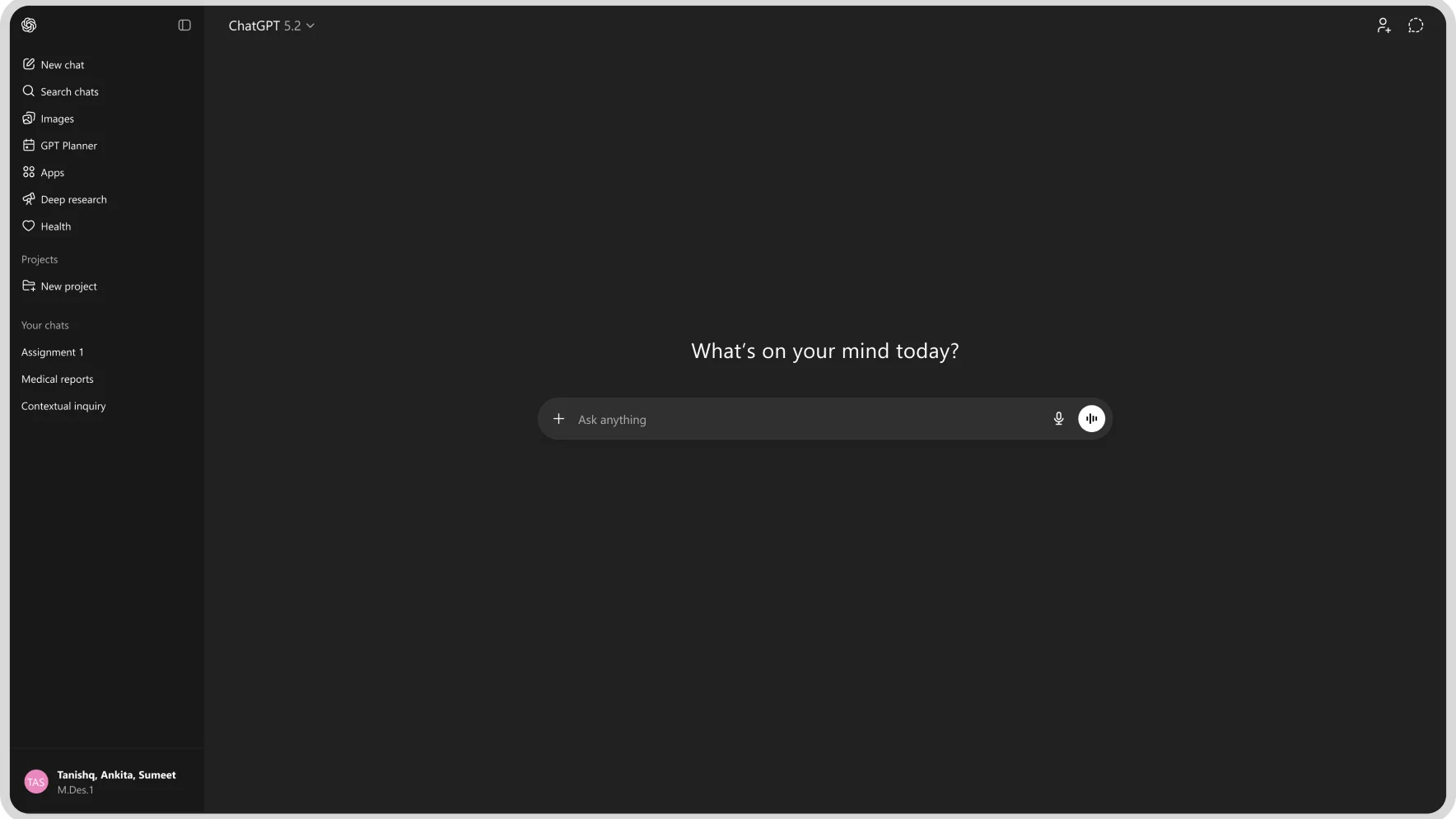
ChatGPT sidebar with the new GPT Planner entry
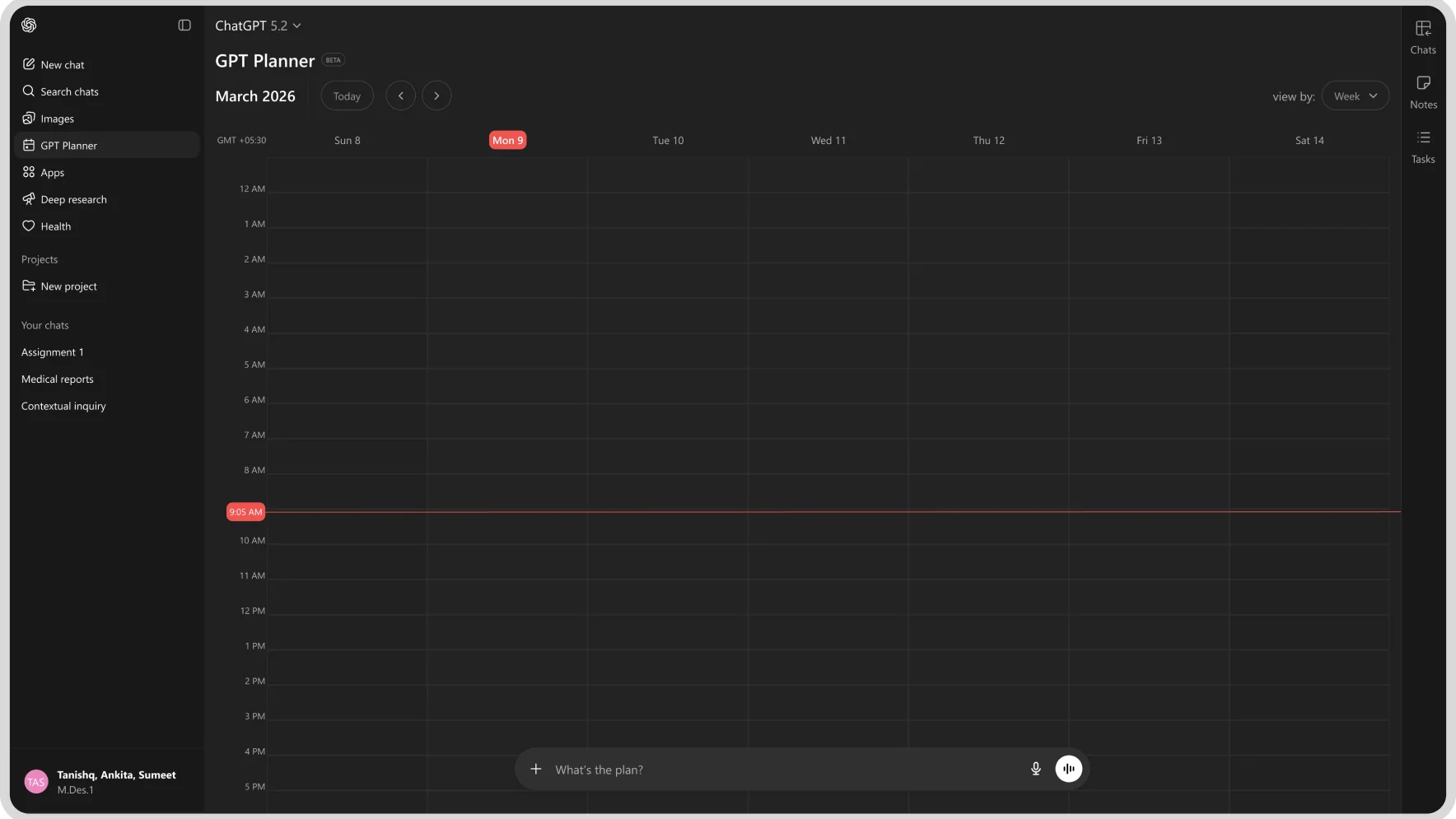
GPT Planner empty week calendar
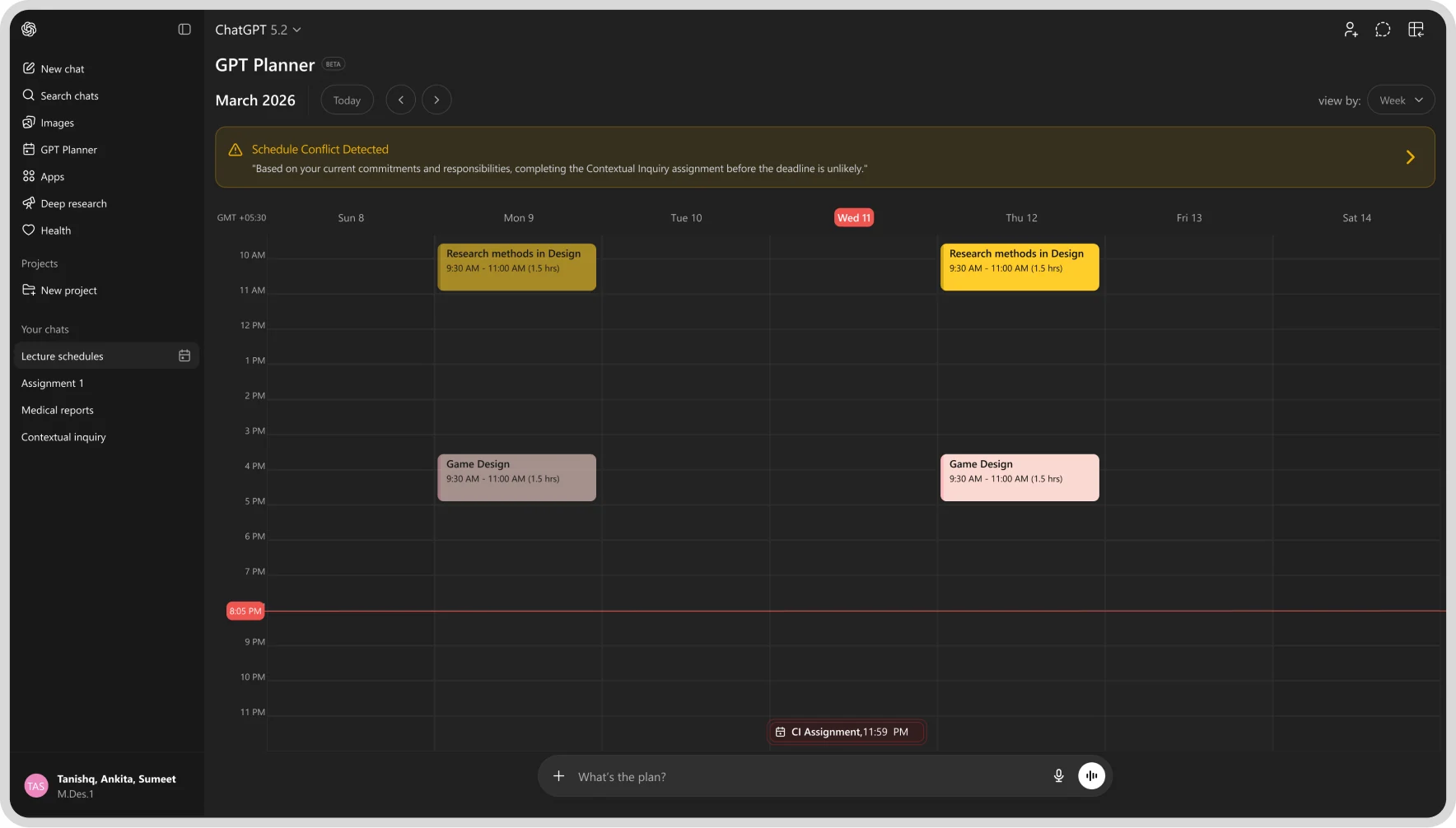
GPT Planner calendar with a schedule-conflict banner
GPT Planner calendar with research and game-design blocks
GPT Planner calendar, same week view
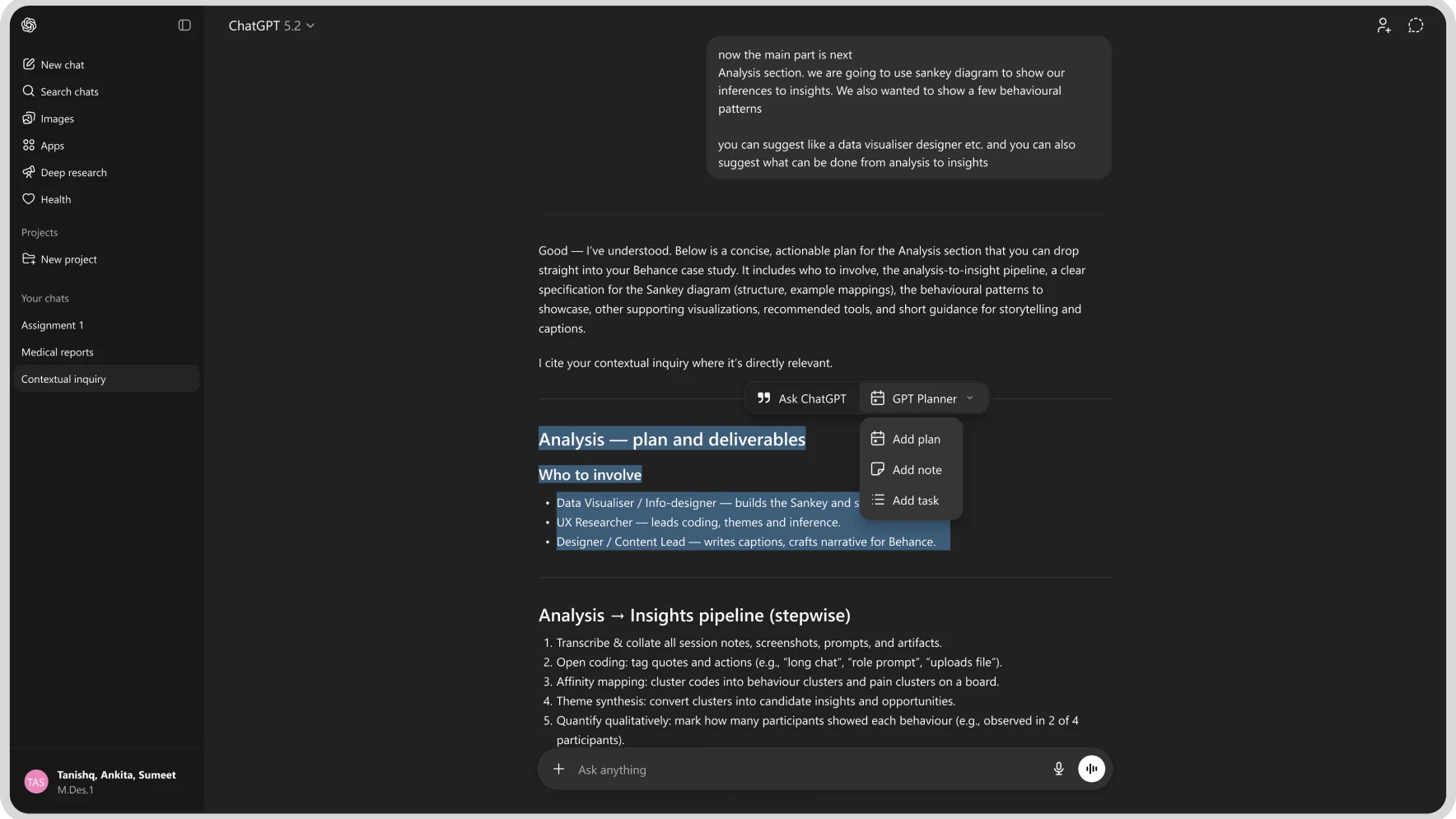
ChatGPT conversation planning the Analysis section
GPT Planner calendar view
GPT Planner calendar with a note added
GPT Planner calendar with a follow-up note

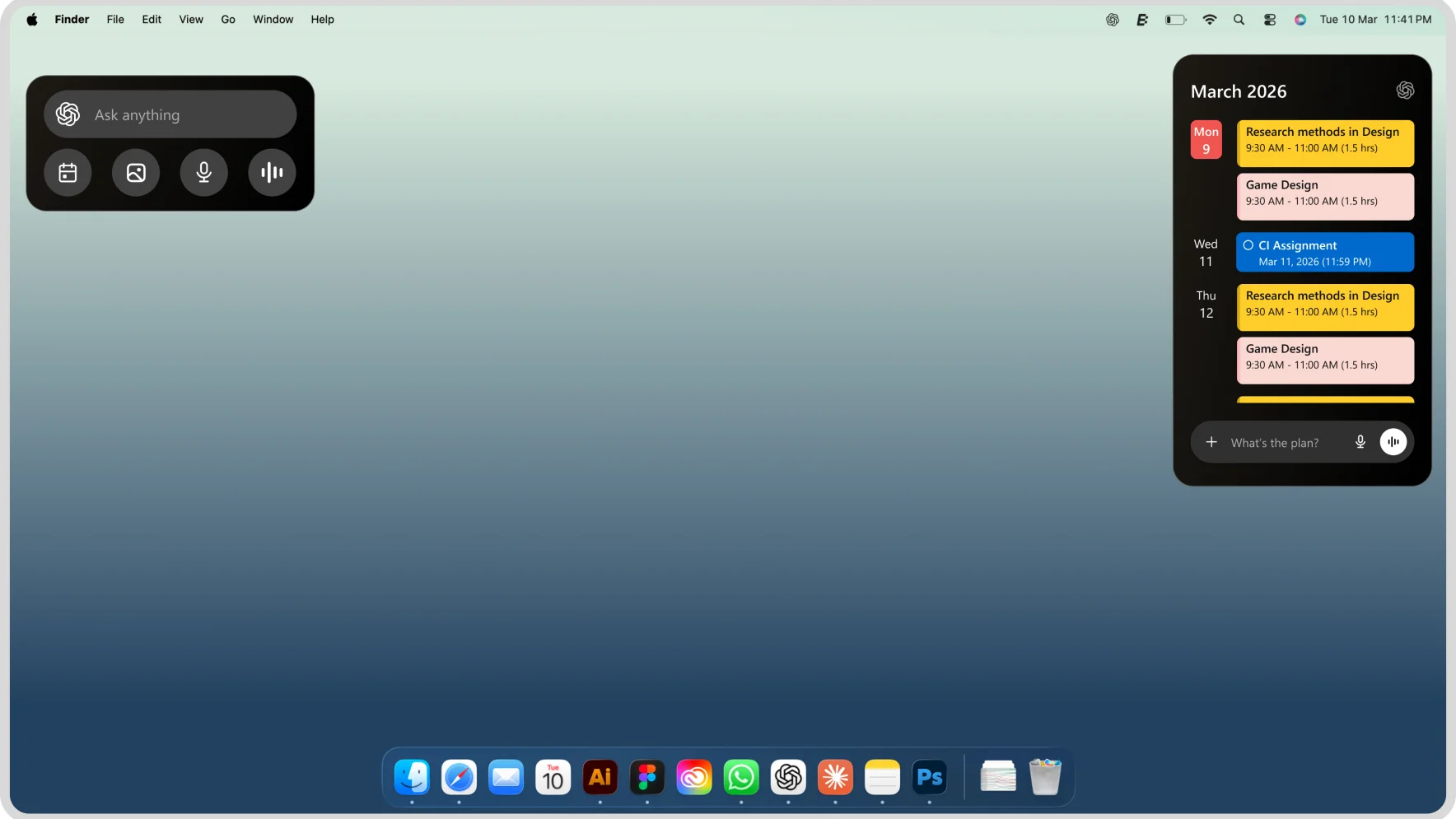
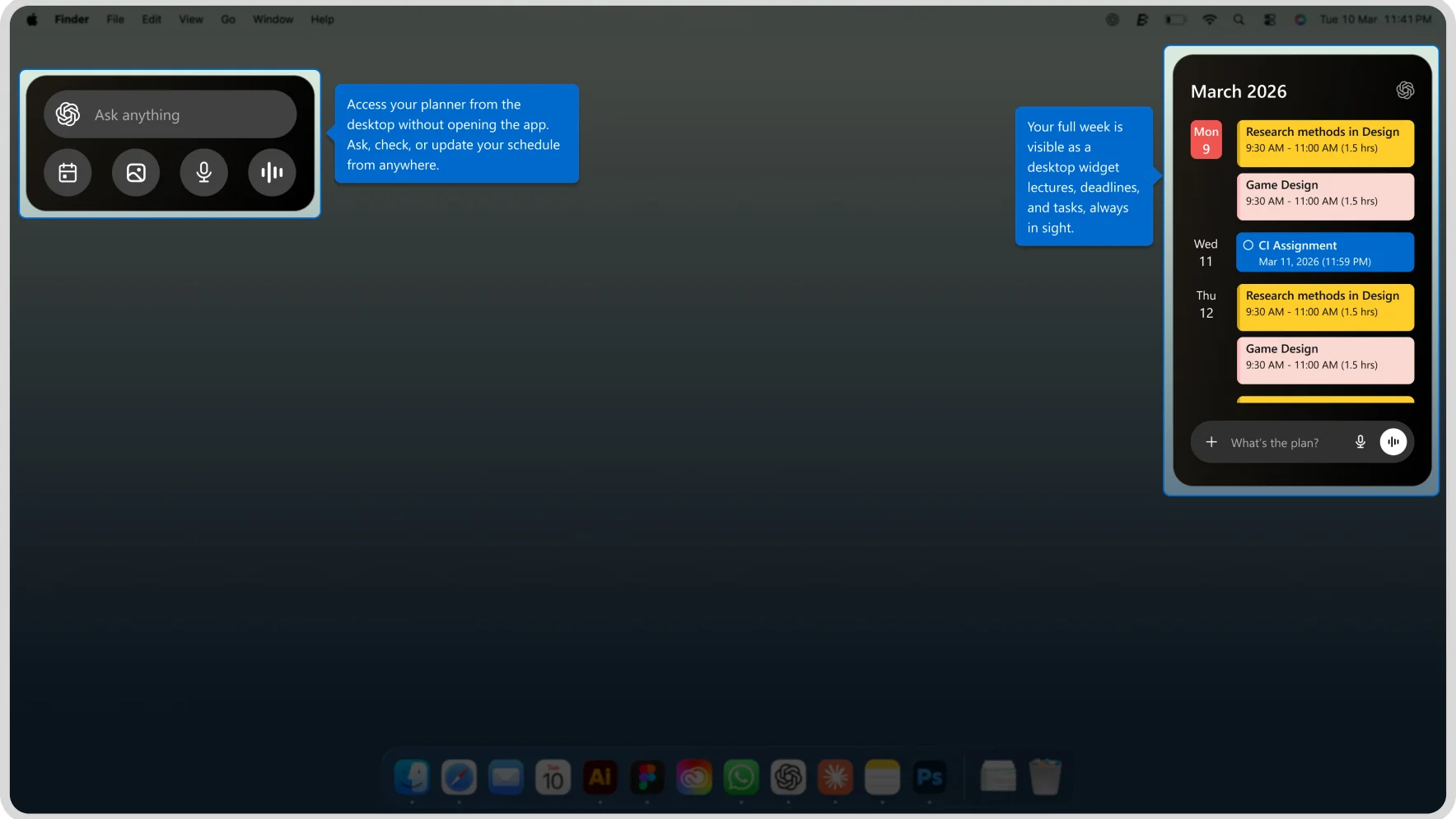
ChatGPT's Desktop's Widgets

macOS desktop with a GPT Planner widget and menu-bar icon

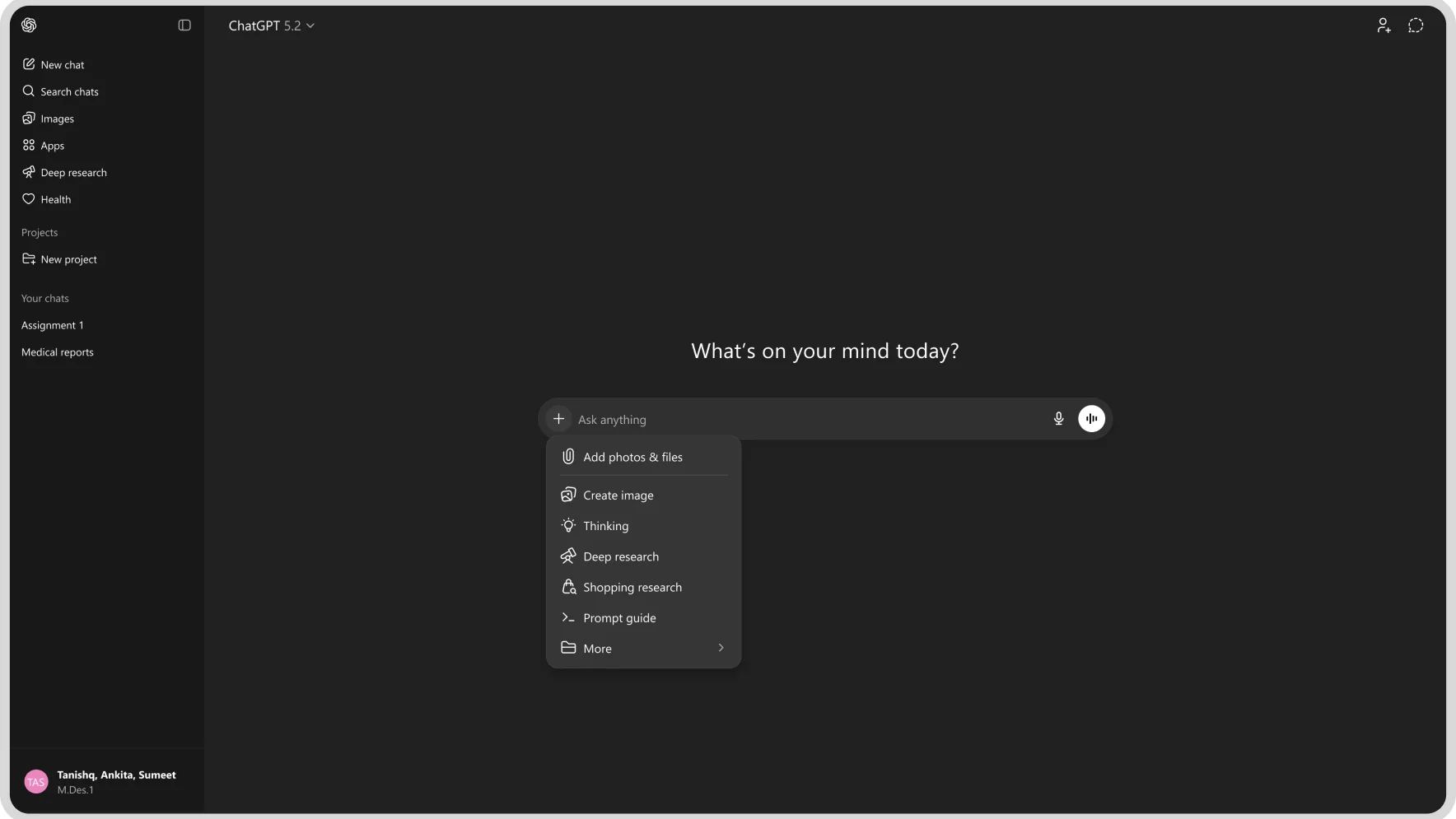
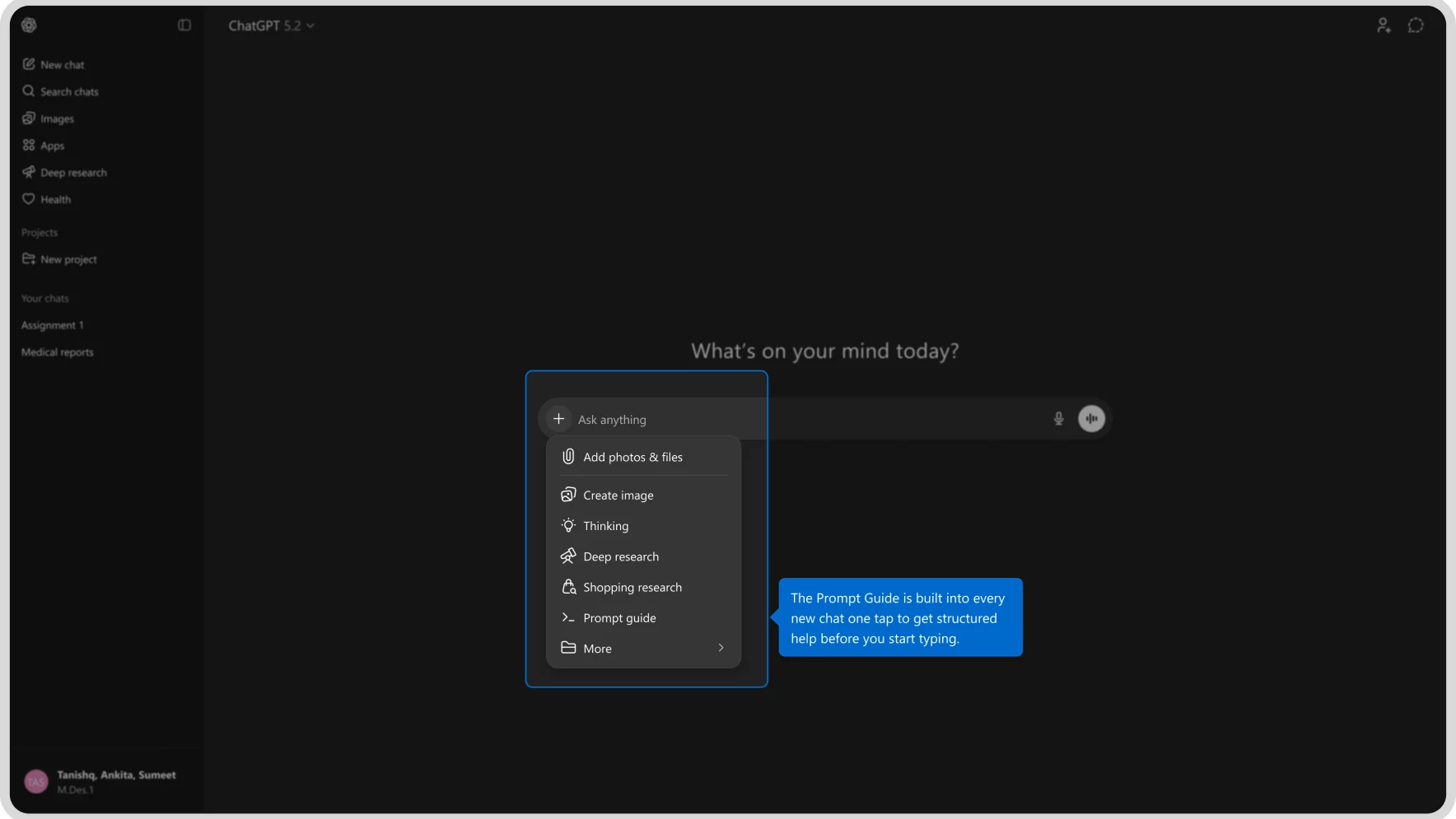
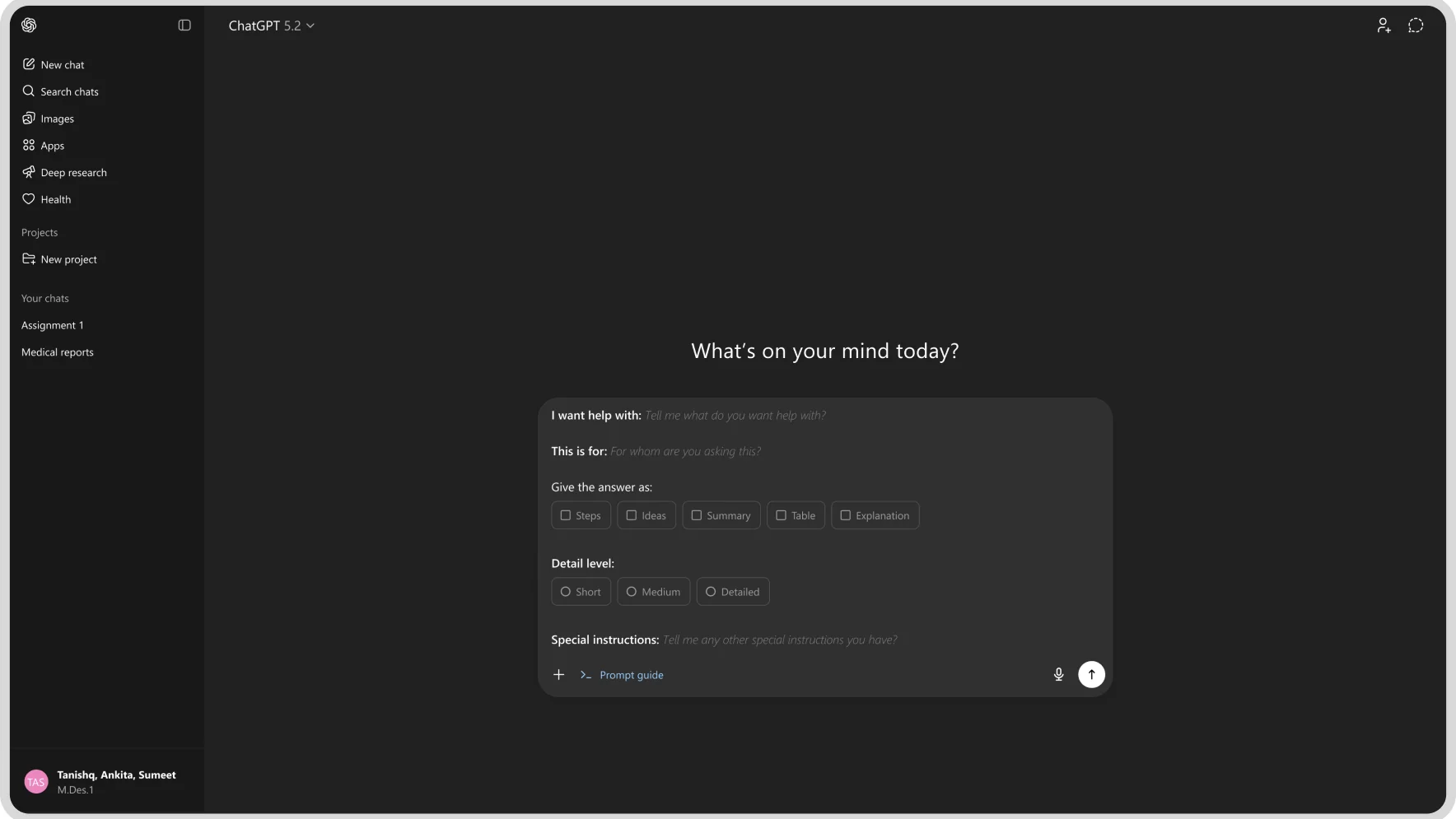
ChatGPT's Prompt Guide

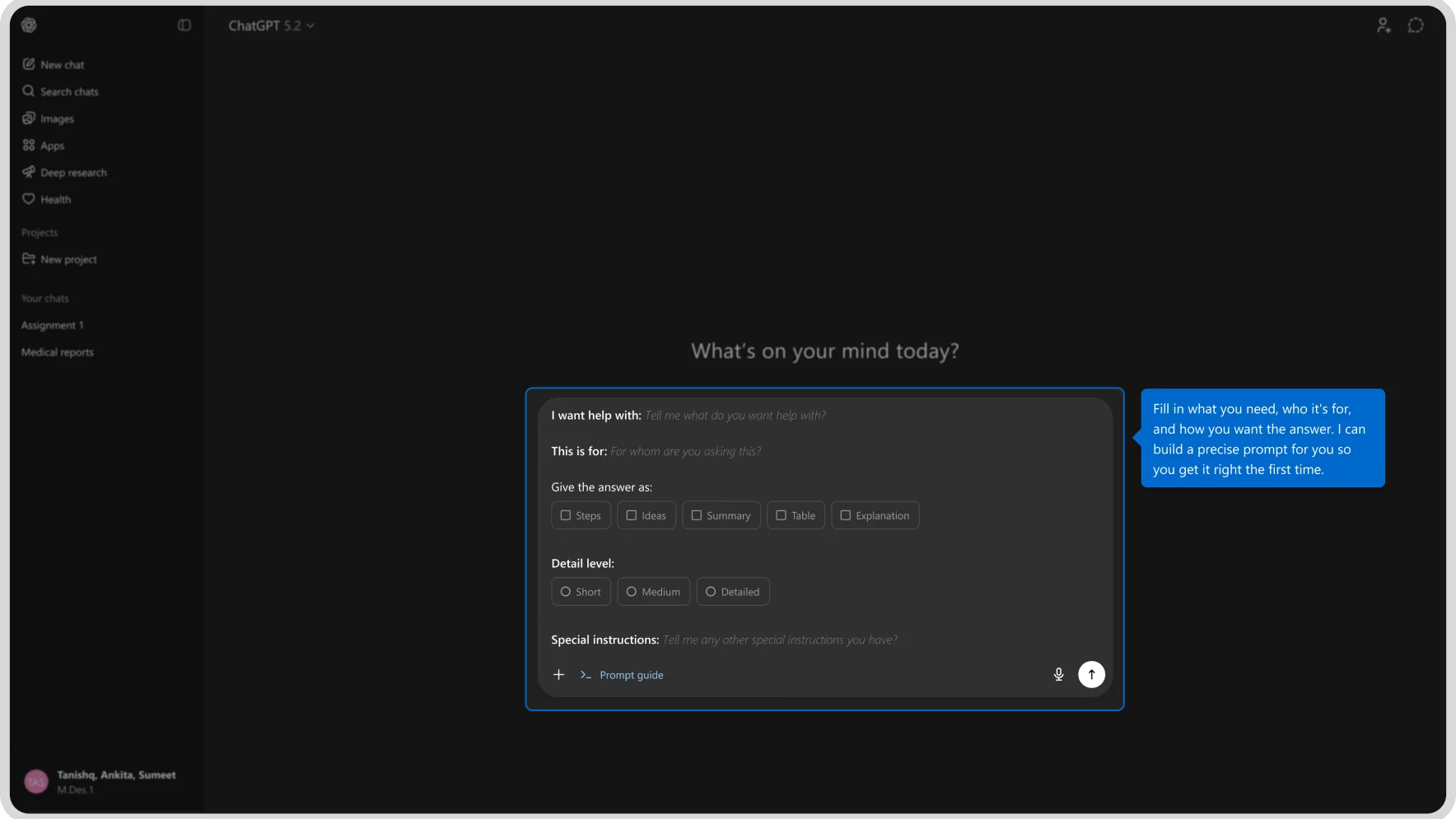
ChatGPT's “Add photos & files” attachment menu
ChatGPT's structured prompt-guide form

How is this different?

ChatGPT planner plans ahead with you, stays accessible across all your devices despite your OS, reminds you before you miss a deadline and most importantly if you’re ever stuck and don’t know what to do next, the AI steps in it looks at your existing tasks, understands your situation, and suggests the most relevant next step for you.

eg. lets consider a hypothetical situation where you forget an assignment submission deadline :D
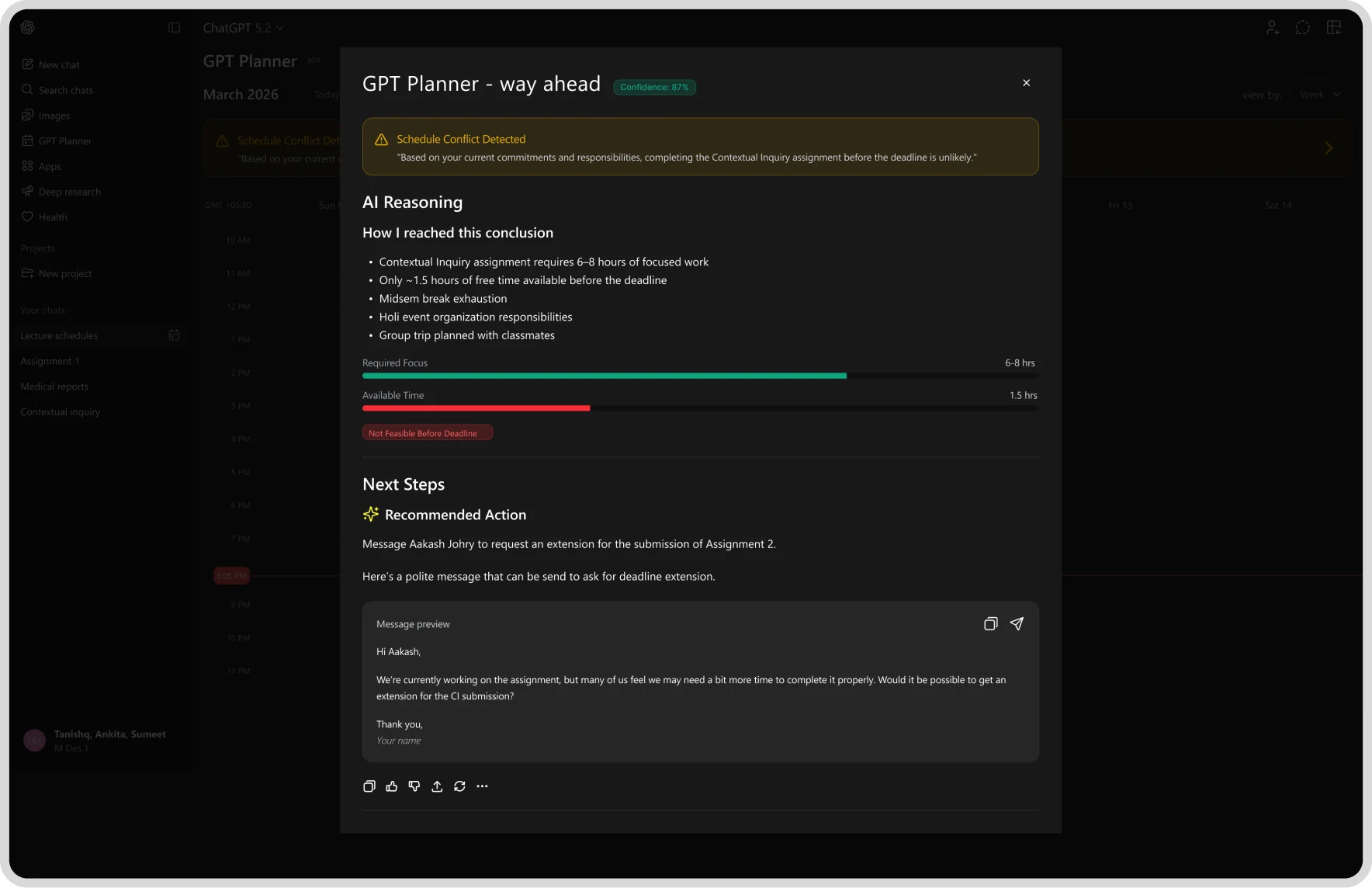
What can ChatGPT Planner do for you in this situation?

GPT Planner calendar with a schedule-conflict banner: 'Based on your current commitments and responsibilities, completing the Contextual Inquiry assignment before the deadline is unlikely.'
GPT Planner's AI reasoning panel: required focus time vs available time, and a recommended action to message the instructor requesting an extension, with a drafted message
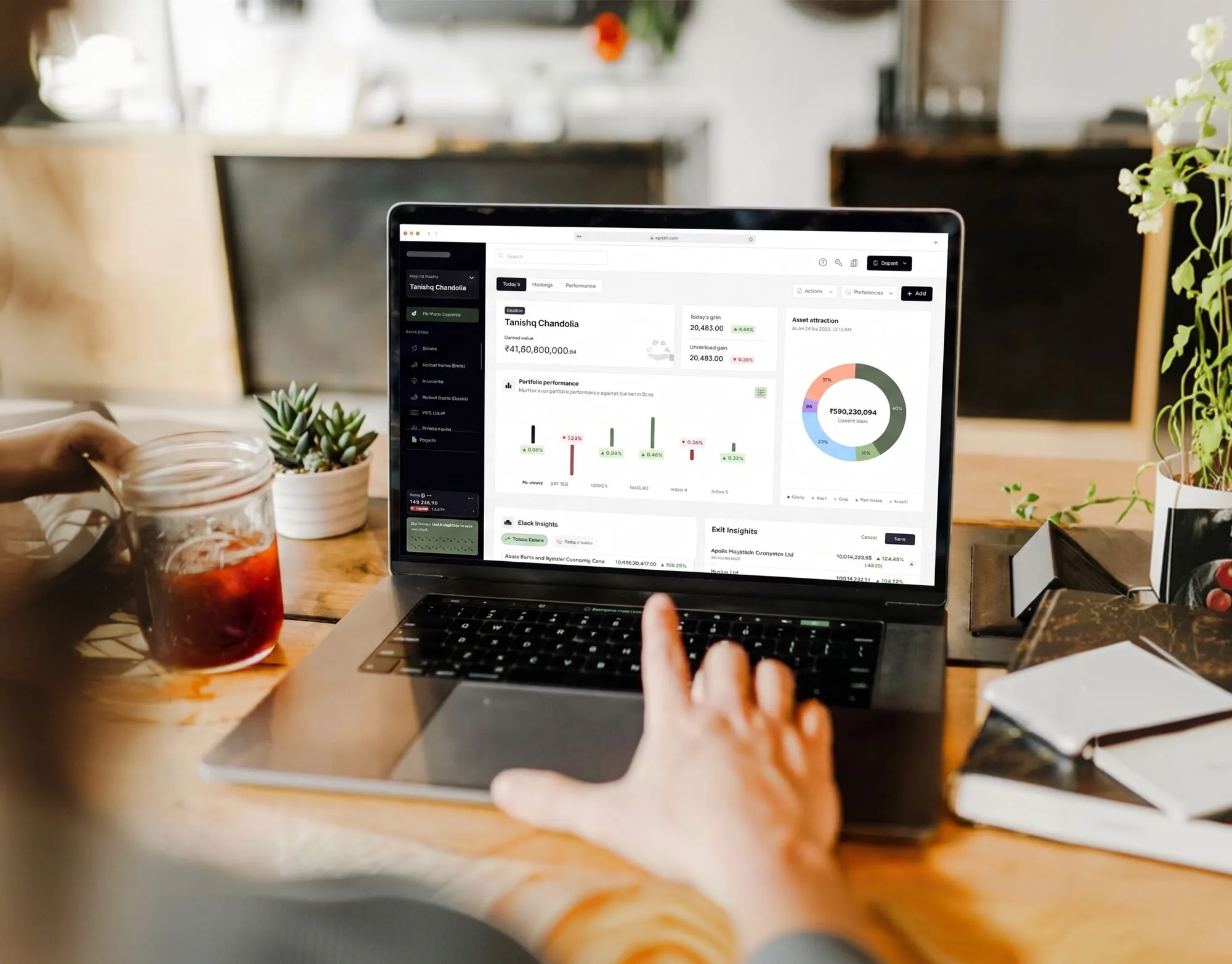
Laptop on a desk showing the investments tracking dashboard, next to a plant and an iced coffee
  • Product design
  • Design System
  • Fintech

Investments Tracking Platform + Marketing Website

A ground-up redesign and rebranding of multi-asset investment-tracking platform, turning a powerful but dense product into a clear, guided experience, then rebuilding its marketing website to match.
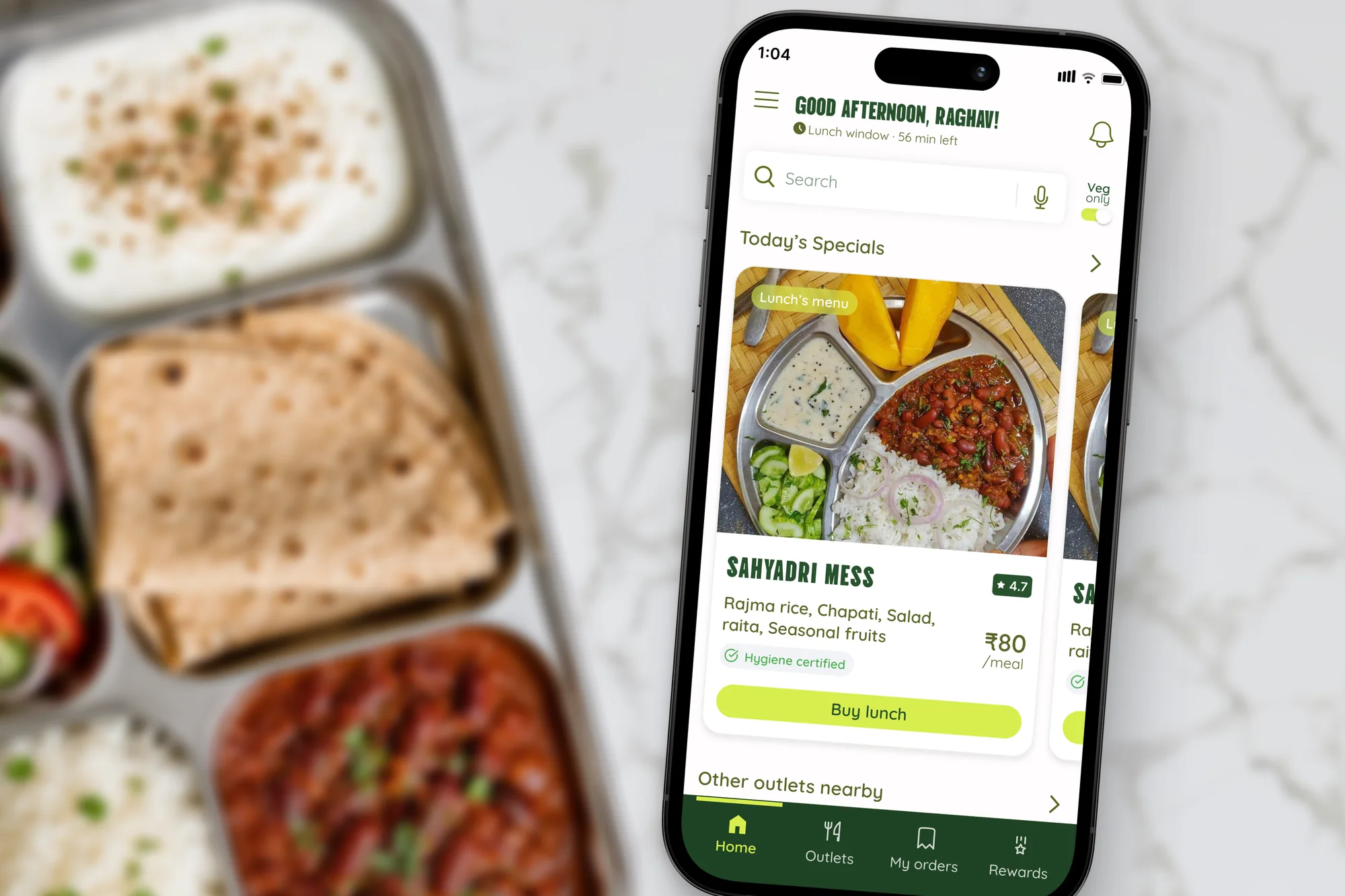
Phone showing a campus mess-ordering app over a tray of Indian food
  • Product design
  • Persuasion Techniques
  • Strategic UX

Strategic UX Design for problem solving

Using strategic UX design methods and persuasion techniques for designing products that need user’s as well as business needs